Intuition#
Think of Twig templates and JavaScript as two different worlds that need to communicate. Twig lives on the server side, where it has access to all your application data, database results, and configuration settings. JavaScript, on the other hand, lives in the browser, where it handles user interactions and dynamic updates. And oftentimes to make some interactable components, we’ll need to pass information from one world to another in order to make that happen.
Methods for Passing Variables#
Consider we have the following test-hello-world component:
1
2
3
4
| test-hello-world
|______test-hello-world.twig
|______test-hello-world.js
|______test-hello-world.component.yml
|
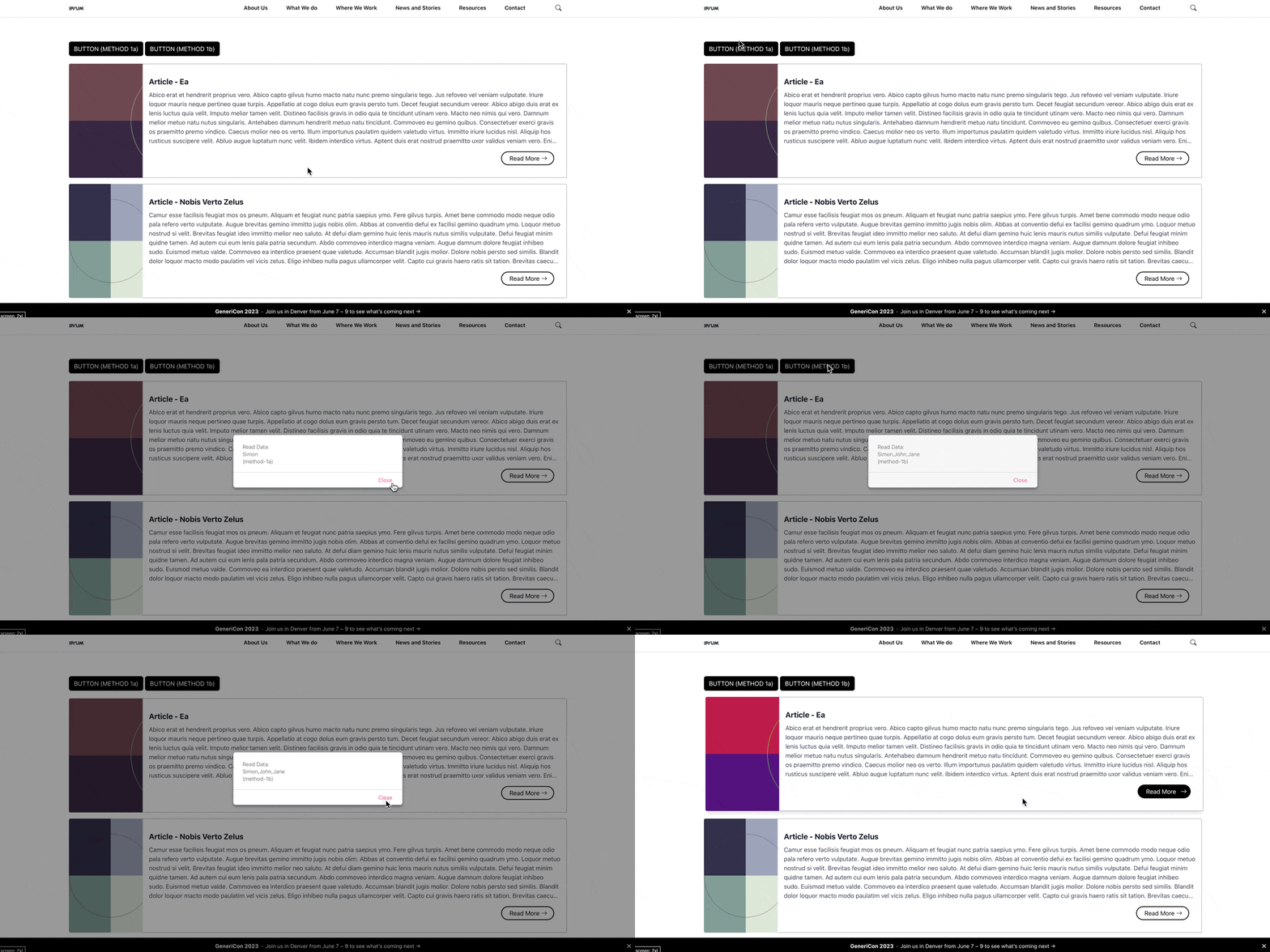
In the Twig template there is a button that storing some data that needs to be read from the JavaScritp file in order for the button to trigger and alert() when it is clicked.
Method-1: via HTML data attribute#
(recommended for SDC, good for simple values such as raw string)
1
2
3
4
5
6
7
8
| {# Method 1a: Passing varaibale via embedding raw value in html data attribute (good for simple values) #}
{% set hello_world_name = 'Simon' %}
<button
class="hello-world-button method-1 btn btn-primary"
data-hello-world-name="{{hello_world_name}}"
>
BUTTON (METHOD 1a)
</button>
|
1
2
3
4
5
6
| /* Method 1a: Passing varaibale via embedding raw value in html data attribute (good for simple values) */
const button_s = document.querySelectorAll('.hello-world-button.method-1');
button_s.forEach((button) => {
const data = button.dataset.helloWorldName; //OR "button.getAttribute('data-hello-world-name');"
button.onclick = () => {alert("Read Data:\n" + data + "\n(method-1a)");}
});
|
There’s a workaround for when the data/values are complex objects, shown below. But you’ll need to be mindful of the usage for single/double quote, if not you’ll get parsing error (e.g. <... data-example-data="{"name":"Simon", "gender":"male"}" >). So generally it is just better and more convinient to use the method-2 when the data is not a plain string or number.
1
2
3
4
5
6
7
8
| {# Method 1b: Passing variable via embedding encodedJSON object in data attribute (good for complex values) #}
{% set hello_world_names = ['Simon', 'John', 'Jane'] %}
<button
class="hello-world-button method-2 btn btn-primary"
data-hello-world-names='{{hello_world_names|json_encode|raw}}'
>
BUTTON (METHOD 1b)
</button>
|
1
2
3
4
5
6
| /* Method 1b: Passing variable via embedding encodedJSON object in data attribute (good for complex values) */
const button_s = document.querySelectorAll('.hello-world-button.method-2');
button_s.forEach((button) => {
const data = JSON.parse(button.dataset.helloWorldNames); //OR "JSON.parse(button.getAttribute('data-hello-world-names'));"
button.onclick = () => {alert("Read Data:\n" + data + "\n(method-1b)");}
});
|
Method-2: via storing variable to drupalSetting (theme hook)#
(recommended for SDC, when you have complex data) I would strongly recommend you use this method over method-3, unless you have a complex data that you don’t want to parse yourself to put in DrupalSettings.
 1
 2
 3
 4
 5
 6
 7
 8
 9
10
11
12
13
14
15
16
17
18
19
20
21
22
23
24
| // FILE: MYTHEME.THEME
function mytheme_preprocess_paragraph(&$variables){
$paragraph = $variables['paragraph'];
switch ($variables['paragraph']->getType()) {
case 'card':
$messenger = \Drupal::service("messenger");
$messenger -> addStatus(t('[Card] Component detected, loading data now... (ID:'. $paragraph->id().')'));
// ...
// set temporaily value
$_id_ = $paragraph->id();
$_title_ = $paragraph->getTitle();
$_subtitle_ = $paragraph->getSubTitle();
$_description_ = $paragraph->getDescription();
$_link_ = $paragraph->getLink();
// ...
// save the values to drupal settings
$variables['#attached']['drupalSettings']['mytheme']['card']['data'][$_id_]['id'] = $_id_;
$variables['#attached']['drupalSettings']['mytheme']['card']['data'][$_id_]['title'] = $_title_;
$variables['#attached']['drupalSettings']['mytheme']['card']['data'][$_id_]['subtitle'] = $_subtitle_;
$variables['#attached']['drupalSettings']['mytheme']['card']['data'][$_id_]['description'] = $_description_;
$variables['#attached']['drupalSettings']['mytheme']['card']['data'][$_id_]['link'] = $_link_;
// ...
}
}
|
1
2
| {# FILE: CARD.TWIG #}
<div id="{{elements['#paragraph'].id.value}}" class="mytheme-card"> ... <div>
|
 1
 2
 3
 4
 5
 6
 7
 8
 9
10
11
12
13
14
15
16
17
18
19
20
21
22
23
24
25
26
| // FILE: CARD.JS
(function (Drupal, once) {
Drupal.behaviors.myComponent = {
attach: function (context, settings) {
document.querySelectorAll('.mytheme-card').forEach(
(element,index,array) => {
// extract attributes
const id = element.getAttribute('id');
console.log(settings.mytheme.card.data[id]);
const _title_ = settings.mytheme.card.data[id].title;
const _subtitle_ = settings.mytheme.card.data[id].subtitle;
const _description_ = settings.mytheme.card.data[id].description;
const _link_ = settings.mytheme.card.data[id].link;
// add interactivity
renderCard(
card_id=id,
card_title=_title_,
card_subtitle=_subtitle_,
card_description=_description_,
card_link=_link_
);
}
);
}
};
})(Drupal, once);
|
Method-3: via storing variable to window (inline script)#
(recommended for SDC, when you have complex data, data that you don’t want to manually parse)
1
2
3
| {# Method a: Passing variable via storing JSON object in script tag #}
<button class="hello-world-button method-2a btn btn-primary">BUTTON (METHOD 2a)</button>
<script>window.helloWorldNames={{hello_world_names|json_encode|raw}};</script>
|
1
2
3
4
5
6
| /* Method a: Passing variable via storing JSON object in script tag */
const button_s = document.querySelectorAll('.hello-world-button.method-2a');
button_s.forEach((button) => {
const data = window.helloWorldNames;
button.onclick = () => {alert("Read Data:\n" + data + "\n(method-2a)");}
});
|
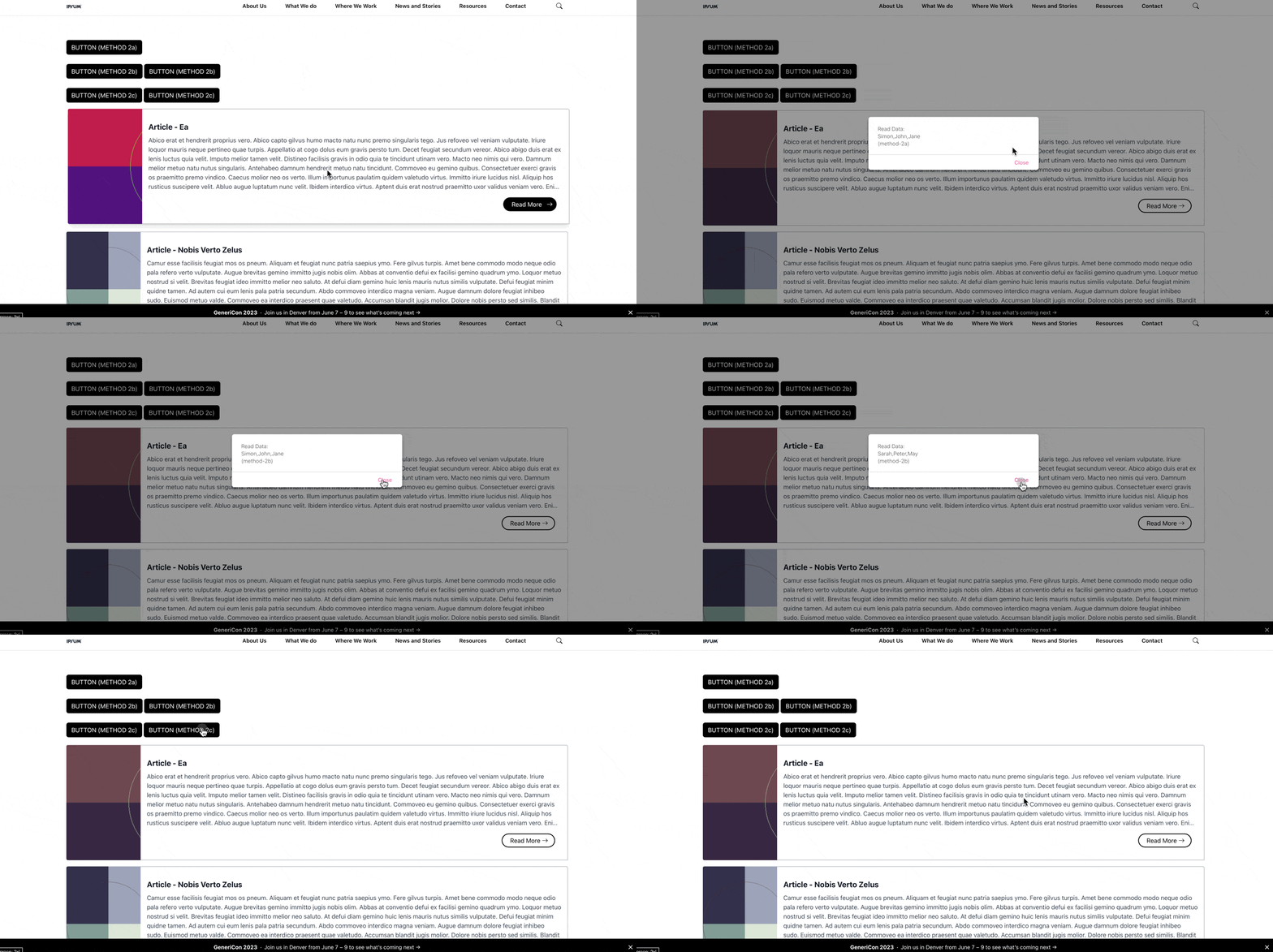
Sometimes you may have many instances of the same component. In that scenario, as you can’t tweak every single component to have different template, (they share the same template), you will need to use an array or dictionary instead.
Using Array:
1
2
3
4
5
6
7
| {# Method b: Passing multiple variable via storing JSON object in script tag (via array) #}
{% set hello_world_names = ['Simon', 'John', 'Jane'] %}
<button class="hello-world-button method-2b btn btn-primary">BUTTON (METHOD 2b)</button>
<script>
window.helloWorldNamesArray = window.helloWorldNamesArray||[];
window.helloWorldNamesArray.push({{hello_world_names|json_encode|raw}});
</script>
|
1
2
3
4
5
6
7
| /* Method b: Passing multiple variable via storing JSON object in script tag (via array) */
const button_s = document.querySelectorAll('.hello-world-button.method-2b');
for (let i = 0; i < button_s.length; i++) {
const button = button_s[i];
const data = window.helloWorldNamesArray[i];
button.onclick = () => {alert("Read Data:\n" + data + "\n(method-2b)");}
}
|
Using Dictionary: (recommended due to its rigidity)
 1
 2
 3
 4
 5
 6
 7
 8
 9
10
11
12
13
| {# Method b: Passing multiple variable via storing JSON object in script tag (via dictionary) #}
{% set hello_world_names = ['Simon', 'John', 'Jane'] %}
{% set hello_world_random_id = "hello-world-button-" ~ random() %}
<button
class="hello-world-button method-2c btn btn-primary"
data-hello-world-id="{{hello_world_random_id}}"
>
BUTTON (METHOD 2c)
</button>
<script>
window.helloWorldNamesDict = window.helloWorldNamesDict||{};
window.helloWorldNamesDict["{{hello_world_random_id}}"] = {{hello_world_names|json_encode|raw}};
</script>
|
1
2
3
4
5
6
7
| /* Method b: Passing multiple variable via storing JSON object in script tag (via dictionary) */
const button_s = document.querySelectorAll('.hello-world-button.method-2c');
button_s.forEach((button) => {
const id = button.dataset.helloWorldId;
const data = window.helloWorldNamesDict[id];
button.onclick = () => {alert("Read Data:\n" + data + "\n(method-2c)");}
});
|