Just to keep a note for future reference only.
(I’ve encountered this issue several times, but my short memory means I always spend a few minutes figuring out the solution again.)
Nothing to dig into really on this matter ….
What Happened ?
After deploying my website from the local environment to a sandbox for UAT purposes—including creating, importing, and configuring the database—I noticed that some required resources were failing to load. For example, JavaScript and CSS files located in /libraries/drupal-superfish return a “403 Forbidden” error, which causes the menu to function abnormally.
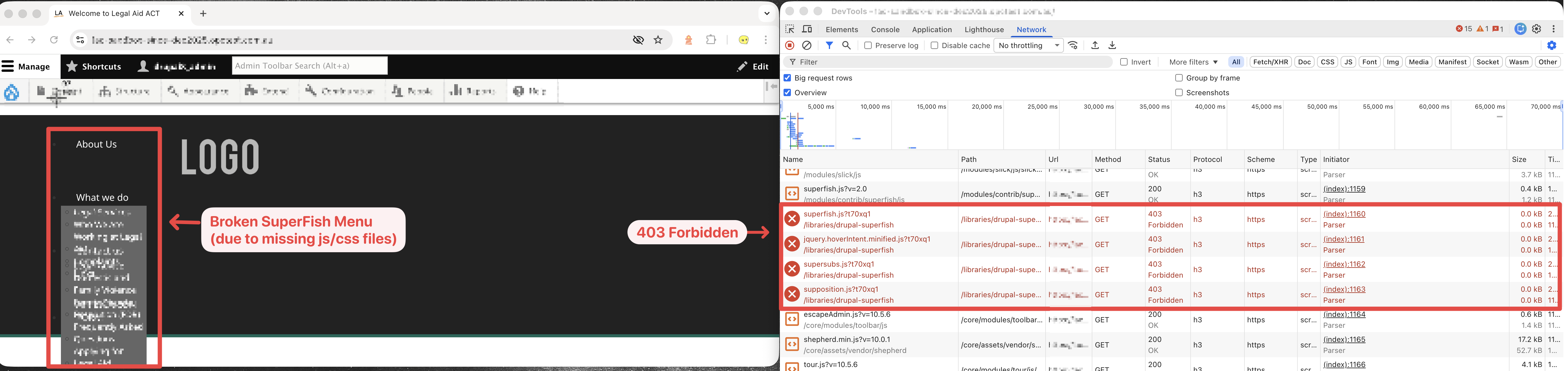
After a quick investigation, I discovered that these folders and their nested files did not have read, write, or execute permissions for group and public users. To resolve this, I ran a recursive chmod command on all affected directories.
| |
(see: cpanel-terminal-screenshot)
%20command.png)
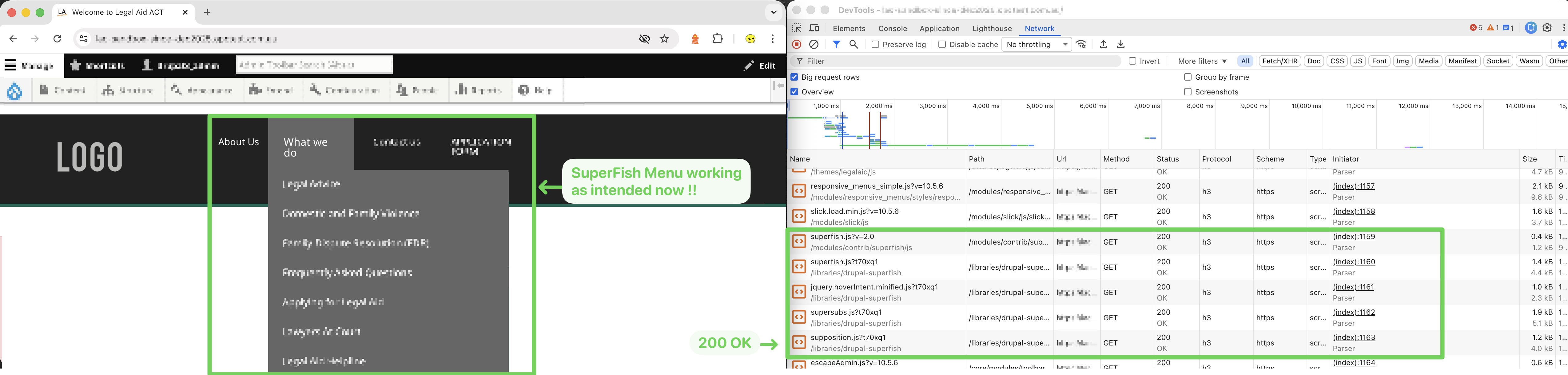
This resolved the issue: all resources that previously returned a “403 Forbidden” error now return “200 OK”, and the SuperFish menu functions as intended.
Why it Happened ?
When running on your local machine (Mac/Windows):
- Your local web server (DDEV/MAMP/built-in Apache/etc.) normally runs as your user.
- So even if the Drupal folders/files had tight permissions (e.g.
700or750), everything still worked because you owned them.
However, after copying those files to the cPanel server (the permission bits comes across with the files), when the user accesses these files from their server:
- The actual web server process will run as visitor.
- So if folders or files weren’t world-readable / executable, so the apache server user couldn’t traverse/read them.
Which is why when you use chmod -R 755 <dir-name> command to change the permission, some of the original “403 Forbidden” file becomes “200 OK”.