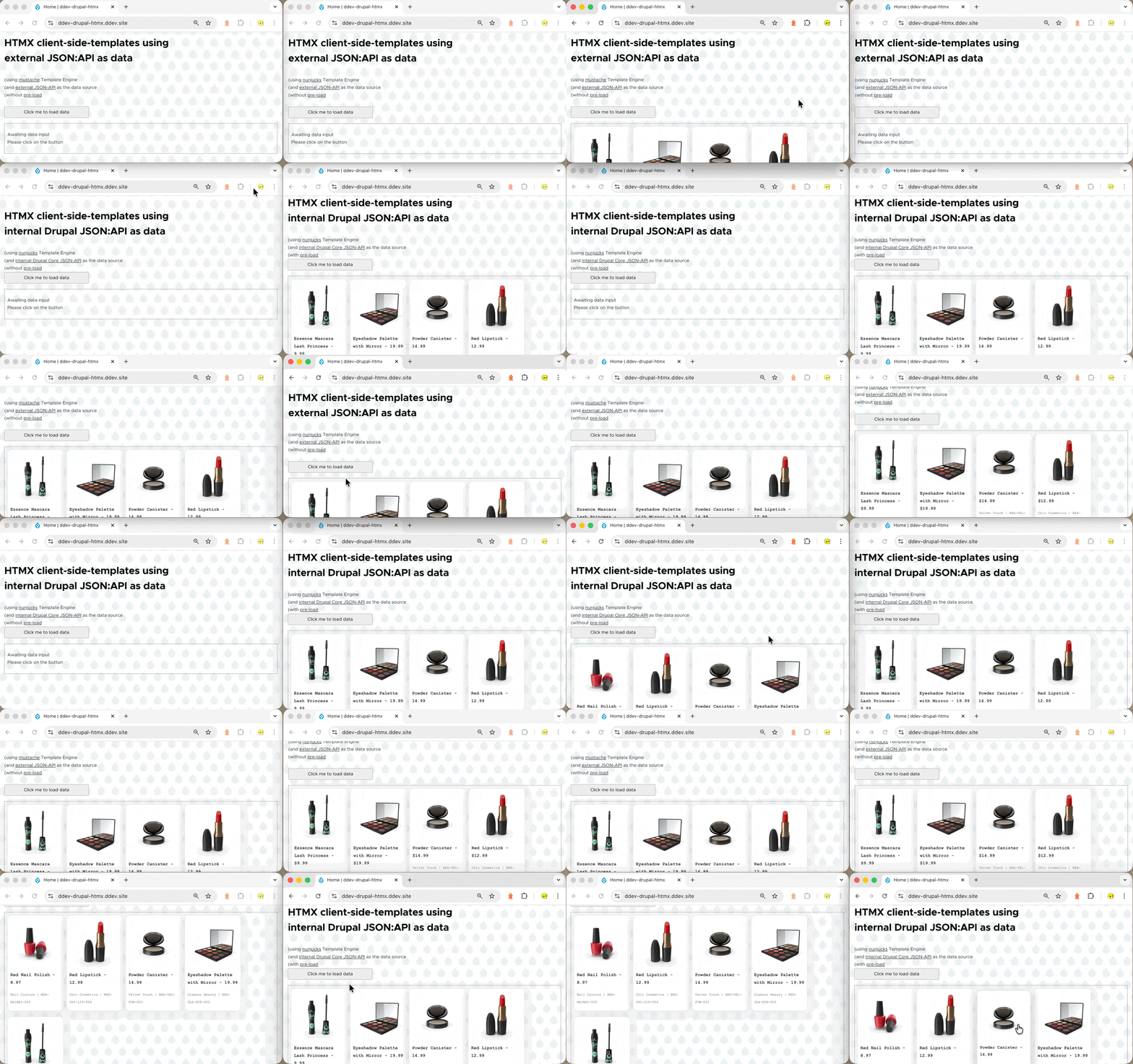
2025-12-12T000544


Introduction

Starting from Version 11.2, Drupal core will include HTMX as a part of its core dependencies, you can attach it to any twig template via the {{ attach_library('core/htmx') }} statement, for instance to achieve the following accordion component using HTMX, simply create the following SDC component:

  • FILE: olivero/component/htmx_accordion.twig

     1
     2
     3
     4
     5
     6
     7
     8
     9
    10
    11
    
    {{ attach_library('core/htmx') }}
    {% set container_id = "content-wrapper-" ~ random() %}
    <div class="htmx-accordion active" id="{{ container_id }}">
        <div>   
            {{accordion_title}}
            <button hx-on:click="htmx.toggleClass(htmx.find('#{{ container_id }}'), 'active')">BUTTON</button> <!-- Reference: https://htmx.org/api/#toggleClass -->
        </div>
        <div> 
            {{accordion_body}}
        </div>
    </div>
    
  • FILE: olivero/component/htmx_accordion.component.yml: only required for SDC component discovery pupose, can leave empty

  • FILE: olivero/component/htmx_accordion.css: link
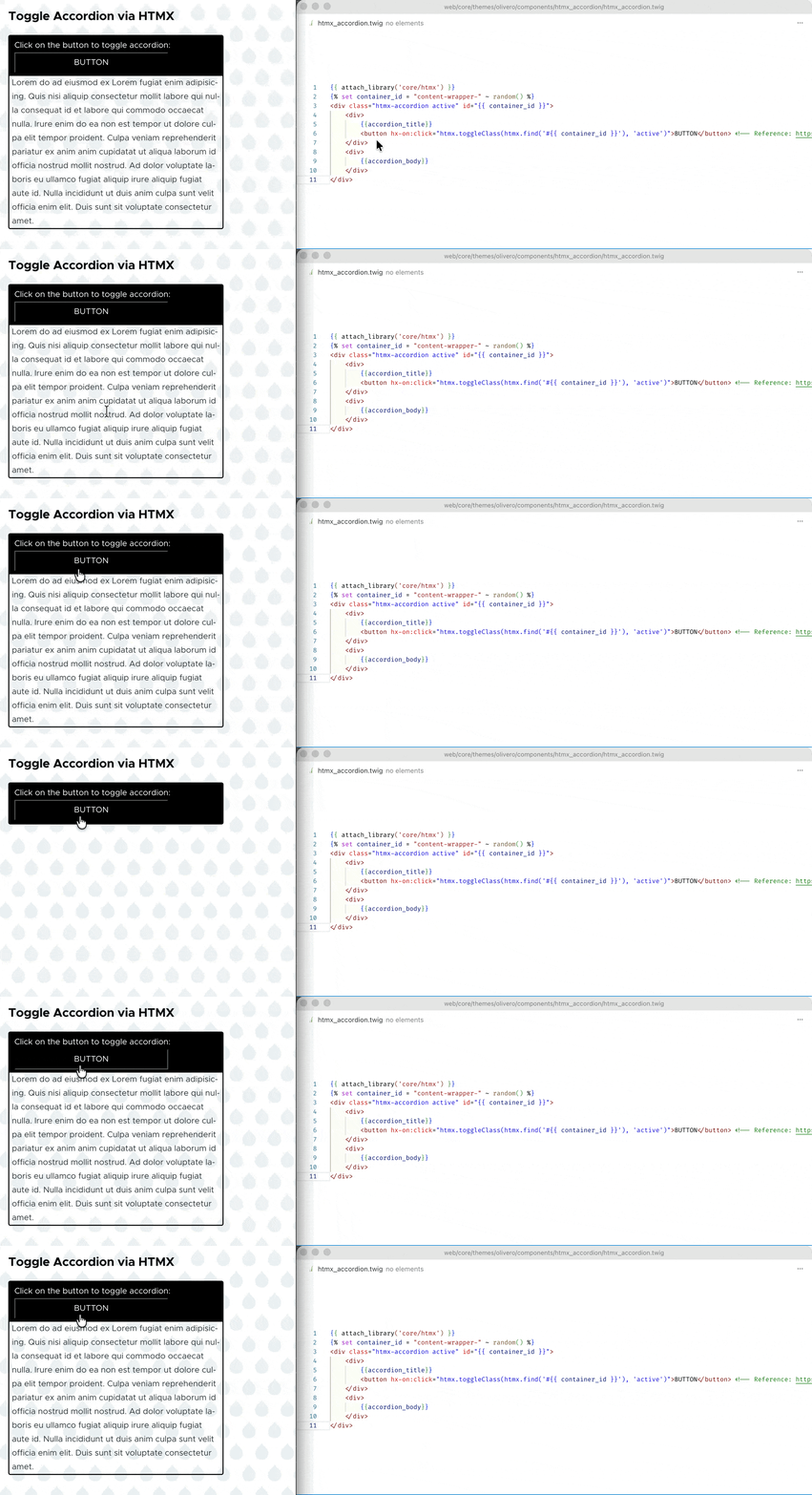
2025-12-11T140505

However, this usage case of accordion to add interactivity doesn’t quite make HTMX standout, some people may contend that this .toggleClass can also be achieved via jQuery, why bother switching to HTMX ? Well … I don’t have a perfect answer to that just yet. Also, I just can’t quite wrap my head around how to use endpoint to return a hypertext/html element to replace existing component (e.g. <button hx-post="/clicked" hx-swap="outerHTML"> Click Me </button>), I can’t think of a way to achieve it except for writing my own router / controller using custom module in Drupal.

But as I am exploring the capabilities of HTMX, I come across this idea of client-side-template extension in HTMX, that allows you to fetch things from JSON endpoint and using client-side template engine to render the data into components, and replace certain existing component with those components. And I think it is worth sharing…


Miscellaneous Setup

Declare Extra Libraries in Theme

First of all since client-side-template is an extension library outside the HTMX, we need to declare it as an library, so we can attach/import them in the twig template later:

 1
 2
 3
 4
 5
 6
 7
 8
 9
10
11
12
13
14
# FILE: olivero/olivero.libraries.yml #

...

+ htmx-client-side-templates:
+   js:
+     https://unpkg.com/htmx.org@1.9.12/dist/ext/client-side-templates.js:              { type: external }
+     https://cdn.jsdelivr.net/npm/nunjucks@3.2.4/browser/nunjucks.min.js:              { type: external }
+     https://unpkg.com/mustache@latest:                                                { type: external }
+     https://cdn.jsdelivr.net/npm/console-log-hello-world@1.0.3/hello-world.min.js:    { type: external }
+   dependencies:
+     - core/htmx

...

(*the hello-world.js is added to test if this htmx-client-side-templates library is loaded, if yes it will print hello world in your console; I found it very useful to test the loading behaviour of CDN libraries; please feel free to remove it if you wish)

Cross Origin Request Meta Tag

Note that in order for the HTMX (mx-get) to send cross-origin request, you’ll also need to add the following meta tag:

1
<meta name="htmx-config" content='{"selfRequestsOnly":false}'>

(*for simplicity, we will directly have them in along with the component in the below demo examples)

If you forgot the add this meta tag, when requesting from external endpoint you will get error in your console:

1
htmx.org:1 htmx:invalidPath

HTMX Component - using External JSON as Data
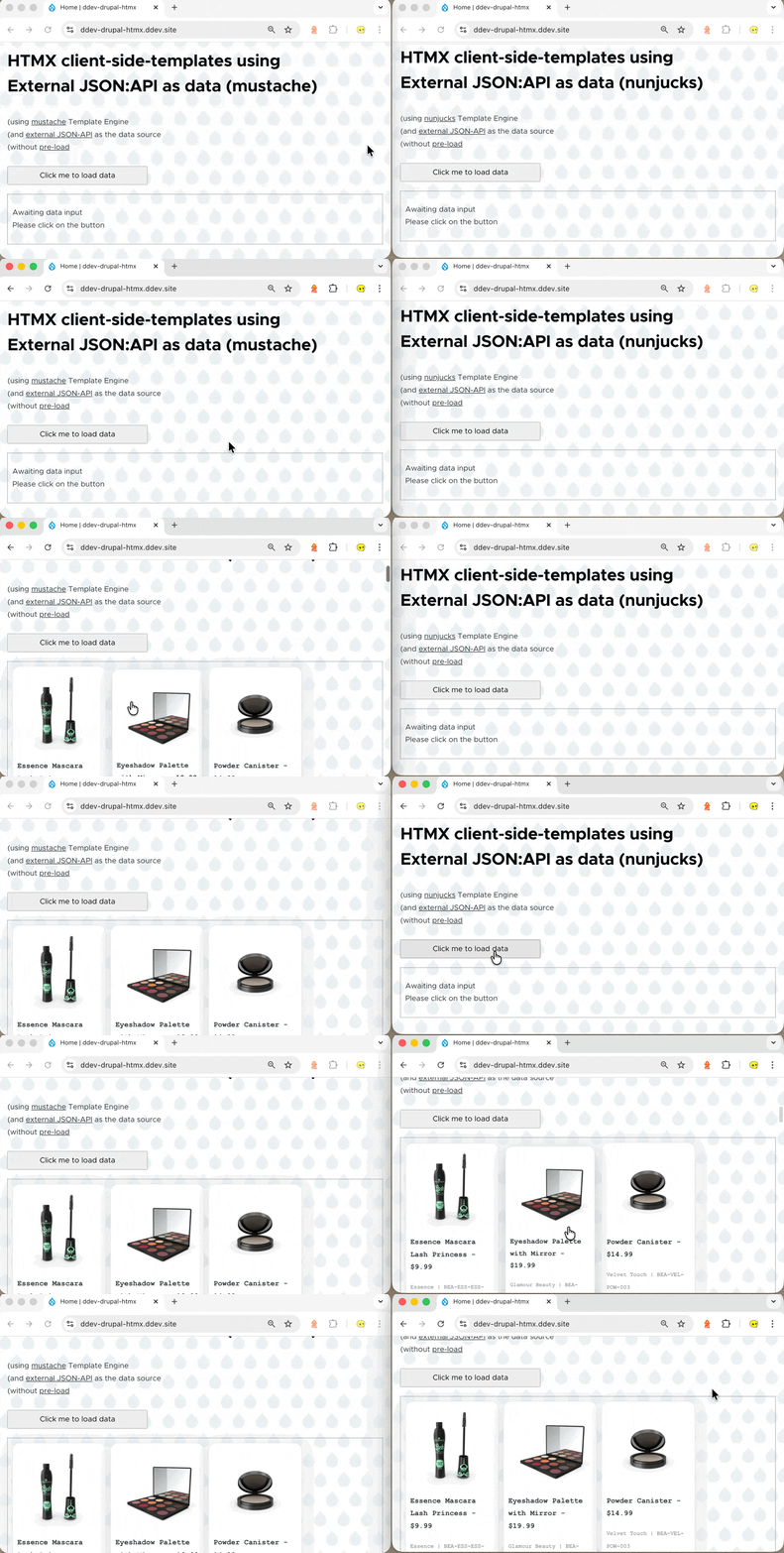
2025-12-11T234229

SDC Component Files Used

Here’s files I used this SDC that will use “dummyjson.com” product dummy (external) JSON endpoint to generate card components based on the data it retrieves using HTMX: htmx_card_product_external_json.zip

1
2
3
4
5
6
core/themes/olivero
  |___components
         |____htmx_card_product_external_json
		          |___________htmx_card_product_external_json.twig
      		 	  |___________htmx_card_product_external_json.css
       			  |___________htmx_card_product_external_json.component.yml

The important bit is the htmx_card_product_external_json.twig file:

 1
 2
 3
 4
 5
 6
 7
 8
 9
10
11
12
13
14
15
16
17
18
19
20
21
22
23
24
25
26
27
28
29
30
31
32
33
34
35
36
37
38
39
40
41
42
43
44
45
46
47
48
49
<!-- If you want to allow cross-origin requests (otherwise you'll get "htmx.org:1 htmx:invalidPath" when you click on the button) -->
<meta name="htmx-config" content='{"selfRequestsOnly":false}'>

<!-- Load libraries required for client-side templating -->
{{ attach_library('olivero/htmx-client-side-templates') }}

{% set random_skip                 = random(0, 20) %}
{% set limit_size                  = 5 %}
{% set container_id                = "content-wrapper-" ~ random() %}
{% set json_api_endpoint           = json_api_endpoint|default("https://dummyjson.com/products?select=title,thumbnail,sku,price,brand&limit="~ limit_size) %}
{% set json_api_endpoint_preload   = json_api_endpoint_preload|default("https://dummyjson.com/products?select=title,thumbnail,sku,price,brand&limit="~ limit_size ~"&skip=" ~ random_skip) %}
{% set template_engine             = template_engine|default("nunjucks") %}

{% if template_engine == "mustache" %}
    ...
{% elseif template_engine == "nunjucks" %}
	<div hx-ext="client-side-templates">
		<!-- The Button to Trigger the Request -->
		<button hx-get="{{json_api_endpoint}}"
				hx-swap="innerHTML"
				hx-target="#{{container_id}}"
				nunjucks-array-template="nunjucks_template_albums">
                Click me to load data
		</button>

		<!-- The Content Wrapper that will be filled with data -->
		<div id="{{container_id}}" class="content-wrapper"
        {% if preload %}
			hx-get="{{json_api_endpoint_preload}}"
            hx-trigger="load"
            nunjucks-array-template="nunjucks_template_albums"
        {% endif %}>
			<p>Awaiting data input <br> Please click on the button</p>
		</div>

		<!-- The Nunjucks Template -->
        {% verbatim %}
            <template id="nunjucks_template_albums">
                {% for product in data.products %}
                <div class="product">
                        <img src="{{product.thumbnail}}" alt="">
                        <div class="title"><p> {{product.title}} - ${{product.price}} </p></div>
                        <div class="brand"><p> {{product.brand}} | {{product.sku}} </p></div>
                    </div>
                {% endfor %}
            </template>
        {% endverbatim %}
	</div>
{% endif %}

Code Breakdown / Explanation

  • Button with HTMX attribute:

    1
    2
    3
    4
    5
    6
    
    <button hx-get="http://........"
            hx-swap="innerHTML"
            hx-target="#example-id-......."
            nunjucks-array-template="template_id_albums">
               Click me to load data
    </button>
    

    with the added HTMX attribute, the button on-click behaviour changes, when clicked it will:

    1. fetch from the json endpoint as declared at hx-get

    2. use <tempalte> element with id #nunjucks_template_albums to generate html component based on JSON data retrieved from the previous step using the nunjucks template engine (*alternatively you can also use other template engines, at the moment there are four available : mustache, handlebars, nunjucks, xslt)

    3. finally, the innerHTML of component with id #example-id-....... will be replaced with the outcome of previous step (defined by hx-target and hx-swap)

  • Template HTML Component :

     1
     2
     3
     4
     5
     6
     7
     8
     9
    10
    11
    12
    
    {# Template used by mustache #}
    {% verbatim %}
        <template id="nunjucks_template_albums">
            {% for product in data.products %}
            <div class="product">
                    <img src="{{product.thumbnail}}" alt="">
                    <div class="title"><p> {{product.title}} - ${{product.price}} </p></div>
                    <div class="brand"><p> {{product.brand}} | {{product.sku}} </p></div>
                </div>
            {% endfor %}
        </template>
    {% endverbatim %}
    
     1
     2
     3
     4
     5
     6
     7
     8
     9
    10
    11
    12
    13
    14
    
    {# Template used by nunjucks #}
    {% verbatim %}
        <template id="mustache_template_albums">
            {{#data}}
            {{#products}}
            <div class='product'>
                <img src='{{thumbnail}}' alt=''>
                <div class='title'><p> {{title}} - {{price}} </p></div>
                <div class='brand'><p> {{brand}} | {{sku}}  </p></div>
            </div>
            {{/products}}
            {{/data}}
        </template>
    {% endverbatim %}
    

    You might want read more about this on the template engine’s document page (e.g. nunjucks/dump)

    Though I have not used these unfamiliar languages yet, I find mustache easier to use (as it is more primitive) for basic use case that don’t require any branching / logic, and nunjucks more fledged and have similar syntax to the family twig.

  • Prevent Twig Parsing:

    The verbatim tag marks sections as being raw text that should not be parsed. (*without it, the twig template would parse all the {{data}} {% for ... %} before the template engines used by HTMX sees them. For my instance, I just get empty <template> tag without using the verbatim/raw. In addition, alternative to verbatim block, to you may also use the twig raw filter, but it looks less clean comparing to using verbatim block)

Example Usage

  • using “mustache” OR “nunjucks” template engine: demo-GIF-without-preload

    1
    2
    3
    
    {{ include('olivero:htmx_card_product_external_json', {
    +   template_engine: "mustache",
    }) }}
    
    1
    2
    3
    
    {{ include('olivero:htmx_card_product_external_json', {
    +   template_engine: "nunjucks",
    }) }}
    
  • with Preload: demo-GIF-with-preload (using hx-trigger="load")

    1
    2
    3
    4
    5
    6
    7
    8
    
    {{ include('olivero:htmx_card_product_external_json', {
        template_engine: "mustache",
    +   preload: true
    }) }}
    {{ include('olivero:htmx_card_product_external_json', {
        template_engine: "nunjucks",
    +   preload: true
    }) }}
    

HTMX Component - using Internal JSON as Data

(via JSON-API core module)
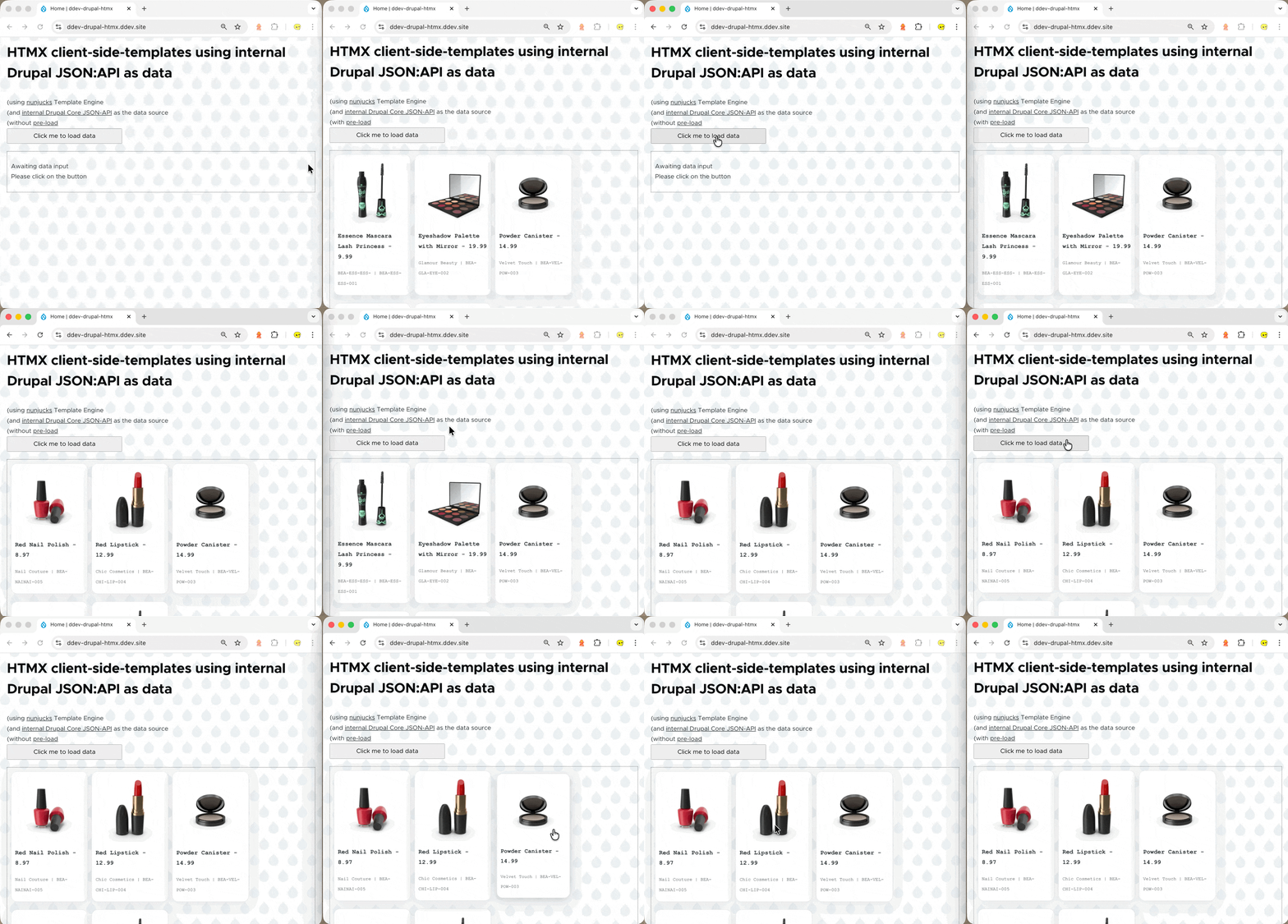
2025-12-11T234654

Here’s files I used this SDC that will use drupal JSON-API modules as endpoint to generate card components based on the data it retrieves using HTMX: htmx_card_drupal_jsonapi.zip

1
2
3
4
5
6
core/themes/olivero
  |___components
         |____htmx_card_drupal_jsonapi
		          |___________htmx_card_drupal_jsonapi.twig
      		 	  |___________htmx_card_drupal_jsonapi.css
       			  |___________htmx_card_drupal_jsonapi.component.yml

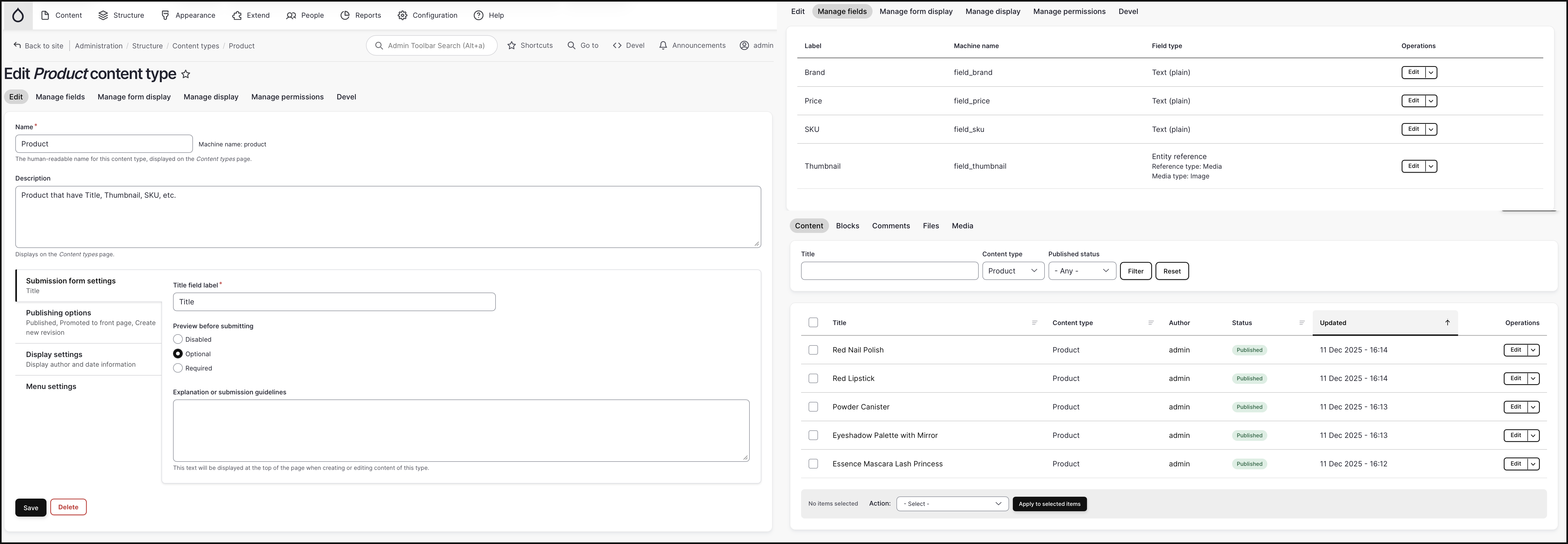
Note that: we have also created the content type “product” with its associated fields as shown below:
2025-12-11T233703

The important bits are in the htmx_card_drupal_jsonapi.twig file:

 1
 2
 3
 4
 5
 6
 7
 8
 9
10
11
12
13
14
15
16
17
18
19
20
21
22
23
24
25
26
27
28
29
30
31
32
33
34
35
36
37
38
39
40
41
42
43
44
45
46
47
48
49
50
51
52
53
54
55
56
57
58
59
60
61
62
63
64
65
66
67
68
69
70
71
72
73
74
75
76
<!-- If you want to allow cross-origin requests (otherwise you'll get "htmx.org:1 htmx:invalidPath" when you click on the button) -->
<meta name="htmx-config" content='{"selfRequestsOnly":false}'>

<!-- Load libraries required for client-side templating -->
{{ attach_library('olivero/htmx-client-side-templates') }}

{% set preload                     = preload|default(true) %}
{% set limit_size                  = 5 %}
{% set container_id                = "content-wrapper-" ~ random() %}
{% set template_engine             = template_engine|default("mustache") %}

{#  Here we're using INCLUDES to bundle assocaited image with each product item in a single request,     #}
{#  See more at https://www.drupal.org/docs/core-modules-and-themes/core-modules/jsonapi-module/includes #}
{#  (we use asc/desc sorting to differience preload and manual load: https://www.drupal.org/docs/core-modules-and-themes/core-modules/jsonapi-module/sorting) #}
{% set json_api_endpoint         = json_api_endpoint|default(        "https://ddev-drupal-htmx.ddev.site/jsonapi/node/product?include=field_thumbnail.field_media_image&sort=-created") %}
{% set json_api_endpoint_preload = json_api_endpoint_preload|default("https://ddev-drupal-htmx.ddev.site/jsonapi/node/product?include=field_thumbnail.field_media_image&sort=created")  %}

<div hx-ext="client-side-templates">
    <!-- The Button to Trigger the Request -->
    <button hx-get="{{json_api_endpoint}}"
            hx-swap="innerHTML"
            hx-target="#{{container_id}}"
            nunjucks-array-template="nunjucks_template_albums">
            Click me to load data
    </button>

    <!-- The Content Wrapper that will be filled with data -->
    <div id="{{container_id}}" class="content-wrapper"
        {% if preload %}
            hx-get="{{json_api_endpoint_preload}}"
            hx-trigger="load"
            nunjucks-array-template="nunjucks_template_albums"
        {% endif %}>
        <p>Awaiting data input <br> Please click on the button</p>
    </div>

    <!-- The Template -->
    {% verbatim %}
        <template id="nunjucks_template_albums">
            {# EMPTY ARRAY TO STORE PRODUCT ATTRIBUTES #}
            {% set product_thumbnail_url_s        = [] %}
            {% set product_title_s                = [] %}
            {% set product_price_s                = [] %}
            {% set product_brand_s                = [] %}
            {% set product_sku_s                  = [] %}

            {# GETTING PRODUCT IMAGE FROM "INCLUDED" RESOURCE #}
            {# SEE: https://www.drupal.org/docs/core-modules-and-themes/core-modules/jsonapi-module/includes #}
            {% for _idx_ in range(data.included|length) %}
                {% if data.included[_idx_]["type"]=="file--file" %}
                    {% set product_thumbnail       = data.included[_idx_]                 %}
                    {% set product_thumbnail_url   = product_thumbnail.attributes.uri.url %}
                    {% set product_thumbnail_url_s = (product_thumbnail_url_s.push(product_thumbnail_url), product_thumbnail_url_s) %}
                {% endif %}
            {% endfor %}

            {# EXTRACTING PRODUCT ATTRIBUTES #}
            {% for _idx_ in range(data.data|length) %}
                {% set product_data    = data.data[_idx_]    %}
                {% set product_title_s = (product_title_s.push(product_data.attributes.title), product_title_s) %}
                {% set product_price_s = (product_price_s.push(product_data.attributes.field_price), product_price_s) %}
                {% set product_brand_s = (product_brand_s.push(product_data.attributes.field_brand), product_brand_s) %}
                {% set product_sku_s   = (product_sku_s.push(product_data.attributes.field_sku), product_sku_s) %}
            {% endfor %}

            {# RENDER PRODUCT CARD COMPONENT #}
            {% for _idx_ in range(data.data|length) %}
                <div class='product'>
                    <img src='{{product_thumbnail_url_s[_idx_]}}' alt=''>
                    <div class='title'><p> {{product_title_s[_idx_]}} - {{product_price_s[_idx_]}} </p></div>
                    <div class='brand'><p> {{product_brand_s[_idx_]}} | {{product_sku_s[_idx_]}}  </p></div>
                </div>
            {% endfor %}
        </template>
    {% endverbatim %}
</div>

Below are the example usage:

1
2
3
4
5
6
7
8
9
{# EXAMPLE USAGE in HTML.HTML.TWIG (without PRELOAD)#}
<h2>HTMX client-side-templates using <br> internal Drupal JSON:API as data </h2>
(using <u>nunjucks</u> Template Engine                        <br>
(and <u>internal Drupal Core JSON-API</u> as the data source  <br>
(without <u>pre-load</u></h2>                            <br>
{{ include('olivero:htmx_card_drupal_jsonapi', {
    template_engine: "nunjucks",
    preload: false
}) }}
1
2
3
4
5
6
7
8
9
{# EXAMPLE USAGE in HTML.HTML.TWIG (with PRELOAD)#}
<h2>HTMX client-side-templates using <br> internal Drupal JSON:API as data </h2>
(using <u>nunjucks</u> Template Engine                        <br>
(and <u>internal Drupal Core JSON-API</u> as the data source  <br>
(with <u>pre-load</u></h2>                            <br>
{{ include('olivero:htmx_card_drupal_jsonapi', {
    template_engine: "nunjucks",
    preload: true
}) }}

As you can see the HTMX part of the code of “HTMX SDC Component using internal Drupal JSON-API” is very similar to that of using “external JSON endpoint”, the different lies in:

  • The use of JSON-API’s parameter / query, especially the include query keyword

    • using a query string like ?include=field_thumbnail,field_thumbnail.field_media_image, you can get to include all the entities referenced by field_thumbnail and all the entities referenced by field_thumbnail.field_media_image on those entities

      2025-12-12T000937

    • thus we will be able to get the url attribute of the product thumbnail that lives inside file entity, which is referenced by field_media_image field, which is referenced by field_thumbnail field, that lives inside the product content type:

       1
       2
       3
       4
       5
       6
       7
       8
       9
      10
      
      product
        |__other_fields_...
        |__field_thumbnail
             |___field_media_image
                  |___file
                        *attributes
                          |-------------> other_attribute_s_...
                          |-------------> uri
                                           |----> value
                                           |----> url
      
  • The Nunjucks <template> also need to differ to align with the structure/shape of Drupal’s JSON:API result:

    1
    2
    3
    4
    5
    6
    7
    8
    9
    
    {# GETTING PRODUCT IMAGE FROM "INCLUDED" RESOURCE #}
    {# SEE: https://www.drupal.org/docs/core-modules-and-themes/core-modules/jsonapi-module/includes #}
    {% for _idx_ in range(data.included|length) %}
        {% if data.included[_idx_]["type"]=="file--file" %}
            {% set product_thumbnail       = data.included[_idx_]                 %}
            {% set product_thumbnail_url   = product_thumbnail.attributes.uri.url %}
            {% set product_thumbnail_url_s = (product_thumbnail_url_s.push(product_thumbnail_url), product_thumbnail_url_s) %}
        {% endif %}
    {% endfor %}
    
    1
    2
    3
    4
    5
    6
    7
    8
    
    {# EXTRACTING PRODUCT ATTRIBUTES #}
    {% for _idx_ in range(data.data|length) %}
        {% set product_data    = data.data[_idx_]    %}
        {% set product_title_s = (product_title_s.push(product_data.attributes.title), product_title_s) %}
        {% set product_price_s = (product_price_s.push(product_data.attributes.field_price), product_price_s) %}
        {% set product_brand_s = (product_brand_s.push(product_data.attributes.field_brand), product_brand_s) %}
        {% set product_sku_s   = (product_sku_s.push(product_data.attributes.field_sku), product_sku_s) %}
    {% endfor %}
    

Reference

  • HTMX - Related Resource

    • The client-side-templates Extension: Link
    • The hx-get attribute: Link
  • Twig - Prevent Twig Template Engine from Parsing

  • Drupal JSON:API - Related Resource

    • Sorting: Link (e.g. GET /jsonapi/node/article?include=uid,field_media,field_media.field_media_image)

    • Includes: Link (e.g. GET /jsonapi/node/article?sort=-created (descending))