Introduction#
Customisable cron hooks in Drupal provides the flexibility for modules to schedule and run periodic tasks without manual triggering, when you implements the hook_cron() function in module’s module_name.module file, the engine will call the hook whenever a cron run happens, in an interval as per defined by administrator OR manually triggered via “Run CRON” button in the backend or drush cache:clear command.
This will enable varies use cases, most commonly periodic maintenance work, for instance:
- Database table optimisation (prune logs, run cleanup queries, etc)
- Cache and index management, rebuild search index
- Purge temporary folder, cleanup undesired files (← this is the reason I need it personally)
- Sync with external service, backup, and migration
- More …
Documentation#
You can find more detail about the Drupal Core CRON API at Drupal API documentation:
Drupal API → Drupal 11.x → core.api.php → function hook_cron: link
As per suggested by the documentation, the hook_cron() should only involve short-running, non-resource-intensive tasks. If you require long-running resource-intensive tasks, cron job is prone to time out and fail, the better alternative is the Queue API:
Drupal API → Drupal 10.x → core.api.php → Queue Operations: link
Below are two examples of custom modules using the CRON API.
Example: Log Current Time#
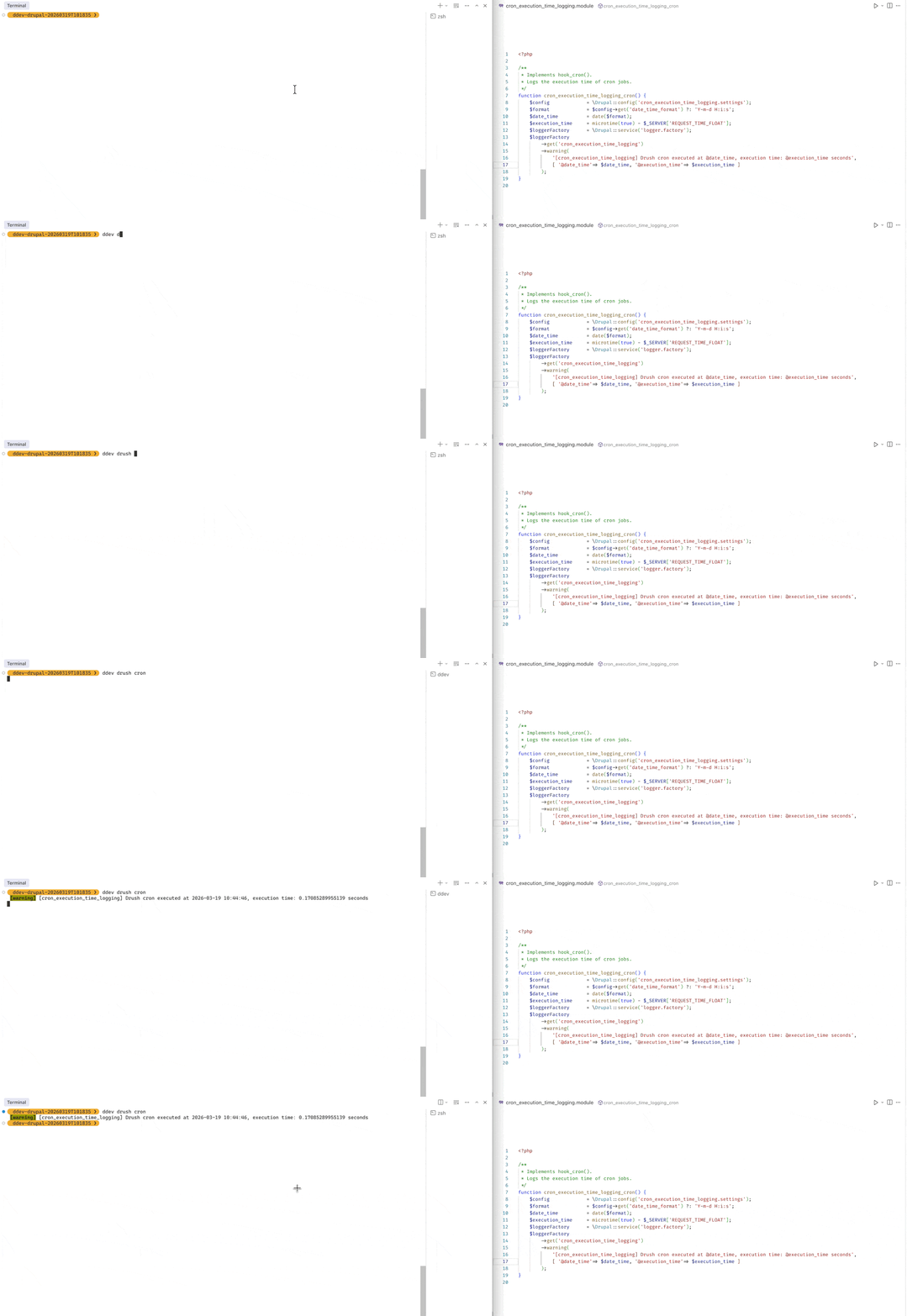
This custom module: cron_execution_time_logging, implements the hook_cron to log the execution time
 1
 2
 3
 4
 5
 6
 7
 8
 9
10
11
12
13
14
15
16
17
18
19
20
21
22
23
24
| <?php
/**
* Implements hook_cron().
* Logs the execution time of cron jobs.
*/
function cron_execution_time_logging_cron() {
// Get date time format from settings
$config = \Drupal::config('cron_execution_time_logging.settings');
$format = $config->get('date_time_format') ?: 'Y-m-d H:i:s';
// Get datetime + execution time
$date_time = date($format);
$execution_time = microtime(true) - $_SERVER['REQUEST_TIME_FLOAT'];
// Use "warning" message to to log (such that drush cron command will also see the message)
$loggerFactory = \Drupal::service('logger.factory');
$loggerFactory
->get('cron_execution_time_logging')
->warning(
'[cron_execution_time_logging] Drush cron executed at @date_time, execution time: @execution_time seconds',
[ '@date_time'=> $date_time, '@execution_time'=> $execution_time ]
);
}
|
Example: Purge Website Temporary Folder#
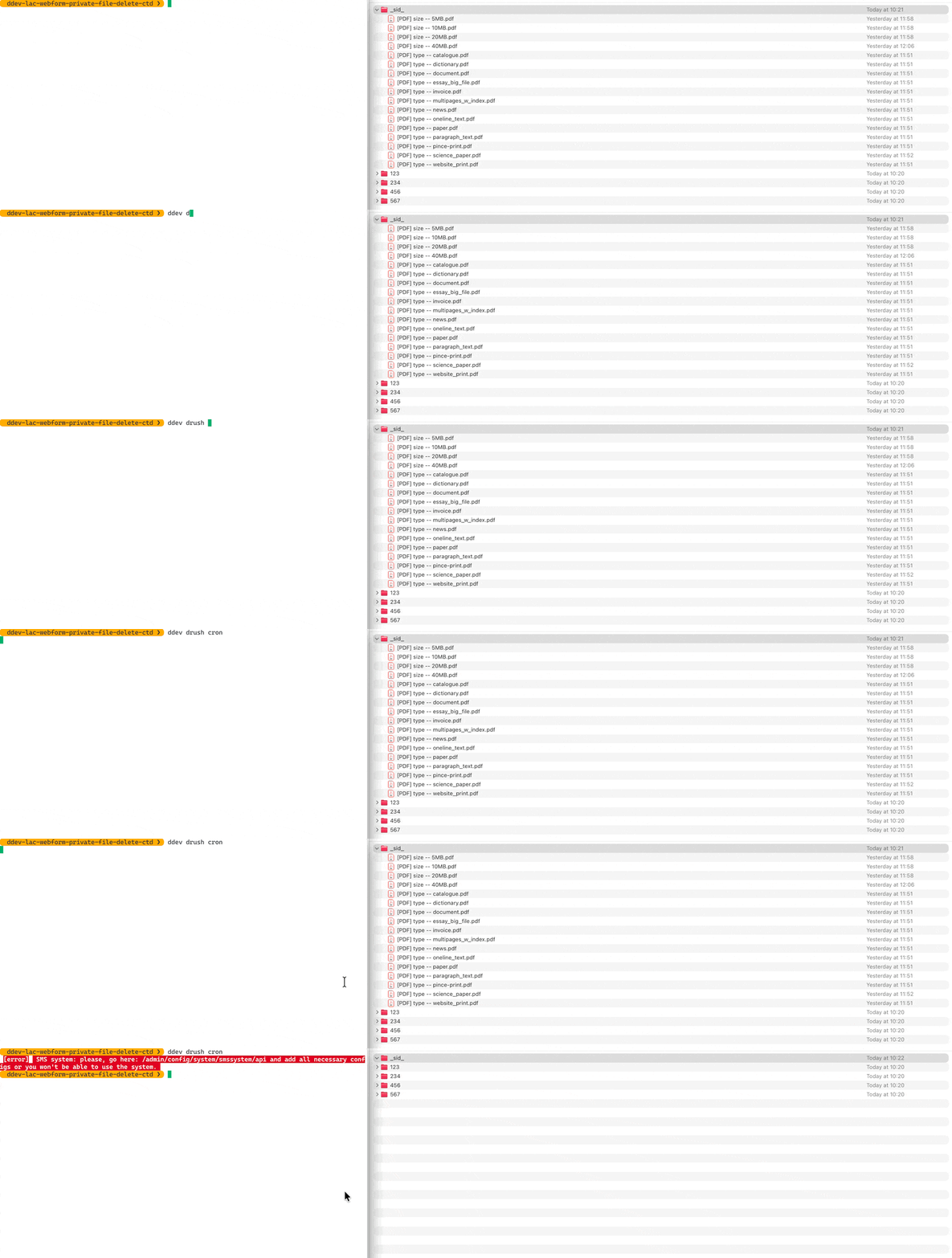
This custom module: webform_email_cleanup, implements hook_cron to delete webform’s temporary files older than certain age on every website cron execution:
 1
 2
 3
 4
 5
 6
 7
 8
 9
10
11
12
13
14
15
16
17
18
19
20
21
22
23
24
25
26
27
28
29
30
31
32
33
34
35
36
37
| /* FILE: webform_email_cleanup.module */
<?php
/**
* Implements hook_cron().
* Cleans up _sid_ folders for sensitive unsubmitted uploads.
*/
function webform_email_cleanup_cron() {
// Get the webform_ids that needs to be cleaned up from configuration.
// and the cron_delete_temp_files setting from configuration + the max age for temp files.
$webform_ids = \Drupal::config('webform_email_cleanup.settings')->get('webform_ids') ?: [];
$cron_delete_temp_files = \Drupal::config('webform_email_cleanup.settings')->get('cron_delete_temp_files') ?: "No";
$cron_delete_file_max_age = \Drupal::config('webform_email_cleanup.settings')->get('cron_delete_file_max_age') ?: 1800;
// For each webform that needs to be cleaned up
// delete the files inside its temporary upload folder
// (i.e. private://webform/{webform_id}/_sid_)
if ($cron_delete_temp_files === "Yes") {
foreach ($webform_ids as $webform_id) {
webform_email_cleanup_delete_temp_files(
$webform_id,
$cron_delete_file_max_age
);
}
}
}
/**
* Helper function
* delete the files inside the private://webform/{webform_id}/_sid_ folder
* that is older than certain threashold (max-age)
*/
function webform_email_cleanup_delete_temp_files($webform_id, $max_age) {
/* ... */
}
|
Reference#
- Drupal cron api: link
- Drupal queue api: link
- Drush cron job command: link
- 17 functions implement hook_cron(): link