Like many other Version Control Systems, Git has a way to fire off custom scripts when certain important actions occur. There are two groups of these hooks: client-side and server-side. Client-side hooks are triggered by operations such as committing and merging, while server-side hooks run on network operations such as receiving pushed commits. You can use these hooks for all sorts of reasons.
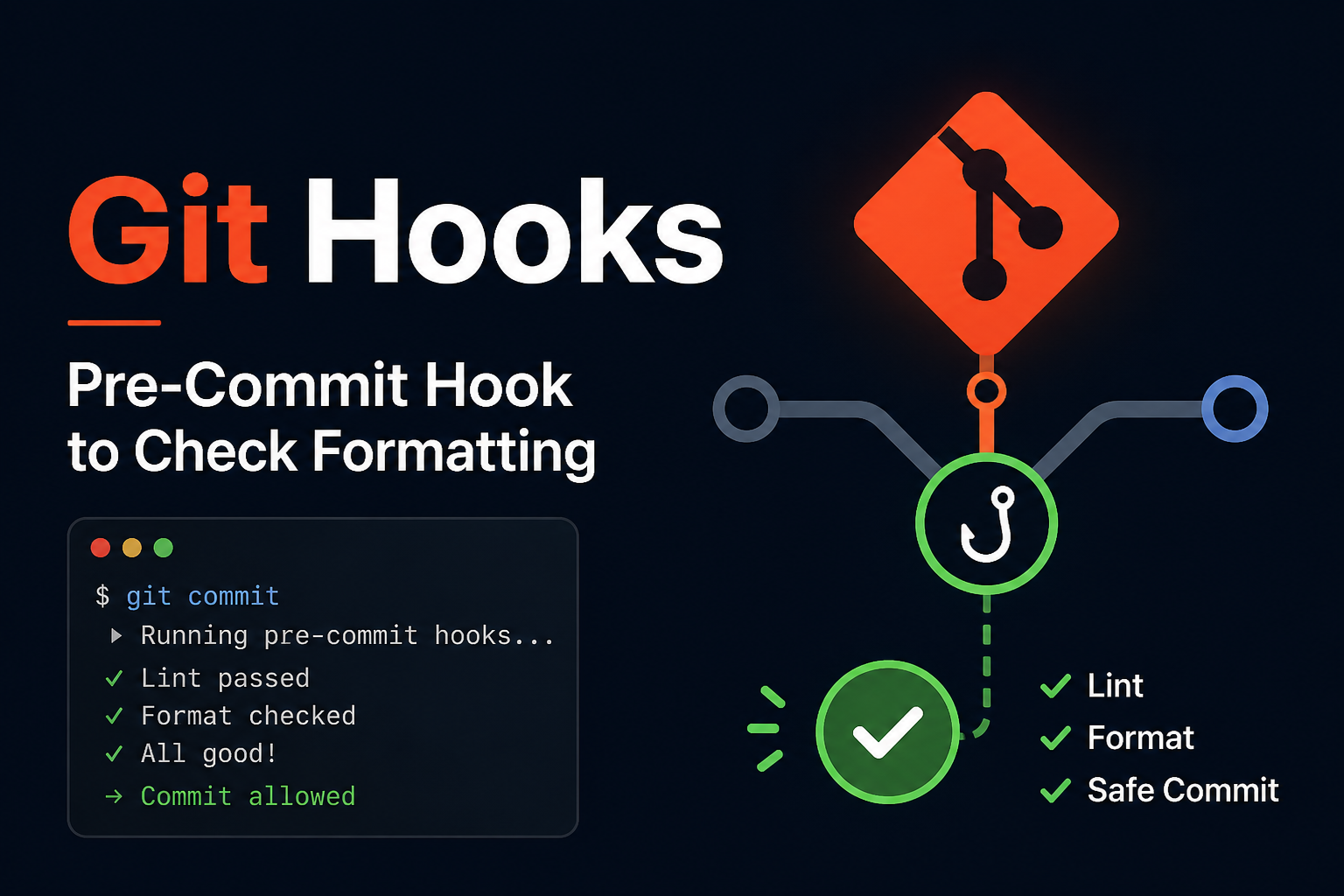
If you use git init to initialise an empty directory, you’ll find some files with the .sample suffix, these are example hooks provided by git, if you wish to make any of them actually executable, you can simply remove the .sample suffix, and make it executable via chmod +x hook-name command.
Some of the hooks are client-side, running on your local; and few hooks are server-side, and will be ran on server:
- Client-side hooks:
pre-commit,post-commit,pre-push(for pre commit/push)prepare-commit-msg,commit-msg(for commit message), etc - Server-side hooks:
pre-receive,update,post-receive
Example – Checking Formatting Before Committing
Let’s take this scenario as a practical example, let’s say, I want to check the formatting of my code before committing:
Firstly, I have previously setup prettier already, which can execute a format check using the command
npm run format:check(basically runsprettier --check .) you can find out more about this at: prettier.io – install.Secondly, I’ll create the pre-commit hook file at
.git/hooks/pre-commitand make it executable using thechmodcommand:1 2 3 4 5 6 7 8 9 10 11 12 13 14 15 16 17#!/bin/sh # Check if the npm is installed and available if command -v npm >/dev/null 2>&1; then # Run the format:check command and store the exit status in $? npm run format:check # This test checks if the exit code is not zero, which means the formatting check failed. if [ $? -ne 0 ]; then # stop and signal failure echo -e "\n\033[31m Commit aborted: Formatting check failed. \033[0m\n" >&2 exit 1 fi else # stop and signal failure echo -e "\n\033[31m Pre-commit: npm not found; skipping format check. \033[0m\n" >&2 exit 1 fi1> chmod +x .git/hooks/post-commitThirdly, I’ll make a intentional mis-format in my codebase, and attempt to make the commit; As you can see in the following GIF, either directly using
gitcommand in terminal or inlazygit, thepre-commithook will be triggered, to check the formatting; And when it fails (usingexit 1) it will prevent the commit from happening.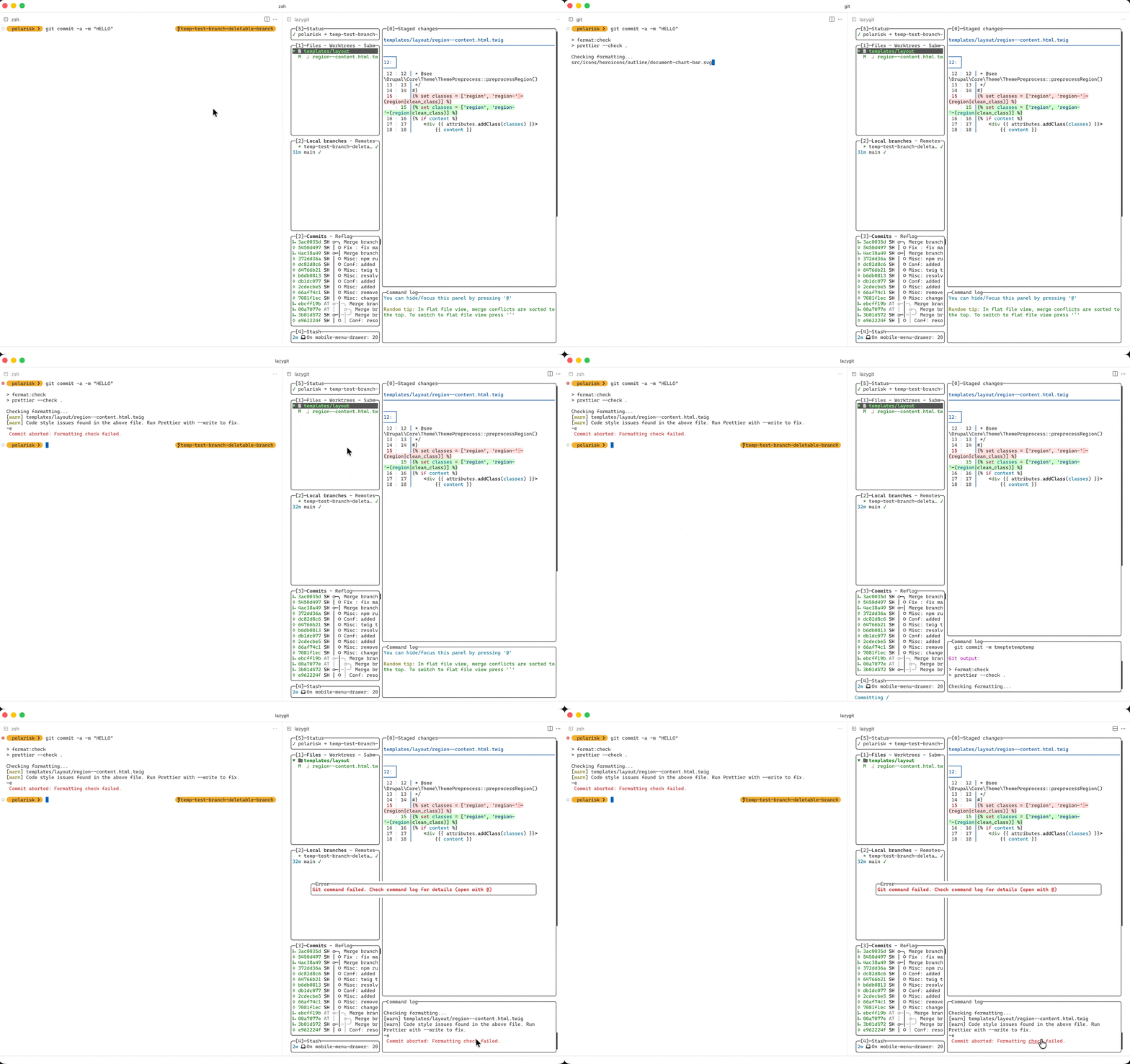
Finally, let’s fix the mal-formatting using
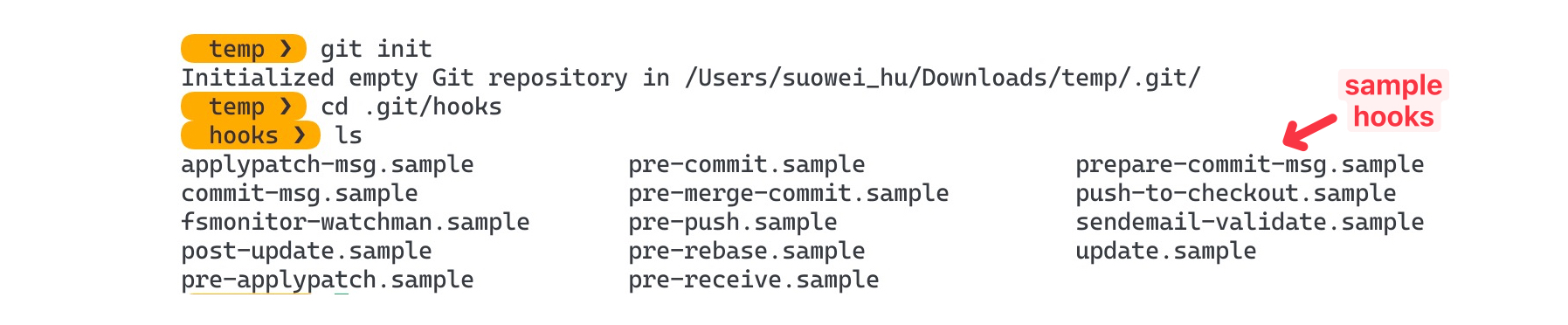
prettier --write .command and try to commit again; As you can see in the below GIF, both will trigger thepre-commithook, and check the format again; But this time both will succeed and make the commit.