When you first create Drupal view, you will get to pick the “type of entity” that you want the view to be showing (Show setting) , for instance: Content, Taxonomy Terms, Media, Users, Paragraph, etc.
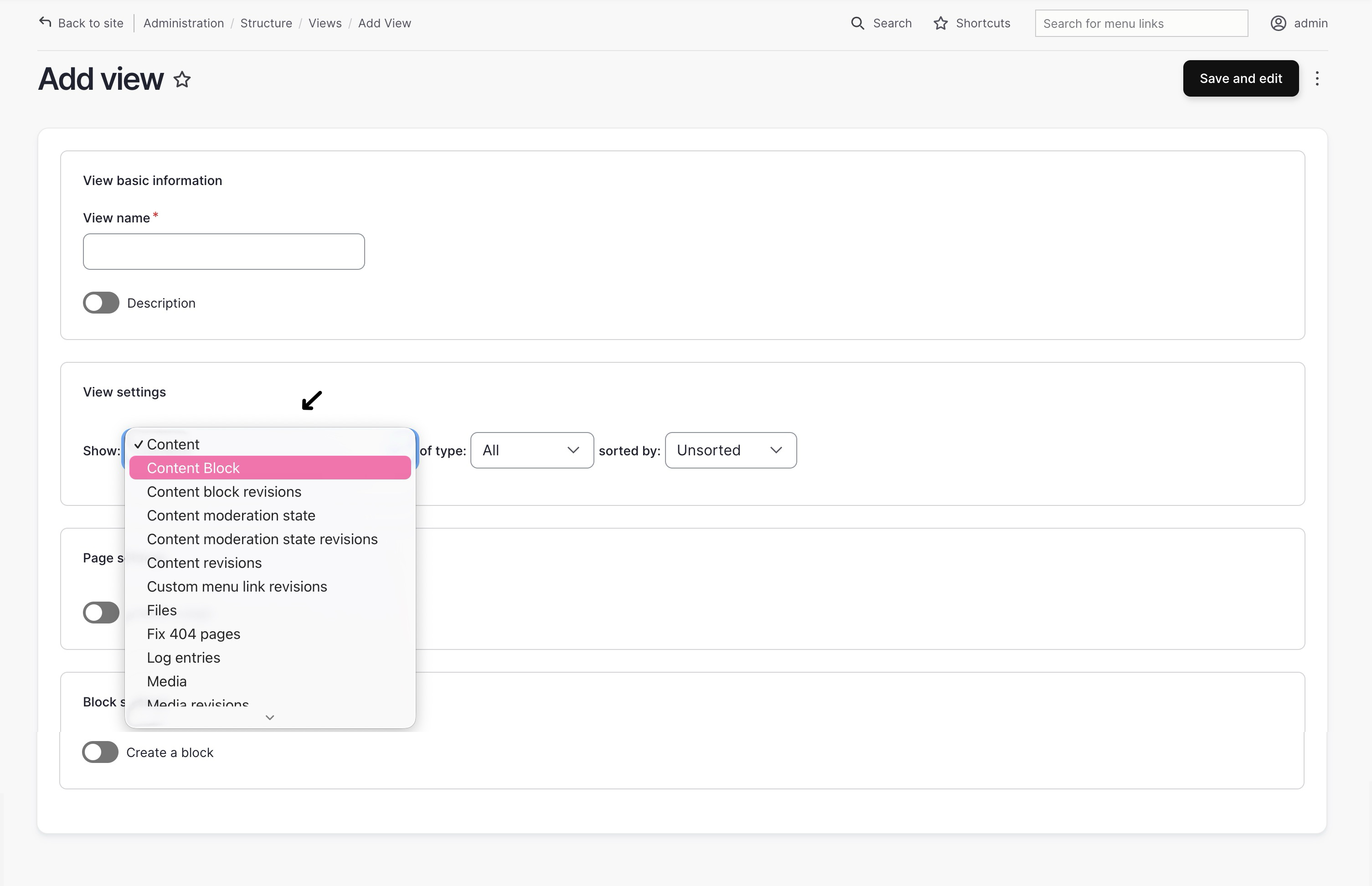
Once this setting selected, and the view is saved, it becomes effective locked, because it defined the view database base table, for instance:
when you select “media” as your “type of entity” to show, Drupal View will join the multiple “media” related tables (e.g.
media,media__field_data,media__field_media_image,media_field_media_video_file, etc) and use that as the base table: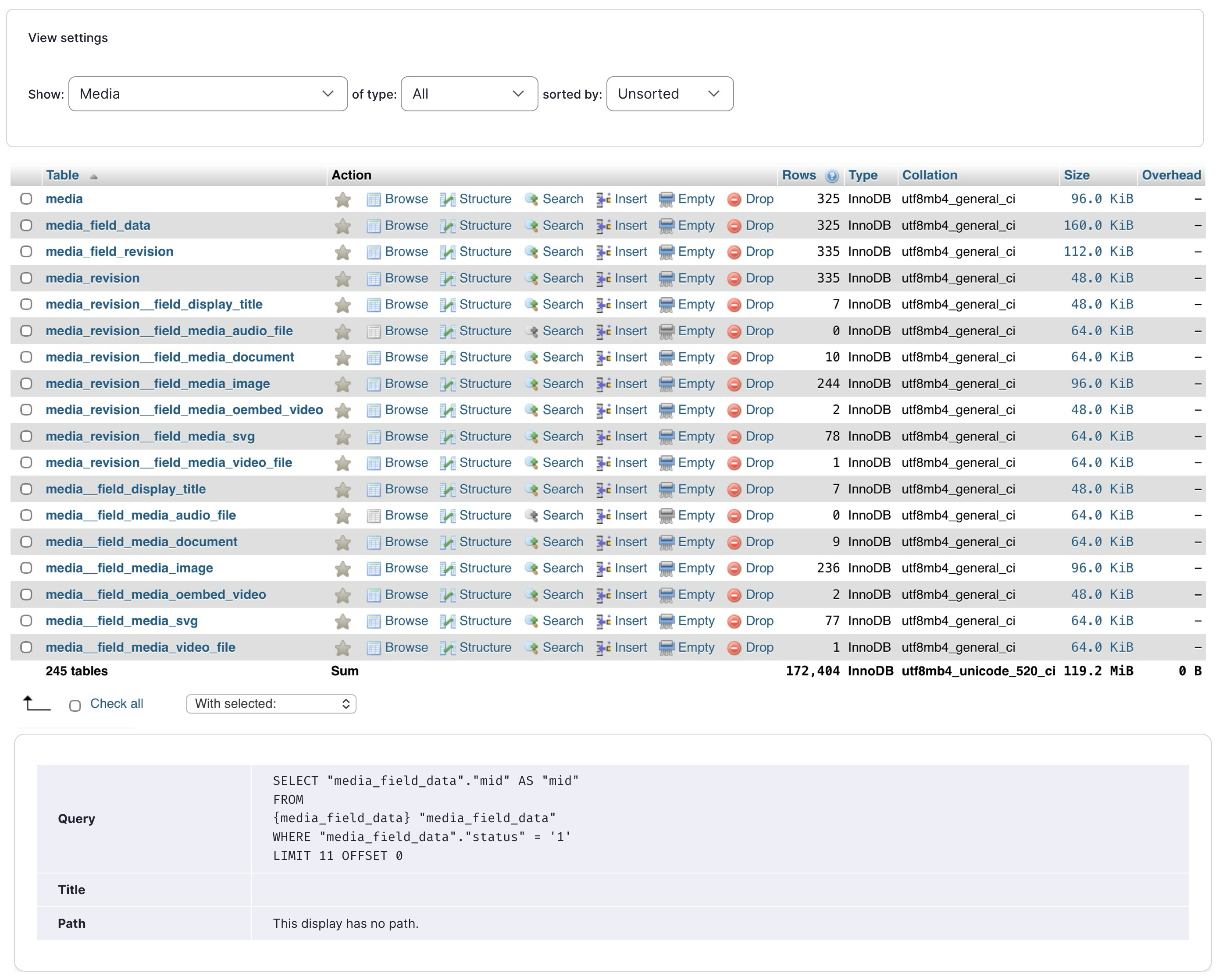
when you select “content” as you “type of entity” to show, and “content type” being “basic page (machine-name: page)”, Drupal View will filter
nodetable for rows that havetype == page, and joining the related tables (e.g.node_field_data,node__body,node__field_..., etc):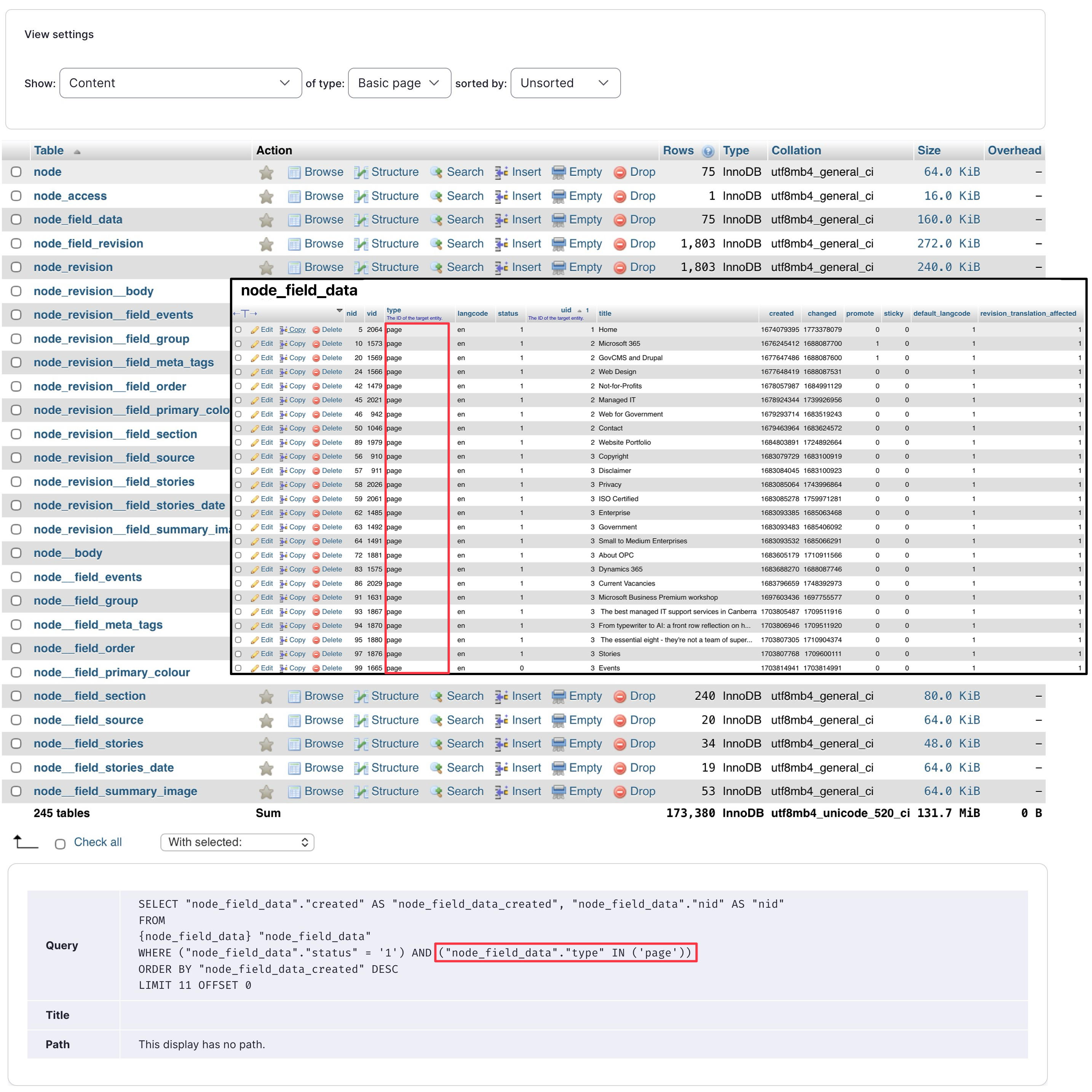
As a result of this mechanism, when you select the type of entity for a view, you effectively have chosen:
- what are the data available to the view ➡️ what are the fields available to be printed out
- where queries can be ran against the table ➡️ what filters can you filter and sort on
Here comes the question, if you wish to use a field that’s not available in view’s chosen entity type (field that’s not available in the base table), how can you do that ?!
For instance, if you choose “Show content of type basic page” as the view setting, though the uid is available in the node_field_data table to help you identify the author of the page , there’s no readily available field in the node tables to give you the email address of that user !
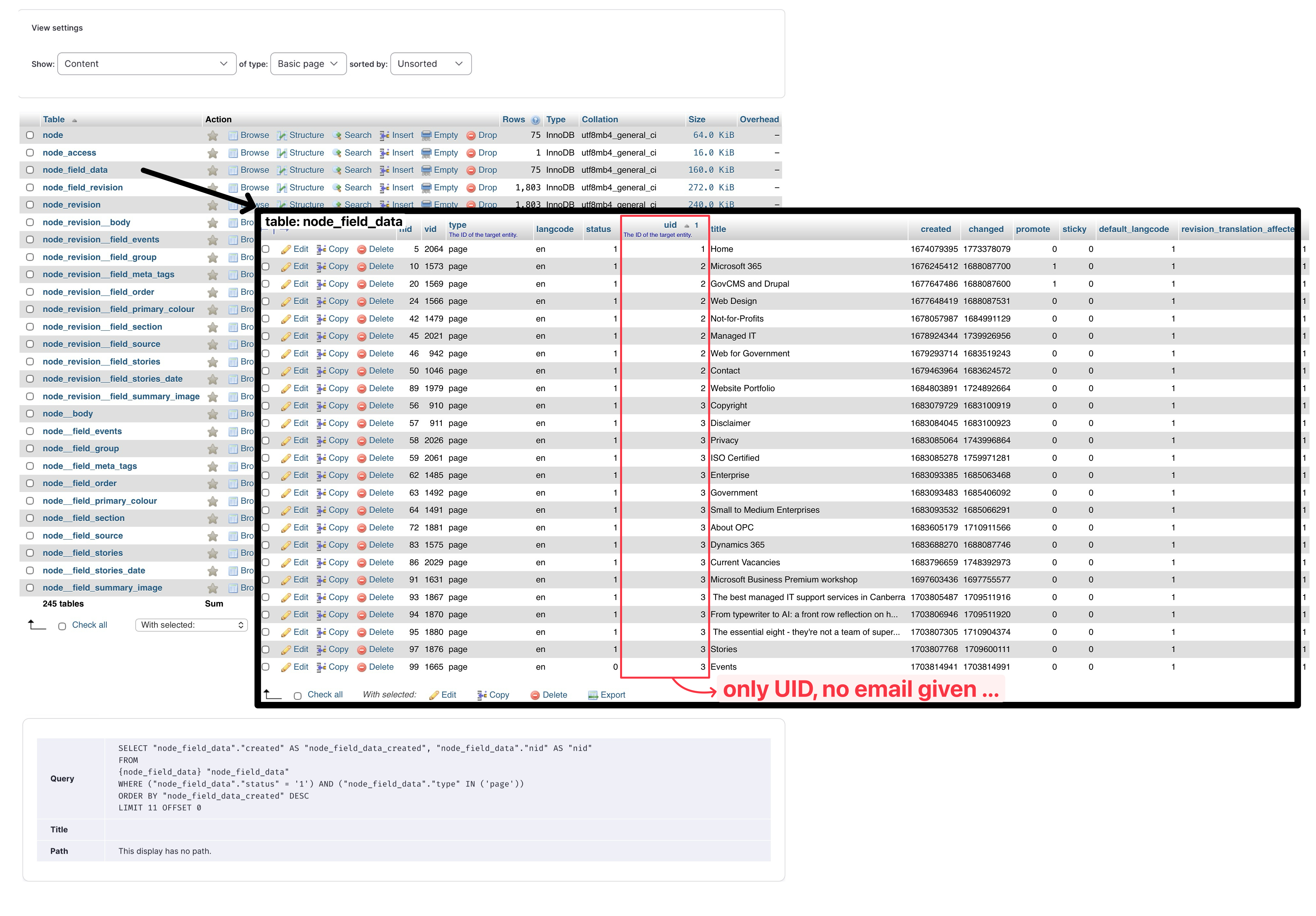
That’s when we could take advantage of the Relationships feature in Drupal View; A relationship tells Drupal to JOIN the base table of your view to another entity/table that’s related to it.
For instance we can add the author relationship to a content view, then it can relate its base table node_field_data to its author/user users_field_data table, and find the field email there:
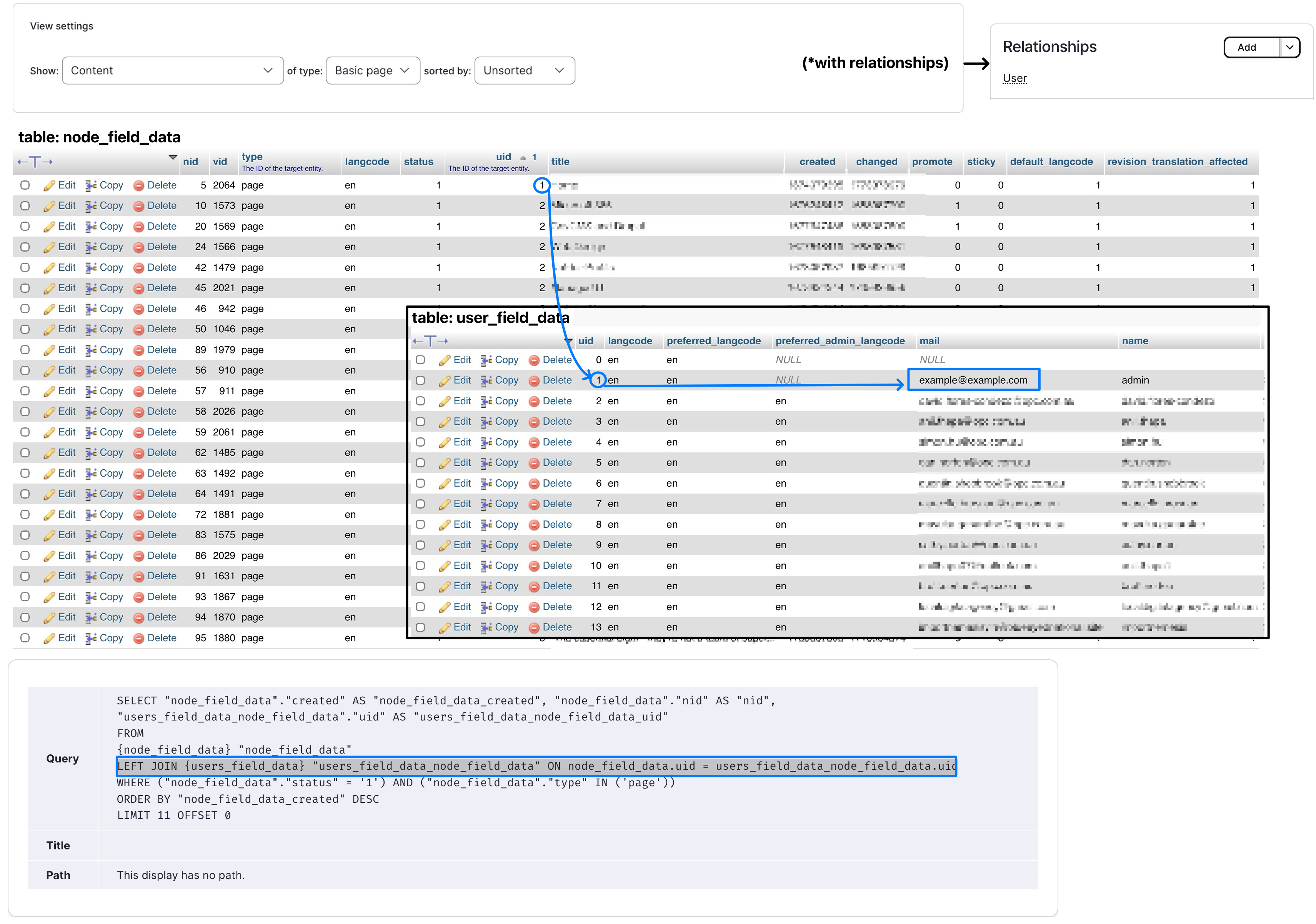
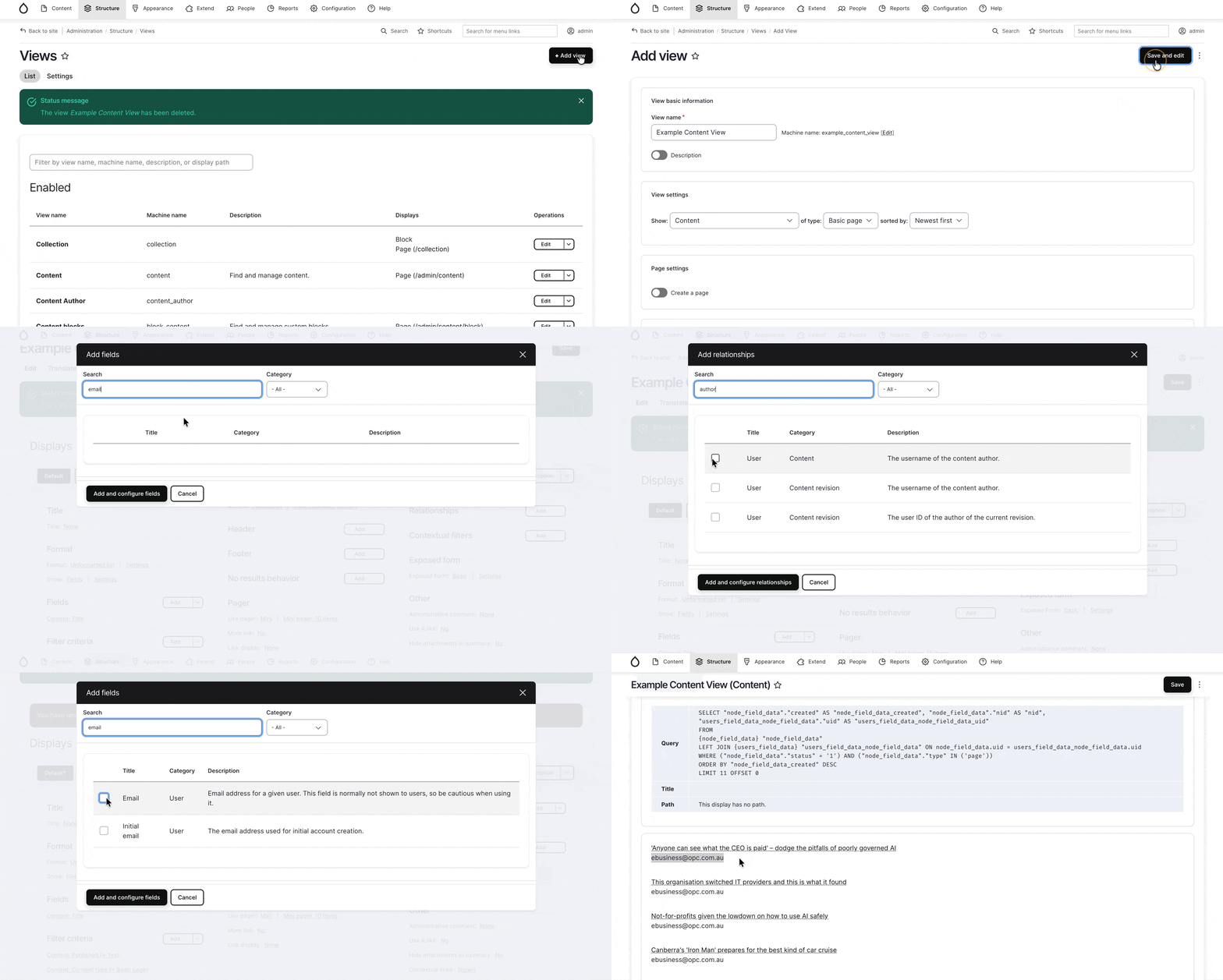
Consequently, if you are choosing one entity type in your view setting, but want to access field/data that’s only available in another entity type, you could use the “Relationships” settings available in view:
Reference
- Drupal.org Documentation – Add a relationship to a view: link