Commonly Used Features
Inspect Variables via DPM
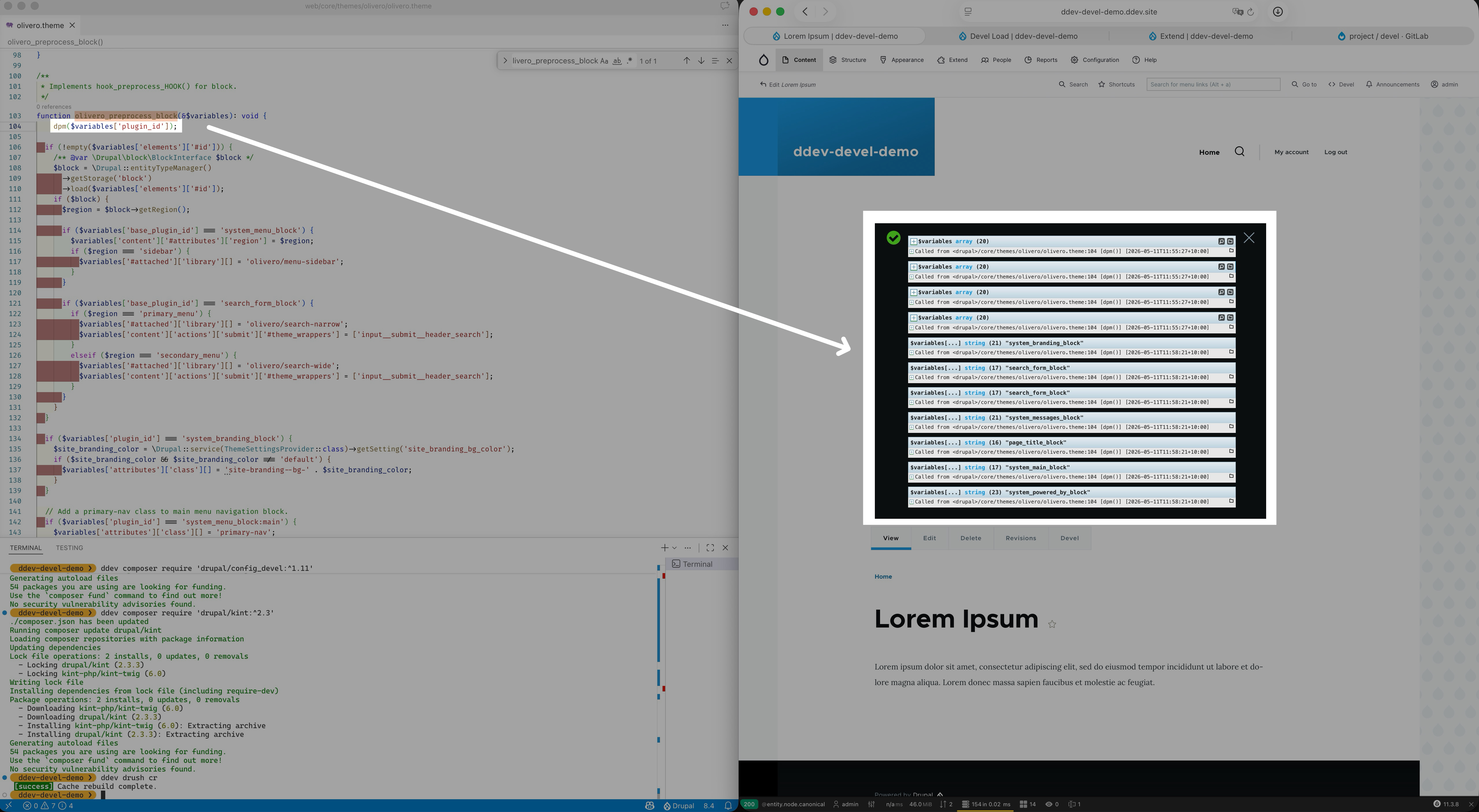
After installing Devel, you get access to the dpm() function, where you can use to dump/inspect variables in your PHP scripts:
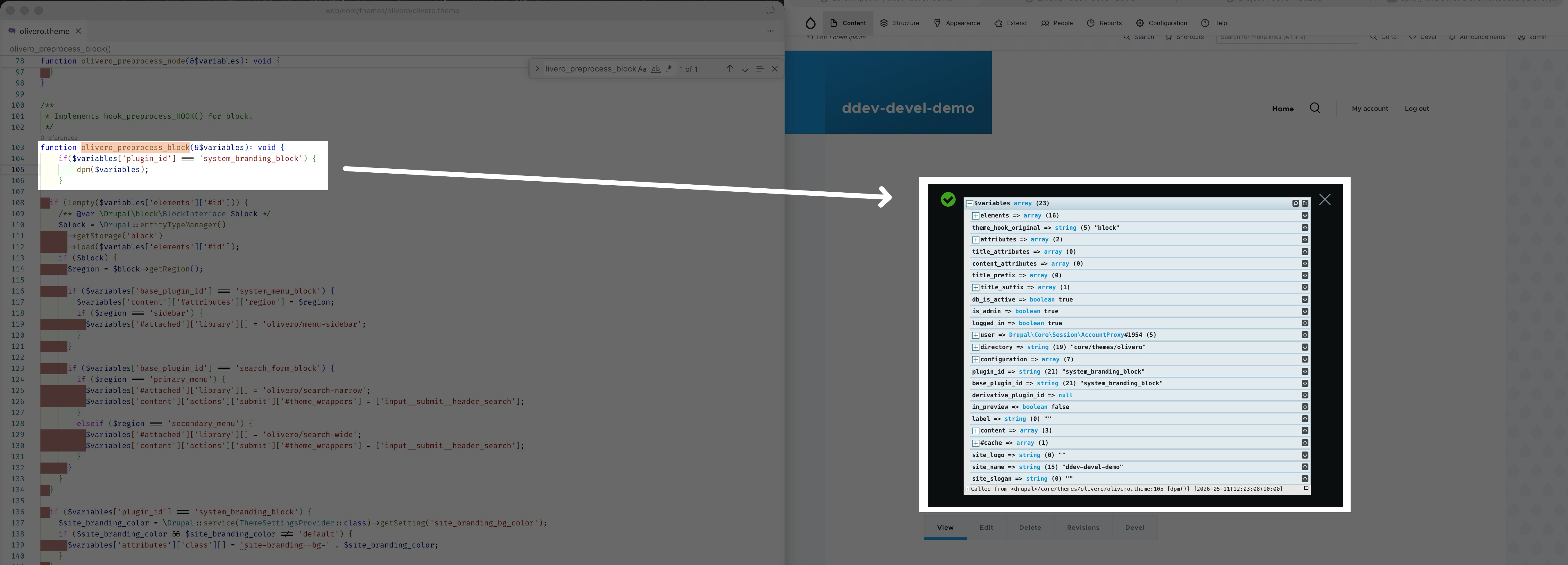
Comparing to dump() which output the variable data directly into page content at the exact location where this function is called, dpm() sends the output to the standard Drupal “message” area only
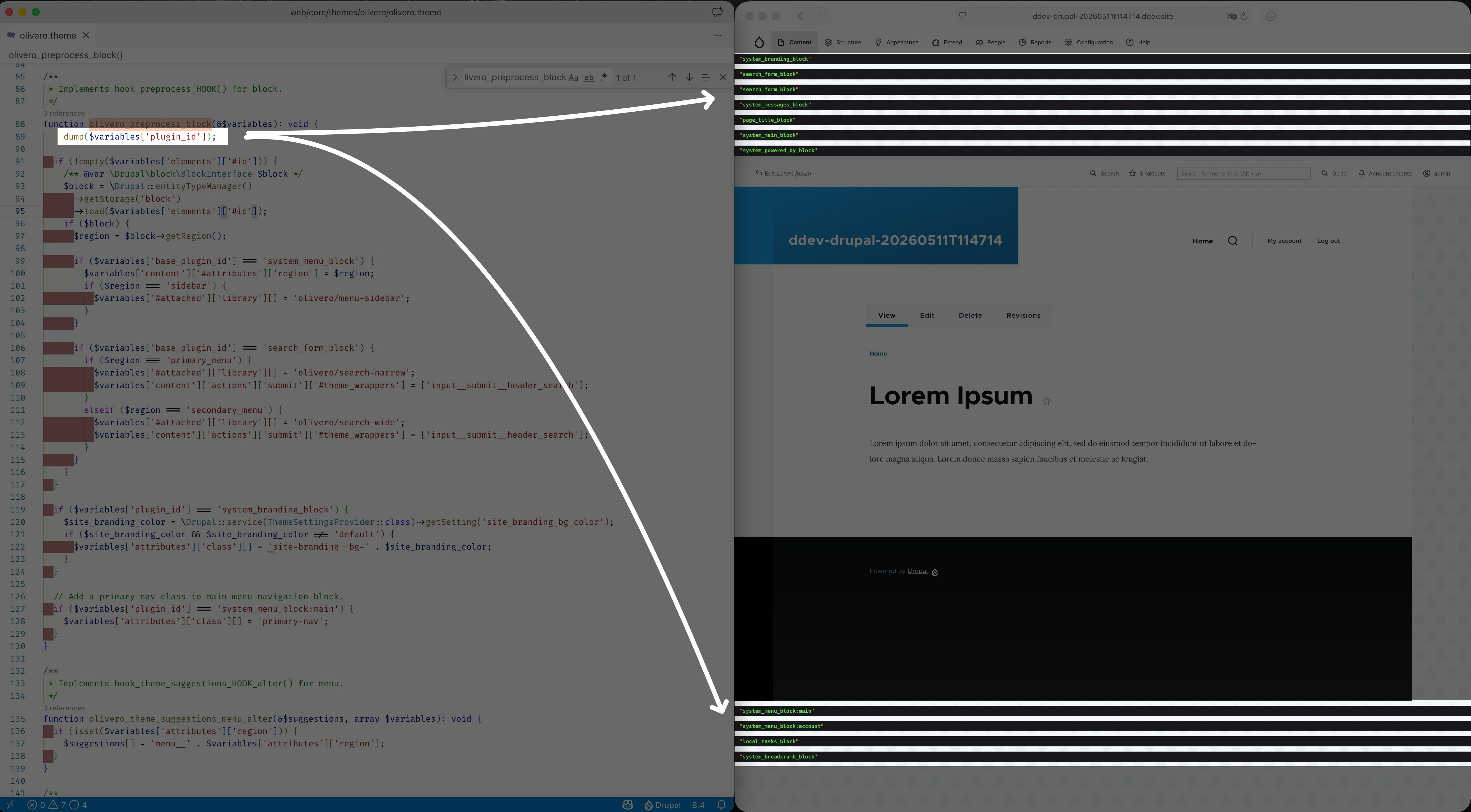
Sometimes the variable you want to dump is too big to be dumped with the page itself (the page may either take a long time to load or simply freeze), in that case, you can also use the dd() function provided by Devel, which will replace the whole original page content with just the dump result (but it only supports Symfony styled dump):

(there’re also other devel print functions available, you can find out more at dpm() and other Devel function)
(the abbreviation of all of the devel print functions at: [appendix 1: dump abbreviation explained](#Appendix 1: Dump Abbreviation Explained))
Kint Variables Dumper
By default you will only get one “Symfony var-dumper” in the variables dumper settings, when you run dump related functions such as var_dump / dump / dpm / dvm / dpr /etc, you get Symfony styled experience:

(extension reading: https://symfony.com/doc/current/components/var_dumper.html)
If you wish a richer, more readable output out of the box, with expandable sections, colorized formatting, and better representations for complex data types (arrays, objects, closures, ORM results), you could configure devel to use “Kint Dumper” to dump the variables instead:

(extension reading: https://kint-php.github.io/kint/)
The steps to setup Kint are as follows:
install
drupal/kintandkint-php/kintmodules1 2composer require kint-php/kint --dev composer require 'drupal/kint:^2.3'proceed to “Administration > Configuration > Development > Devel Settings” (or visit “/admin/config/development/devel”), and change the “Variables Dumper” setting:
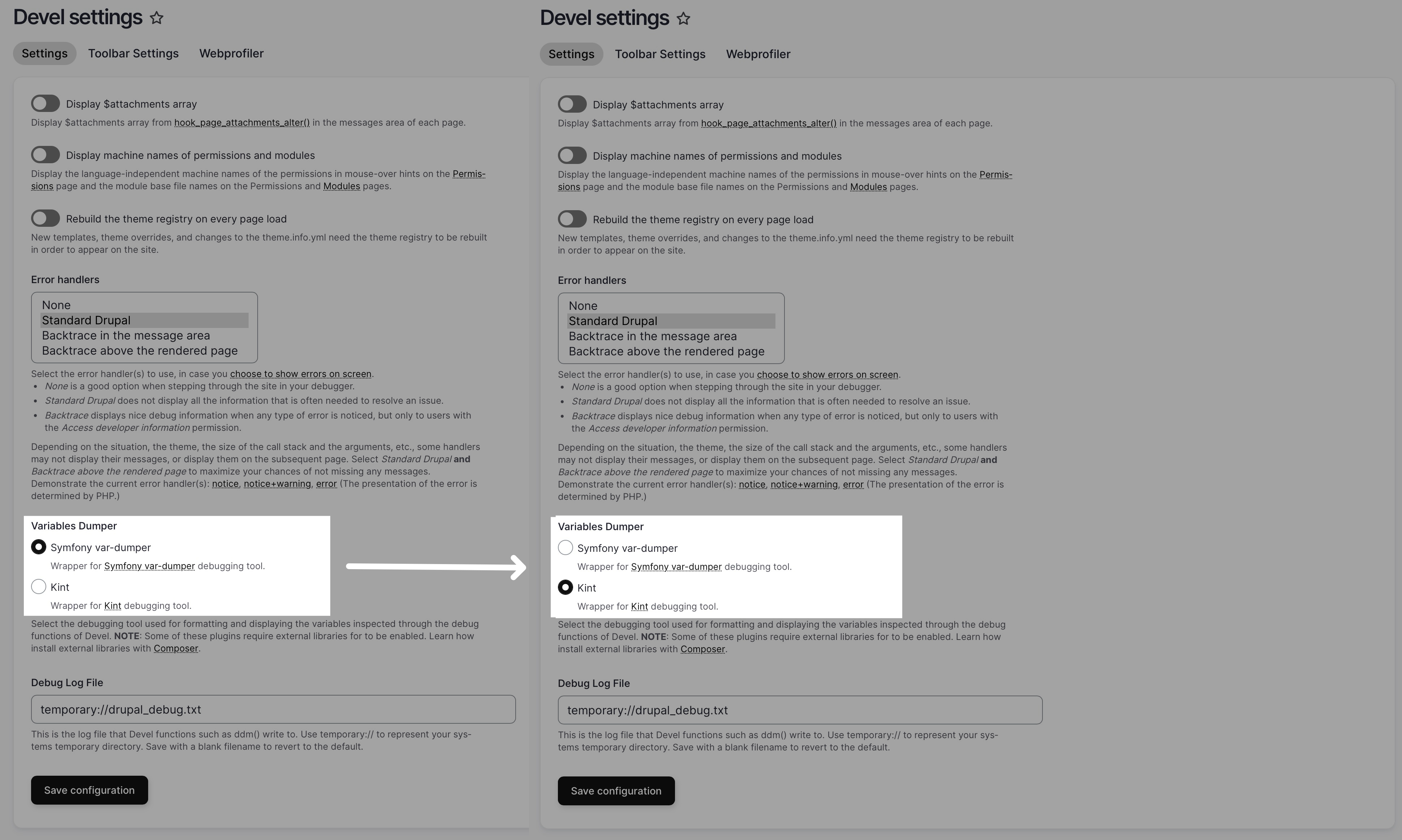
With Kint, it quicker to understand nested structures and debug faster, while providing configurable depth and context; it can be tuned for development workflows and integrated alongside Symfony while adding minimal overhead if used thoughtfully.
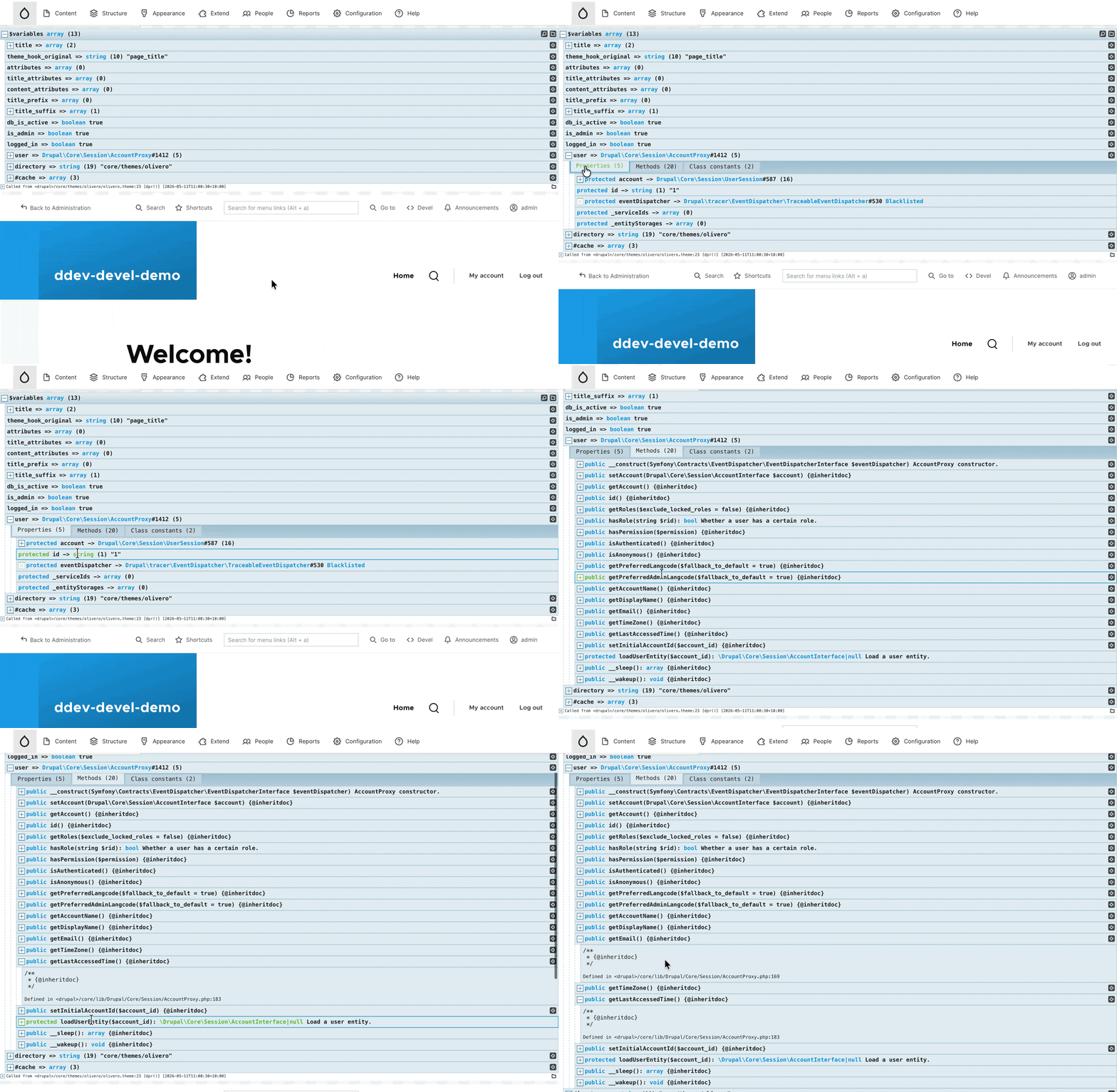
For me personally, I prefer Kint variable dumper solely because it is easier to find the properties and methods/functions available in Drupal Object. Taking the following Drupal\Core\Session\AccountProxy object for example, it is easy to tell from the Kint printout that we can use the getEmail and getLastAccessedTime to retrieve the relevant data to users:
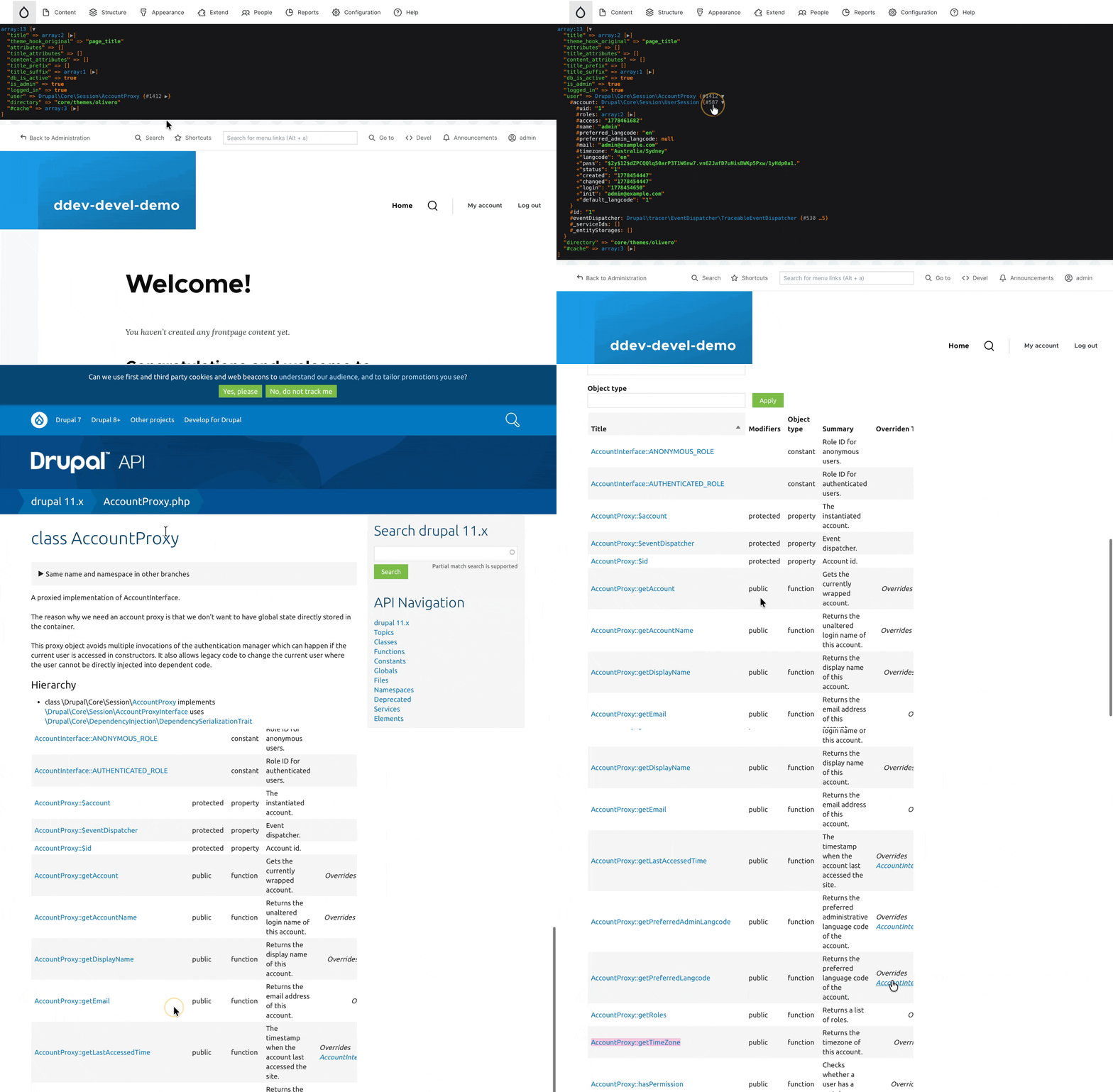
Whereas if we’re using Symfony variable dumper, we usually need to loop up for object’s corresponding’s class documentation to find out, and level of nesting is often limited to avoid performance issue:
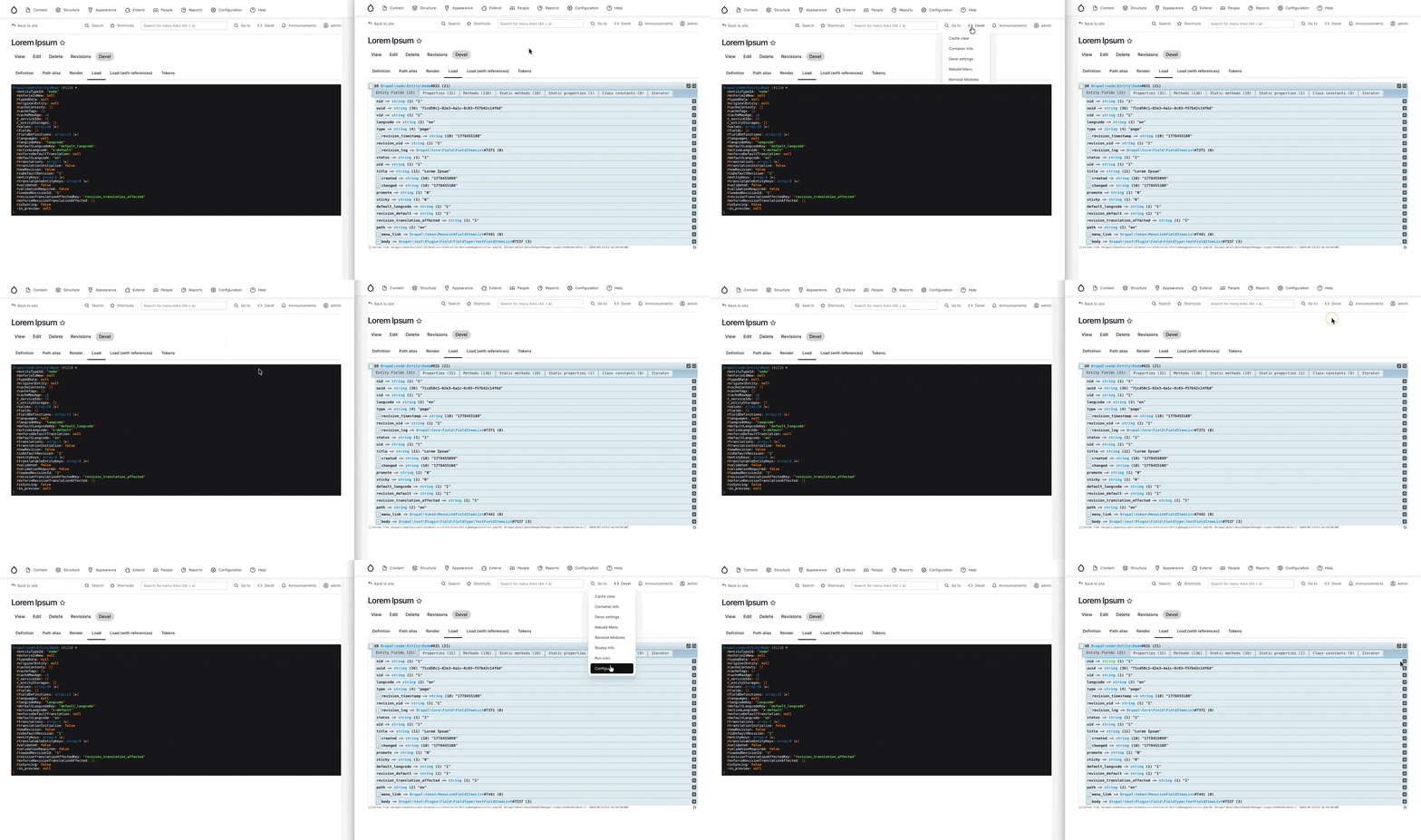
Another small reason to use Kint is that: the default Symfony mailer seems to break the regular layer context, and always stays on top of other components (very low z-index ?), this can be annoying sometimes as it will block other admin UI components:
Devel Toolbar
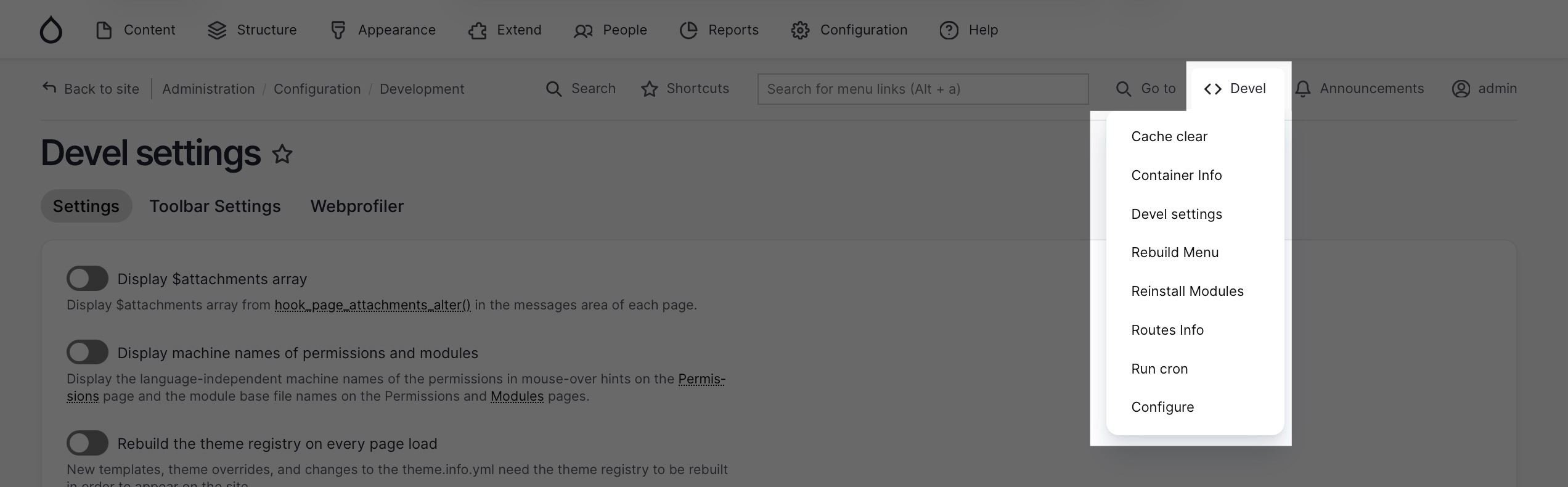
Upon installation of the devel module, you’ll also get this toolbar with some good-to-have shortcut for developers:
Devel View Entity’s Properties
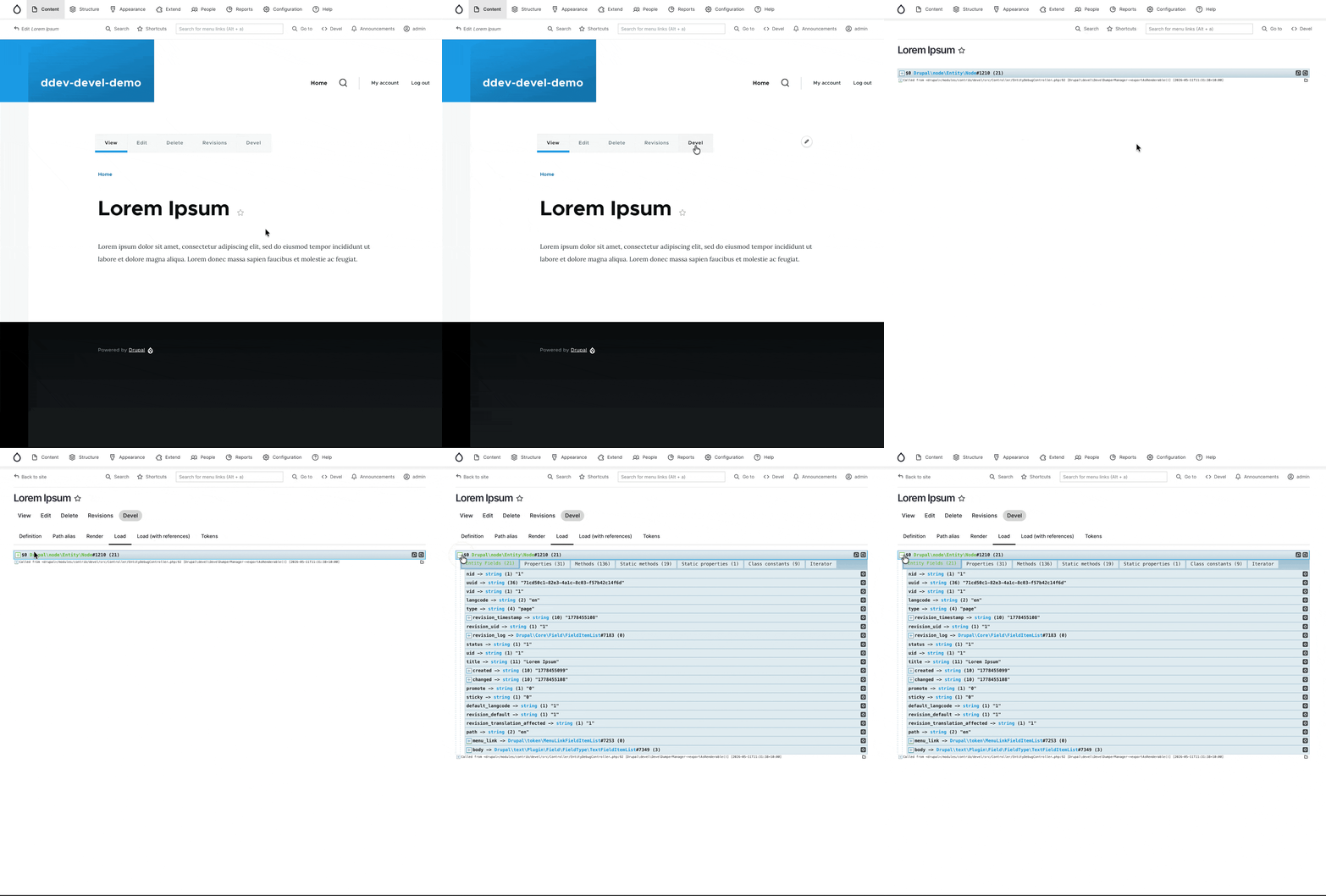
Once devel is installed, for every single entities on the website (e.g. block, menu, user, node, etc) you will find an additional menu item on the “task tab” menu (i.e. the “view, edit” task menu), to view the properties of entities:
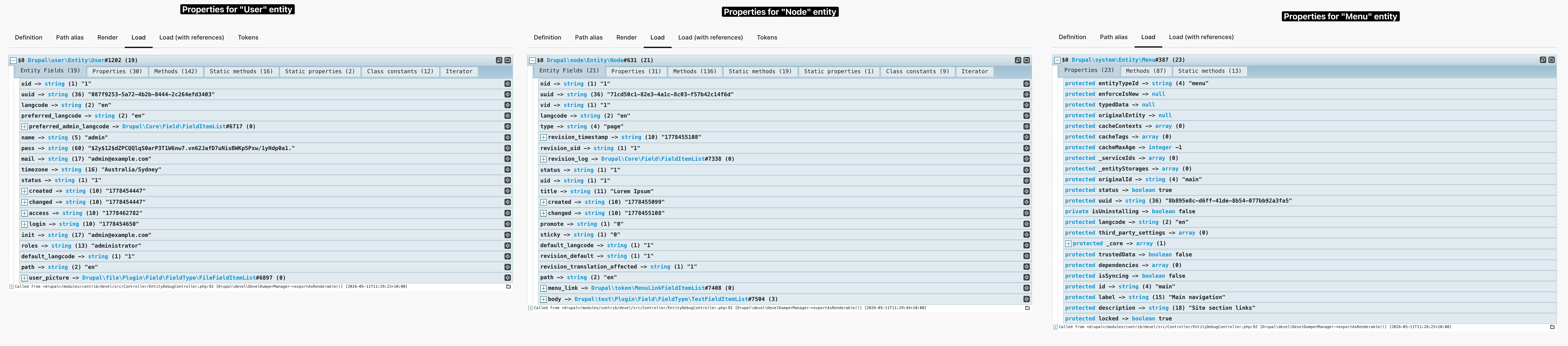
For instance, below are the screenshot of properties for entities: User, Node, and Menu
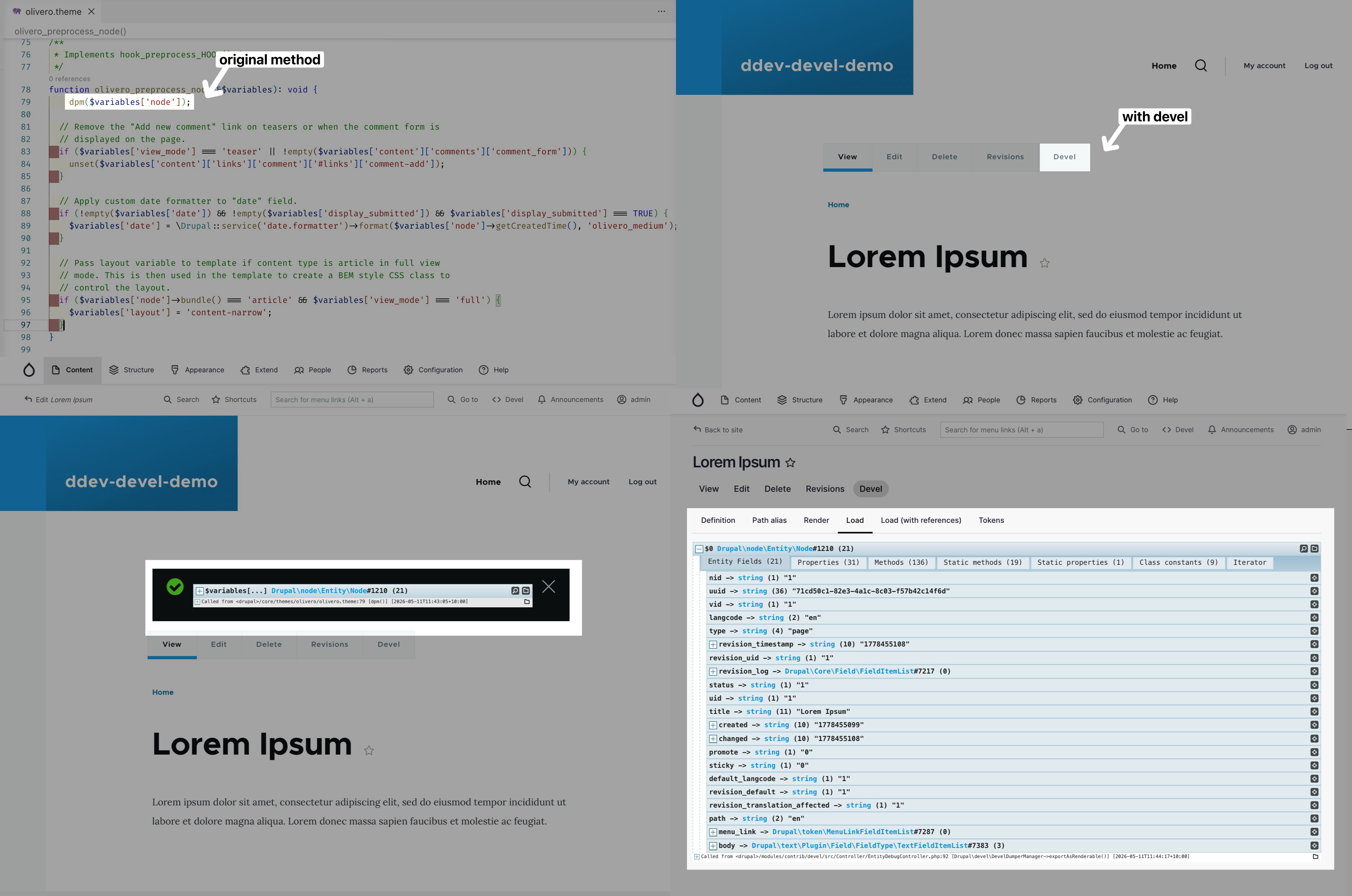
This can be helpful when you’re writing hook_preprocess_HOOK hook (link), for example if you wish to use the olivero_preprocess_node hook, traditionally you’ll need to use dump to find the node’s properties:. Now you could just proceed to any node, and click on the “Devel” button on the task bar:
Devel Generate
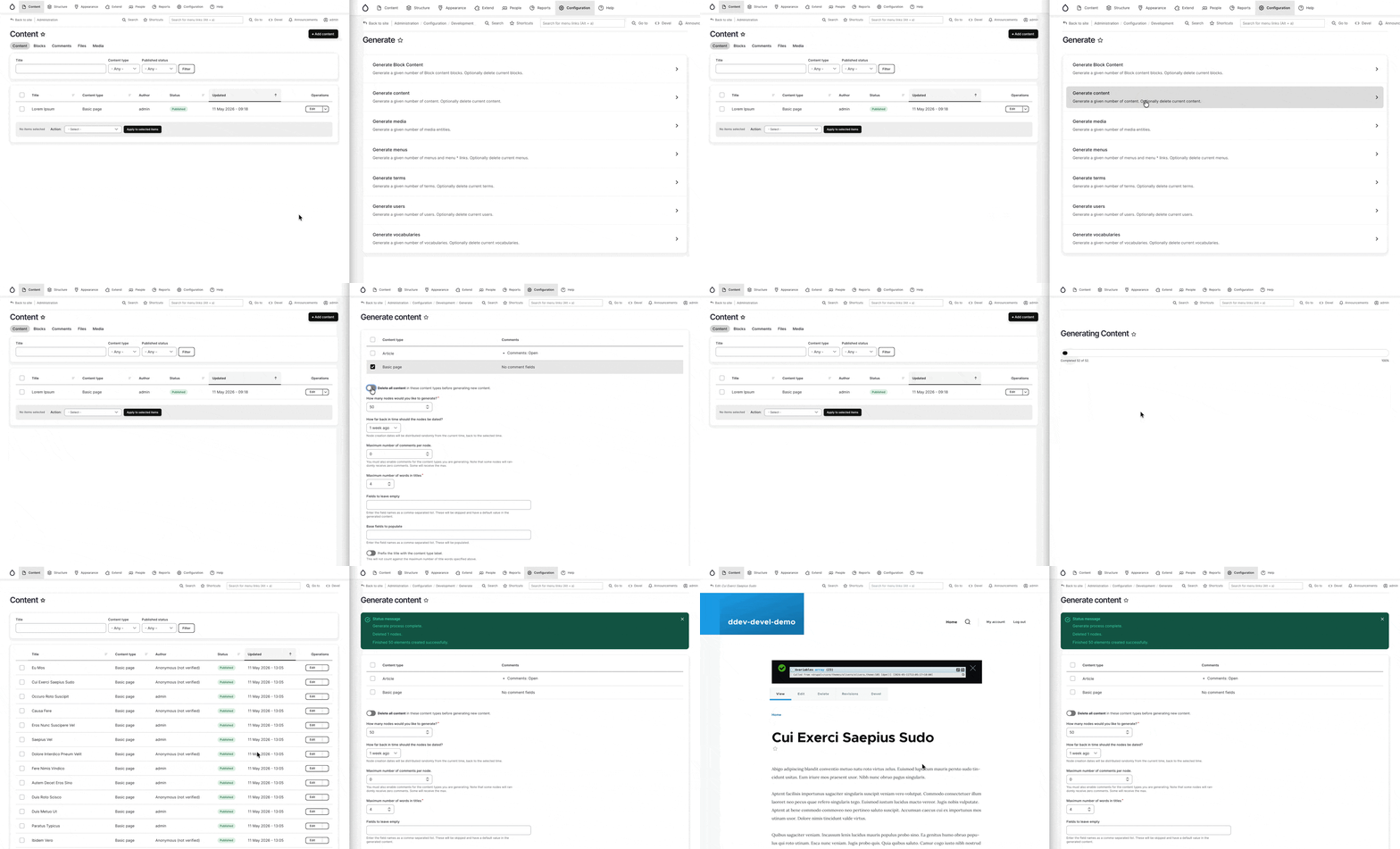
The devel generate module is a sub-module comes with the devel module, you can install it via running drush pm:install devel_generate, once installed you could take advantage of it to generate Block, Content (Node), Media, Menus, Terms, User, or Vocabularies at Administration > Configuration > Development > Generate (or visit “/admin/config/development/generate”):
Web Profiler
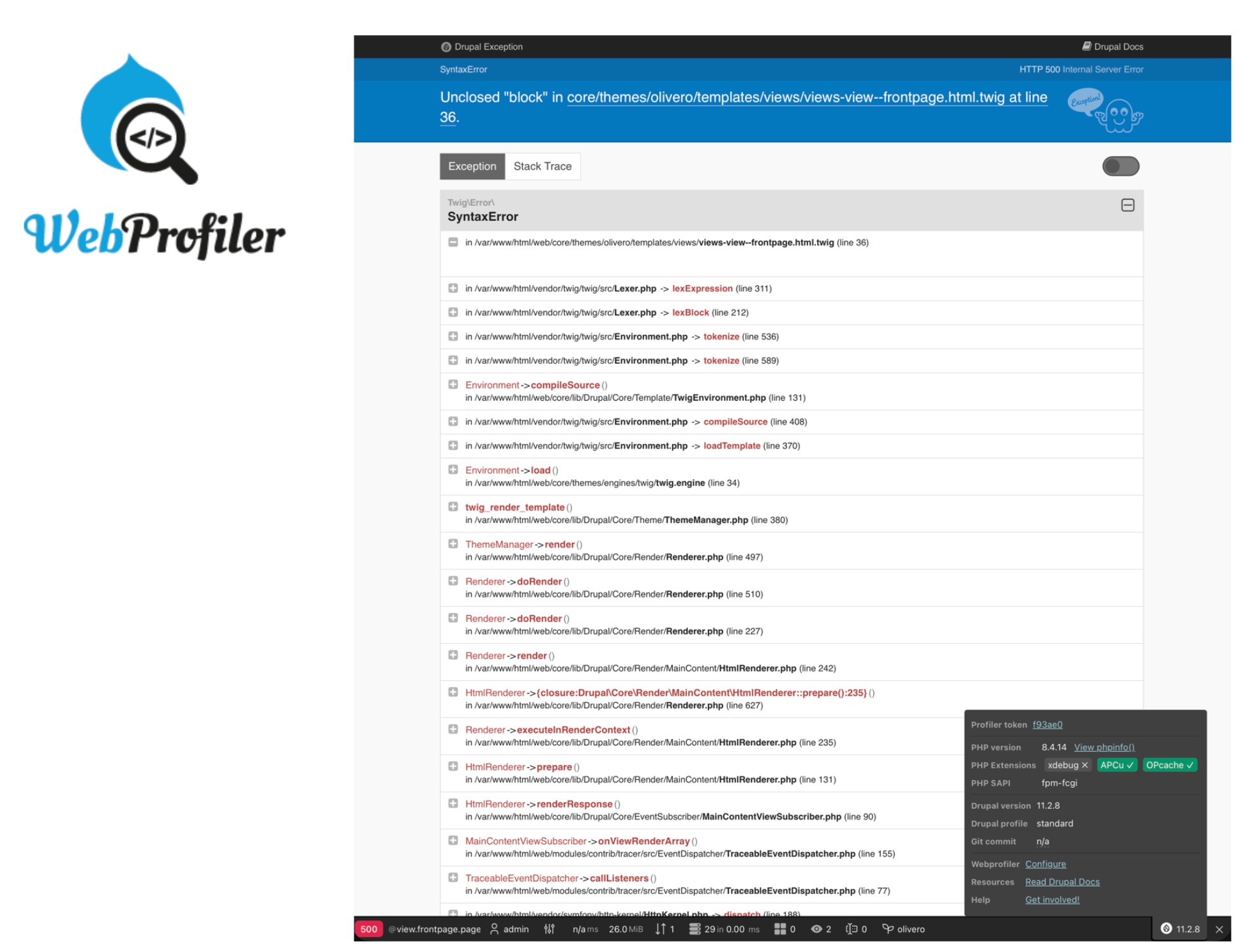
WebProfiler is a module dependent on Devel, which adds a toolbar at the bottom of every page and shows you various stats, such as the number of database queries loaded on the page, which services are used, and more.You can refer to this post to find out more details about the WebProfiler module.
Less Used Features
According to the Readme.md of the Devel module: https://git.drupalcode.org/project/devel
The features of Devel also includes:
- Reinstall modules (useful when you want to test
hook_uninstall()andhook_install()) - Urls created to view the internal entity properties even when there is no menu tab, for example /devel/paragraph/n
- Debug a SQL query
dpq($queryor print a backtraceddebug_backtrace() - A block for masquerading as other users (useful for testing)
- A mail-system class which redirects outbound email to files
- Drush commands such as
fn-hook,fn-event,token,uuid, anddevel-services
I may attempt to use some of the features above, if they’ve come across helpful for my future projects, I will move them towards the “Commonly Used Feature” section above.
Appendices
Appendix 1: Dump Abbreviation Explained
dpm(): Drupal Print Message.
dvm(): Display Variable Message (using drupal_var_export)
dpr(): Devel Print Rea.
dvr(): Devel Variable Readable (using drupal_var_export)
kpr(): Krumo Print Readable (using Krumo library to print)
dd(): Drupal Debug (outputs to drupal_debug.txt in temporary directory)
drags() Dump Arguments (print args arguments passed into the current function)
Appendix 2: Set Temporary Directory
Setting temporary file directory is similar to setting private file directory: you’ll need to amend your settings.php file and clear cache (drush cr) after the changes are made:
| |

Appendix-3: Page Attachment
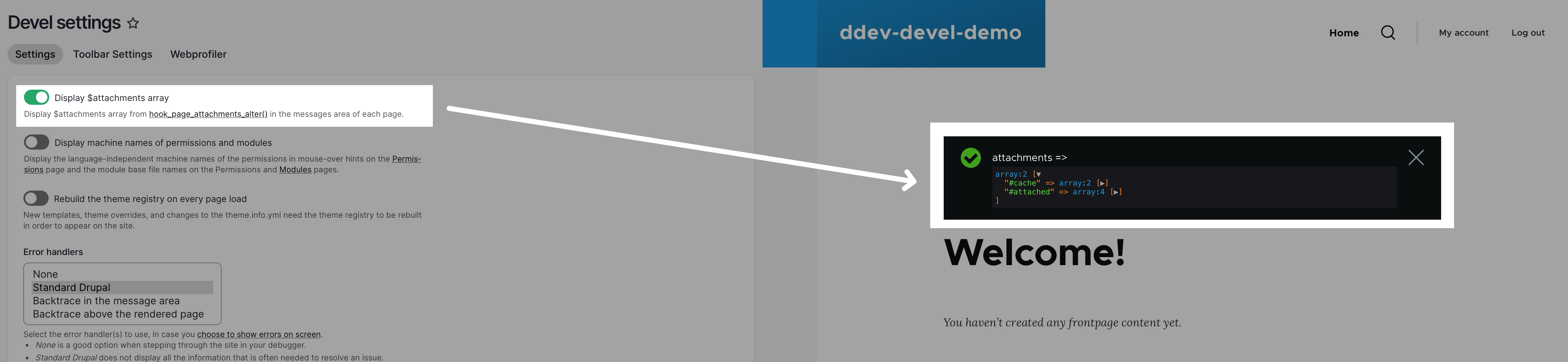
Document for hook_page_attachments / hook_page_attachments_alter
- https://api.drupal.org/api/drupal/core%21lib%21Drupal%21Core%21Render%21theme.api.php/function/hook_page_attachments_alter/10
- https://api.drupal.org/api/drupal/core%21lib%21Drupal%21Core%21Render%21theme.api.php/function/hook_page_attachments/10