Intention of Project#
DDEV integration for developing Drupal contrib projects. As a general philosophy, your contributed module/theme is the center of the universe. The codebase layout (see image below) and commands in this project match the Gitlab CI approach from the Drupal Association.
Put in simpler saying:
- You no longer need to: “run the
composer create-project drupal/recommended-project:11.x.x "install-dir" command, navigate to the theme or module directory and install your contributed module/theme there”, just clone your repo and use this add-on to initialise the Drupal environment around it. - And you get the bunch of commands (later) that aligns with the CI/CD command, so you can check style-lint, run the NightWatch and PHPUnit test, all on your local environment before pushing it to the Drupal GitLab.
Usage Guideline#
You also find the same information about this at: https://github.com/ddev/ddev-drupal-contrib#install
- If you haven’t already, install Docker and DDEV
git clone your contrib module- cd [contrib module directory]
- Execute the commands below, adjust as needed.
1
2
3
4
5
6
| ddev config --project-type=drupal11 --docroot=web
ddev add-on get ddev/ddev-drupal-contrib
ddev start
ddev poser
ddev symlink-project
ddev config --update
|
Notice here:
ddev poser command includes the drupal/core-recommended into your project’s dev dependency and install itddev symlink-project command symlinks your project files into the configured location (e.g. web/modules/custom OR web/theme/custom) so Drupal can find your theme or module
And potentially at last you can also use drush site-install to install the site,
then use drush theme:enable or drush pm:enable to install the theme/module
Example#
For instance I have this contributed theme project at: https://www.drupal.org/project/polarisk.
All I need to do to setup a Drupal website around this project is:
Proceed to the source code page to find its corresponding Gitlab Repository
Clone the repo to your local cd ~/Downloads && git clone git@git.drupal.org:project/polarisk.git
Then run the code snippet that was provided in the ddev-drupal-contrib’s project:
1
2
3
4
5
6
| ddev config --project-type=drupal11 --docroot=web # Configure DDEV for Drupal
ddev add-on get ddev/ddev-drupal-contrib # install this add-on
ddev start
ddev poser
ddev symlink-project # Detect expected Drupal and PHP versions.
ddev config --update
|
Use ddev launch to open the website and install the site using one of the profile
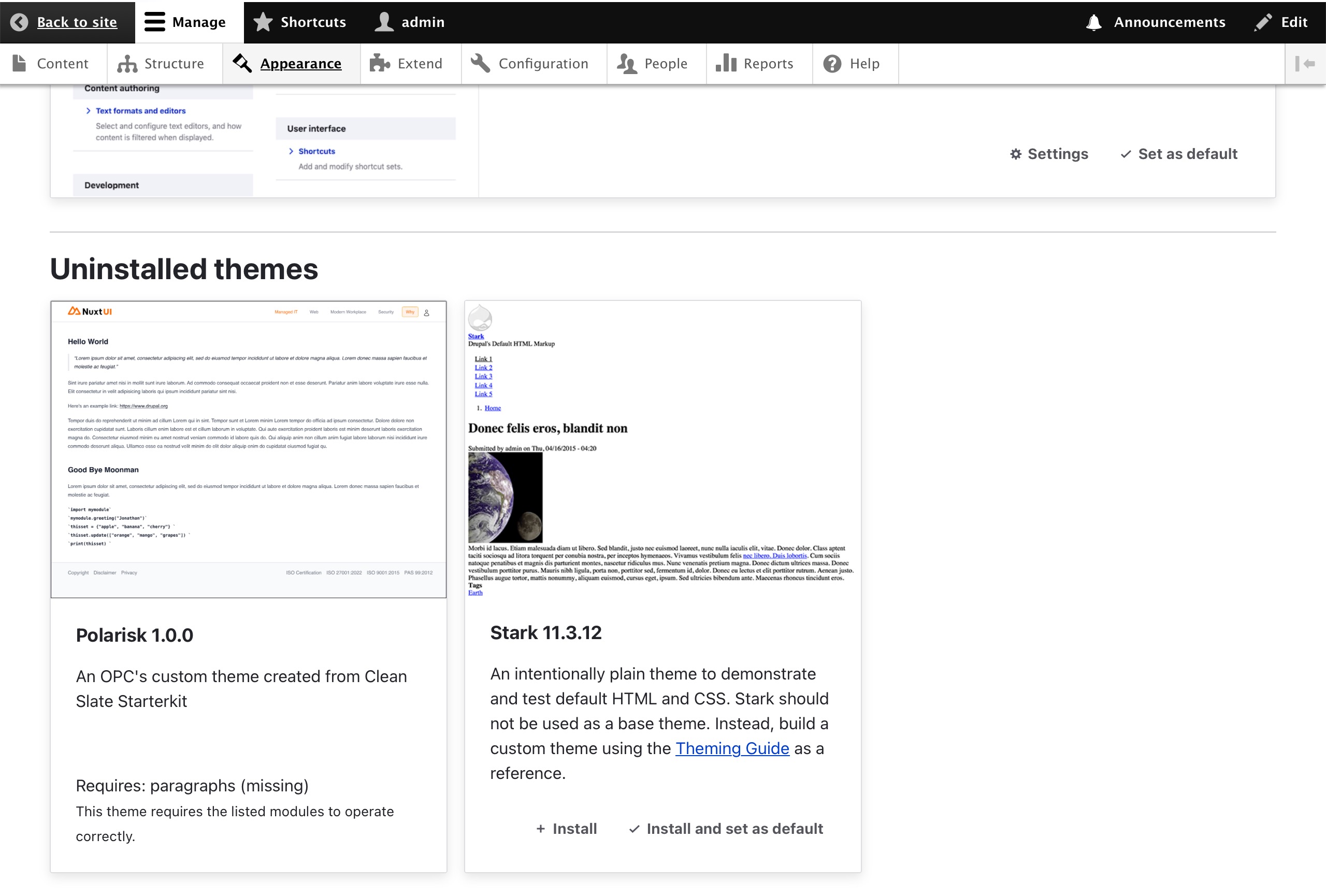
Proceed to https://polarisk.ddev.site/admin/appearance (DDEV will automatically pick the project/website’s name based on the top level folder, in our case it is polarisk), and voilà the polarisk theme is there for you !
My “Traditional” Way#
Here I also want to share my snippet to setup a Drupal website in DDEV without using this add-on, it maybe a little bit complicated from the first look, (I had it configured to install some of the most commonly used modules for myself); This script may can be beneficial for some scenarios, for instance: if you are working with multiple contributed projects:
 1
 2
 3
 4
 5
 6
 7
 8
 9
10
11
12
13
14
15
16
17
18
19
20
21
22
23
24
25
26
27
28
29
30
31
32
33
34
35
36
37
38
39
40
41
42
43
44
45
46
47
48
49
50
51
52
53
54
55
56
57
58
59
60
61
62
63
64
65
66
67
68
69
70
71
72
73
74
75
76
77
78
79
80
81
82
83
84
85
86
87
88
89
90
91
92
93
94
95
| PROJECT_NAME="ddev-drupal-$(date +'%Y%m%dT%H%M%S')" # <--- Your website name
DRUPAL_VERSION="11.3.8" # <--- Your drupal version
PROJECT_TYPE="drupal11"
PHP_VERSION="8.4"
# =======================================================================
# [Creating Drupal Project with DDEV]
mkdir "$PROJECT_NAME" && cd "$PROJECT_NAME"
ddev config --project-name=$PROJECT_NAME --project-type="$PROJECT_TYPE" --php-version=$PHP_VERSION --docroot=web
ddev composer create-project drupal/recommended-project:$DRUPAL_VERSION "."
ddev restart && echo "Restarted DDEV to recognize the new files"
ddev composer require 'drush/drush'
ddev drush site:install -y --site-name="$PROJECT_NAME"
# [Installing and enabling must-have modules ]
ddev composer require 'drupal/paragraphs' && ddev drush en paragraphs -y
ddev composer require 'drupal/admin_toolbar' && ddev drush en admin_toolbar admin_toolbar_search admin_toolbar_tools -y
ddev composer require 'drupal/field_group' && ddev drush en field_group -y
ddev composer require 'drupal/twig_tweak' && ddev drush en twig_tweak -y
ddev composer require 'drupal/pathauto' && ddev drush en pathauto -y
ddev composer require 'drupal/token' && ddev drush en token -y
ddev composer require 'drupal/coffee' && ddev drush pm:enable coffee -y
ddev drush en media media_library -y
# =======================================================================
# [Configuring development settings]
ddev drush -y config:set system.performance css.preprocess 0
ddev drush -y config:set system.performance js.preprocess 0
ddev drush -y theme:dev on
# [Install developer tools / modules]
ddev composer require 'drupal/webprofiler' && ddev drush en tracer -y && ddev drush en webprofiler -y
ddev composer require 'drupal/devel' && ddev drush en devel -y && ddev drush en devel_generate -y
ddev drush -y en syslog && ddev drush -y config:set syslog.settings identity "$PROJECT_NAME"
#You can then view log via `ddev exec tail -f /var/log/nginx/access.log` OR `ddev logs --follow --time`, see more at "https://docs.ddev.com/en/stable/users/usage/commands/#logs"
# =======================================================================
# [Install optional DDEV Add-ons]
# (phpmyadmin) https://addons.ddev.com/addons/ddev/ddev-phpmyadmin
# ddev add-on get ddev/ddev-phpmyadmin
# ddev snapshot && ddev restart
# (adminer) https://addons.ddev.com/addons/ddev/ddev-adminer
# ddev add-on get ddev/ddev-adminer
# ddev snapshot && ddev restart
# (solr search) https://addons.ddev.com/addons/ddev/ddev-drupal-solr
# ddev add-on get ddev/ddev-drupal-solr
# ddev snapshot && ddev restart
# ddev composer require drush/drush drupal/search_api_solr
# ddev drush en -y search_api_solr
# =======================================================================
# [Installing and configuring themes]
# (gin theme)
ddev composer require 'drupal/gin'
ddev drush theme:enable gin -y
ddev drush config-set system.theme admin gin -y
ddev drush en gin_toolbar -y
ddev drush config-set gin.settings classic_toolbar horizontal -y
ddev drush config-set gin.settings preset_accent_color neutral -y
ddev drush config-set gin.settings preset_focus_color neutral -y
# (bootstrap_barrio theme)
# ddev composer require 'drupal/bootstrap_barrio'
# ddev drush then bootstrap_barrio -y
# (radix theme & sub-theme)
# ddev composer require 'drupal/radix:^6.0' # [Custom Theme] [radix] install radix theme
# ddev drush --include="./themes/contrib/radix" radix:create 'radix_custom' # [Custom Theme] [radix] create radix sub-theme radix_custom
# ddev drush theme:enable radix_custom -y # [Custom Theme] [radix] enable radix_custom theme
# ddev drush config-set system.theme default radix_custom -y # [Custom Theme] [radix] set radix_custom as default theme
# cd "./themes/custom/radix_custom" # [Custom Theme] [radix] change directory to radix_custom
# nvm use # [Custom Theme] [radix] use nvm
# npm run postinstall # [Custom Theme] [radix] run postinstall
# npm install # [Custom Theme] [radix] install dependencies
# npm run production # [Custom Theme] [radix] run bundler
# =======================================================================
|
Reference#