Example 1 - Code Component in Drupal Backend Only
Declaring code component & Make it available as a component: (*example copied from tailwind play)
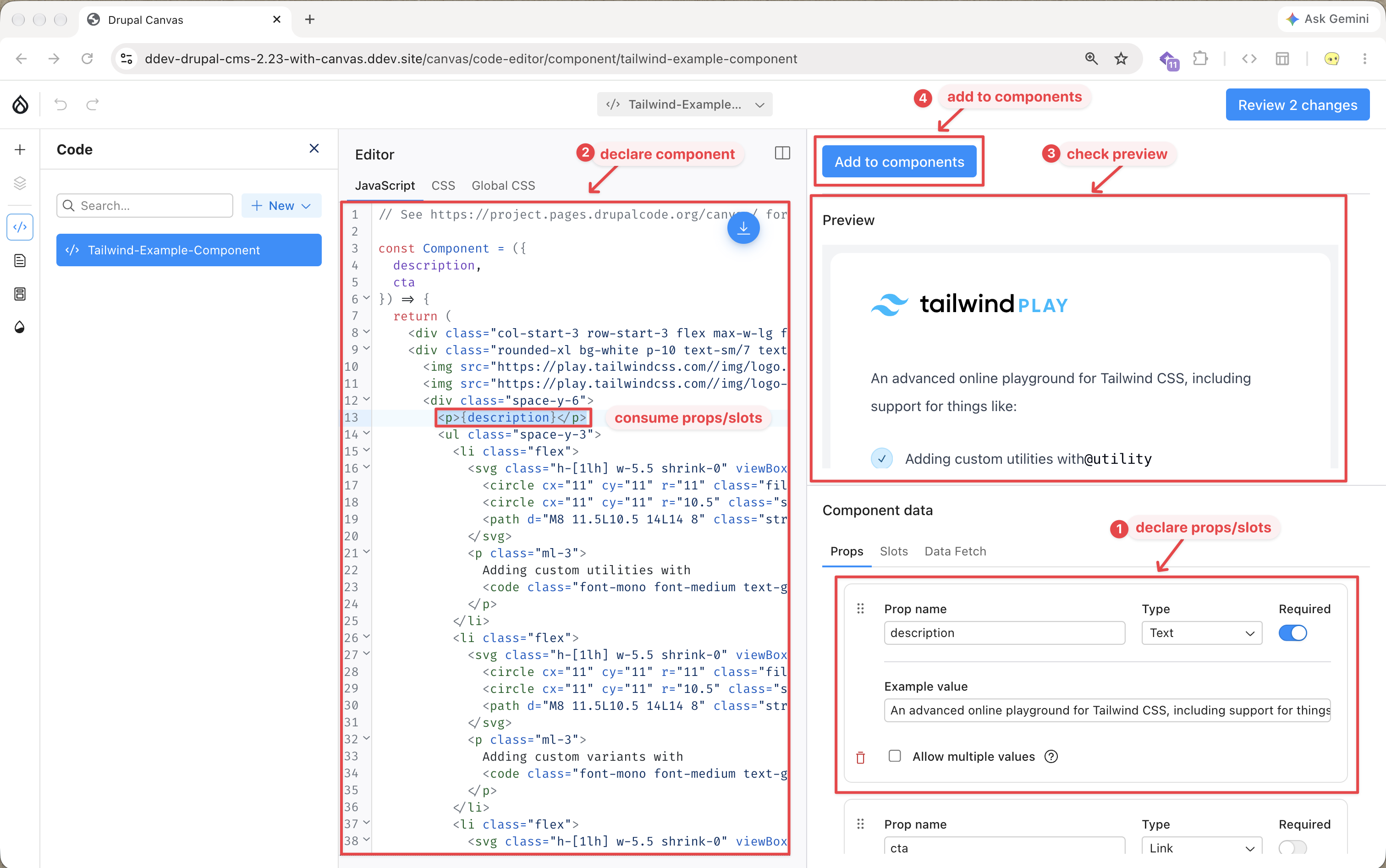
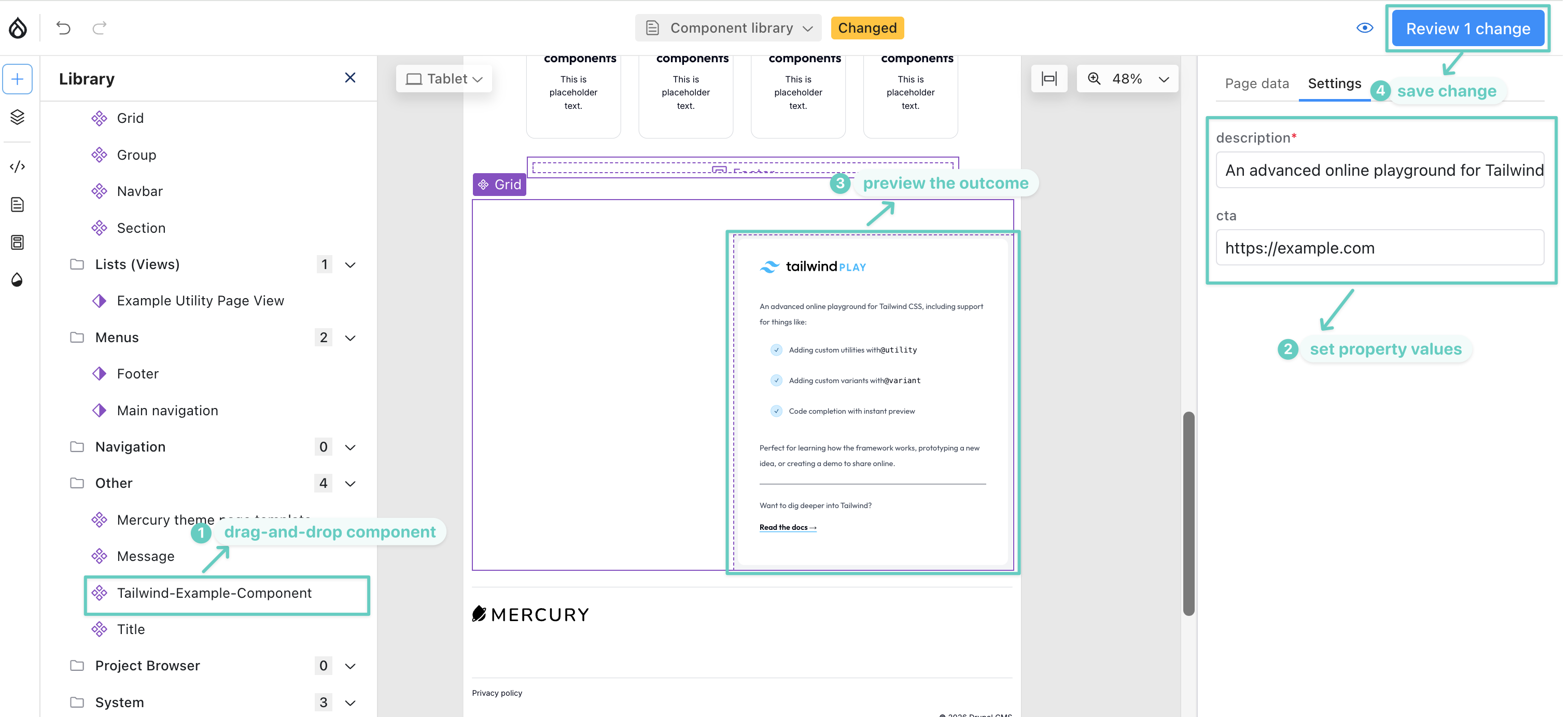
Consuming code component in Canvas Page (for your landing page OR panel page presumably):
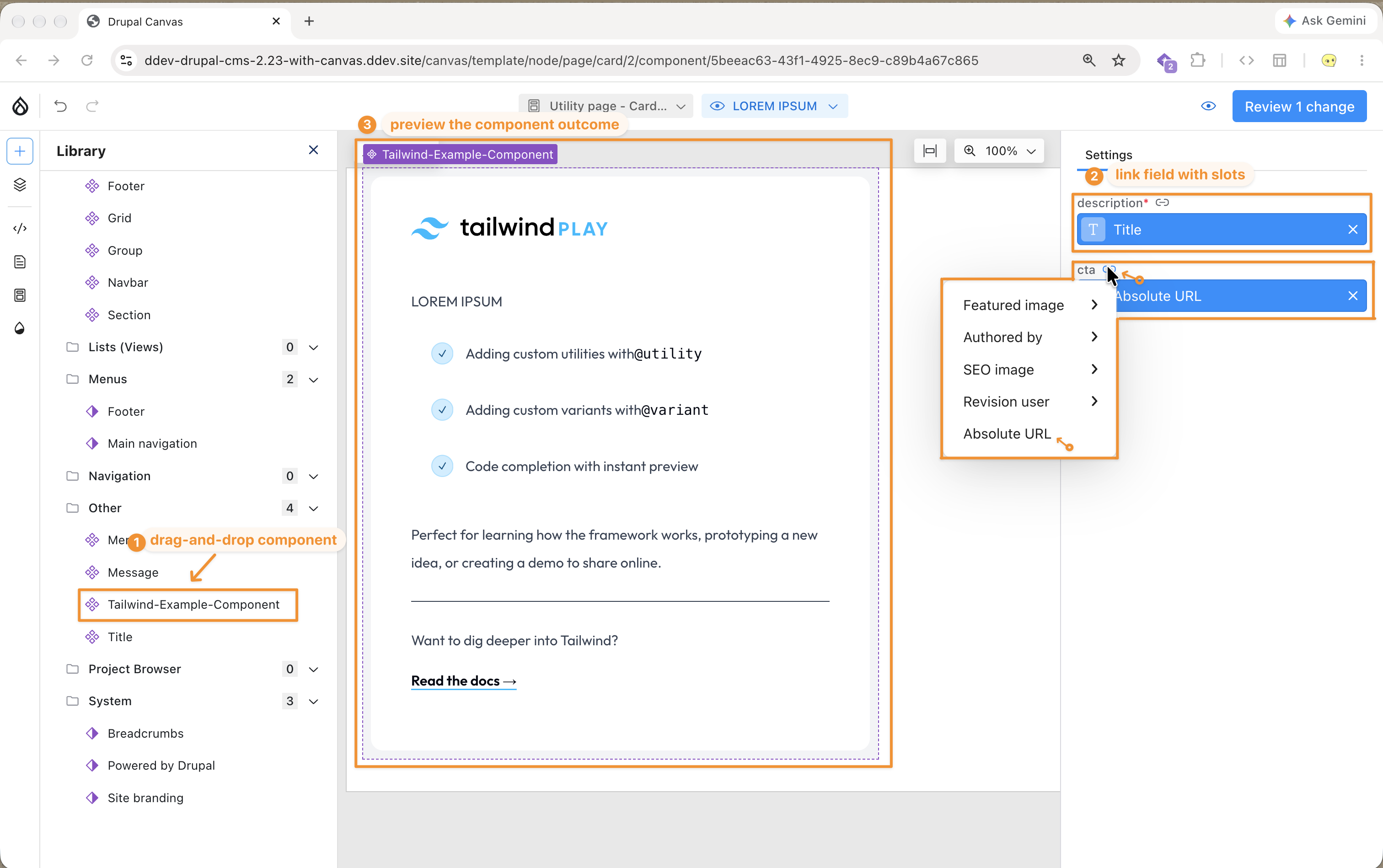
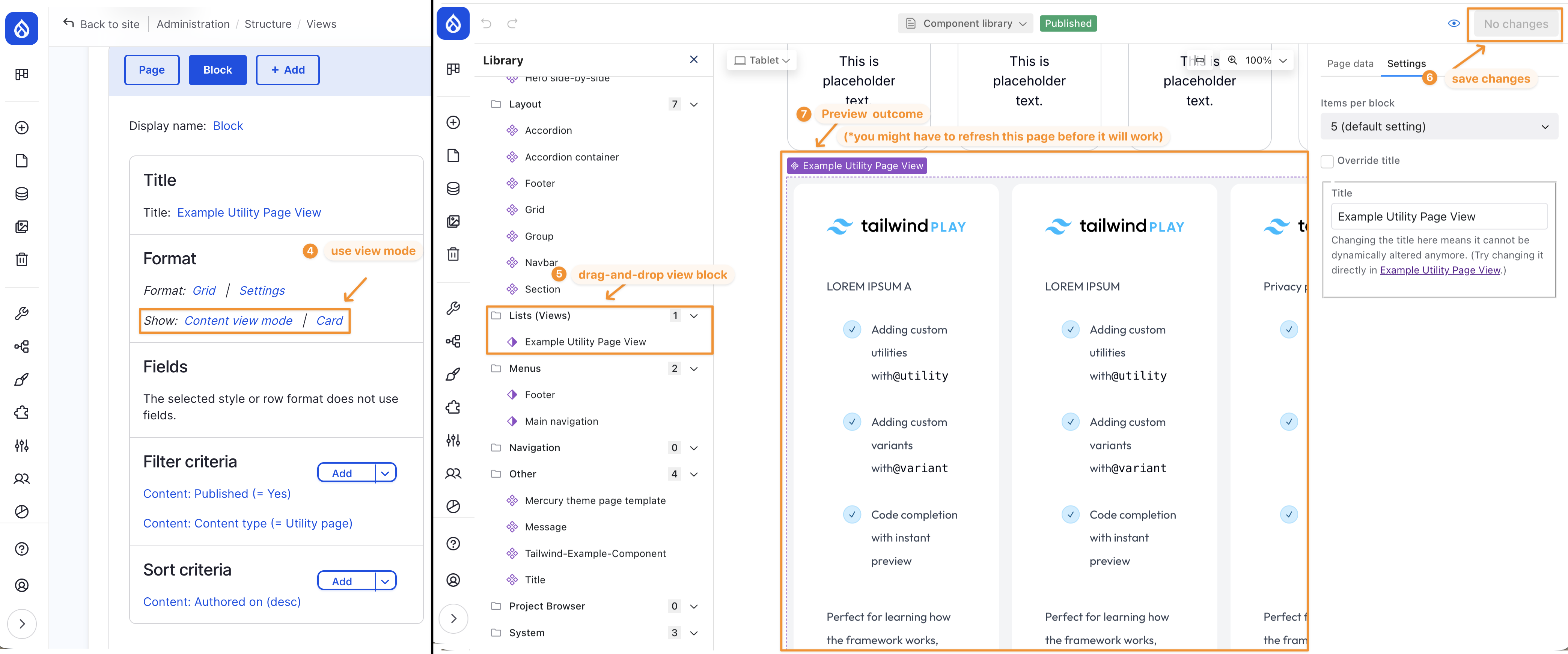
Consuming code component in Content Type template (each view mode have its own template), and consume the content type template in a View Block:
Example 2 - Code Component Synced with Codebase via Canvas CLI
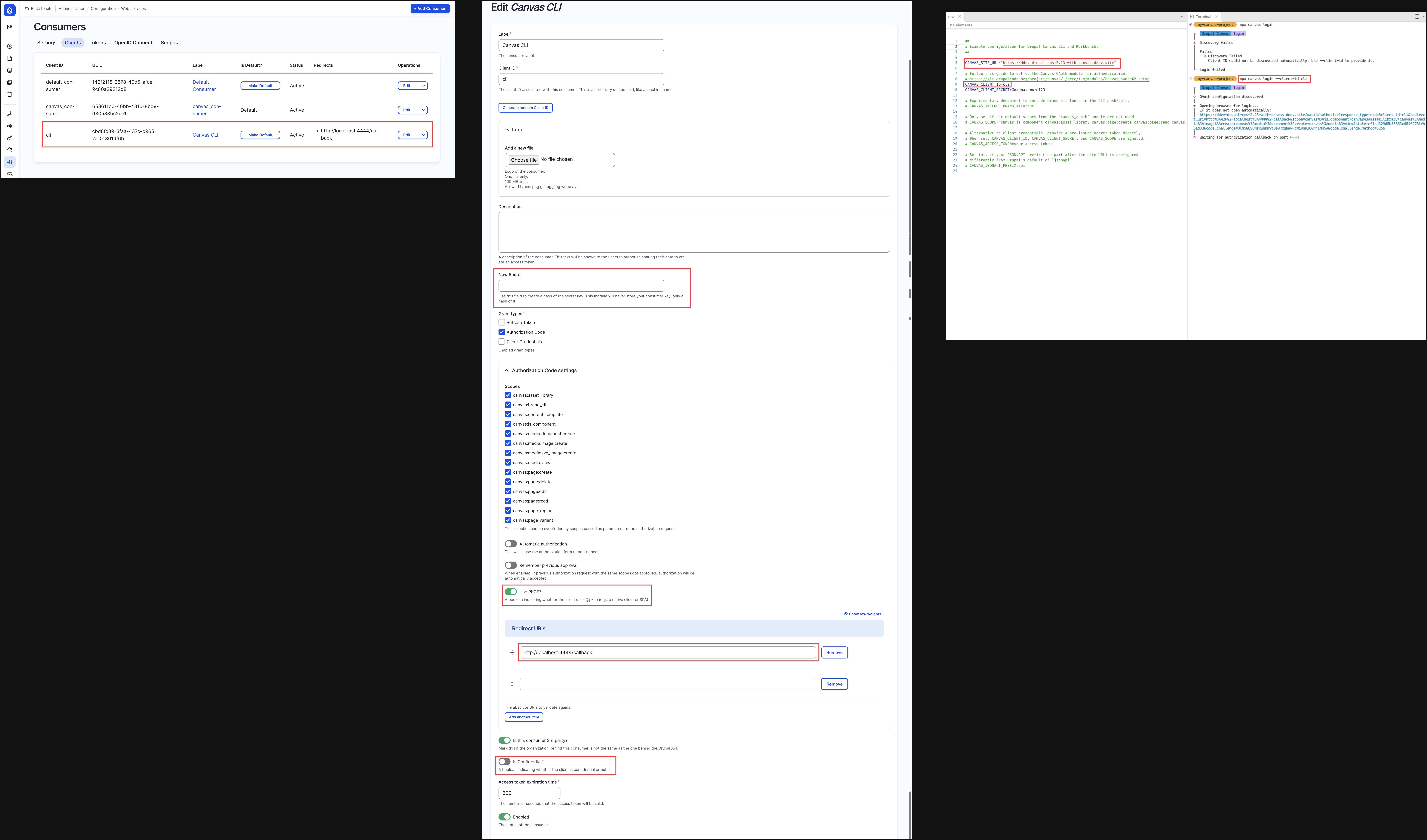
Canvas CLI Setup:
once successfully configured you should be able to login your canvas cli via running npx canvas login
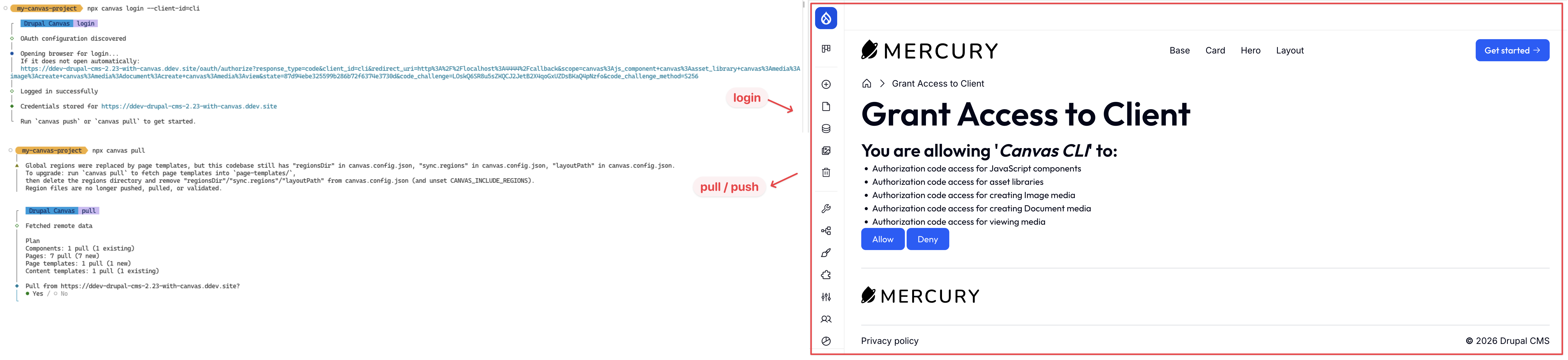
(*you can find about details on how to setup Canvas CLI with OAuth in the following links:
https://project.pages.drupalcode.org/canvas/code-components/local-codebase/
https://git.drupalcode.org/project/canvas/-/tree/1.x/modules/canvas_oauth
(please ensure you install modules: Consumer, Serialisation, Simple OAuth, Canvas OAuth one by one !)
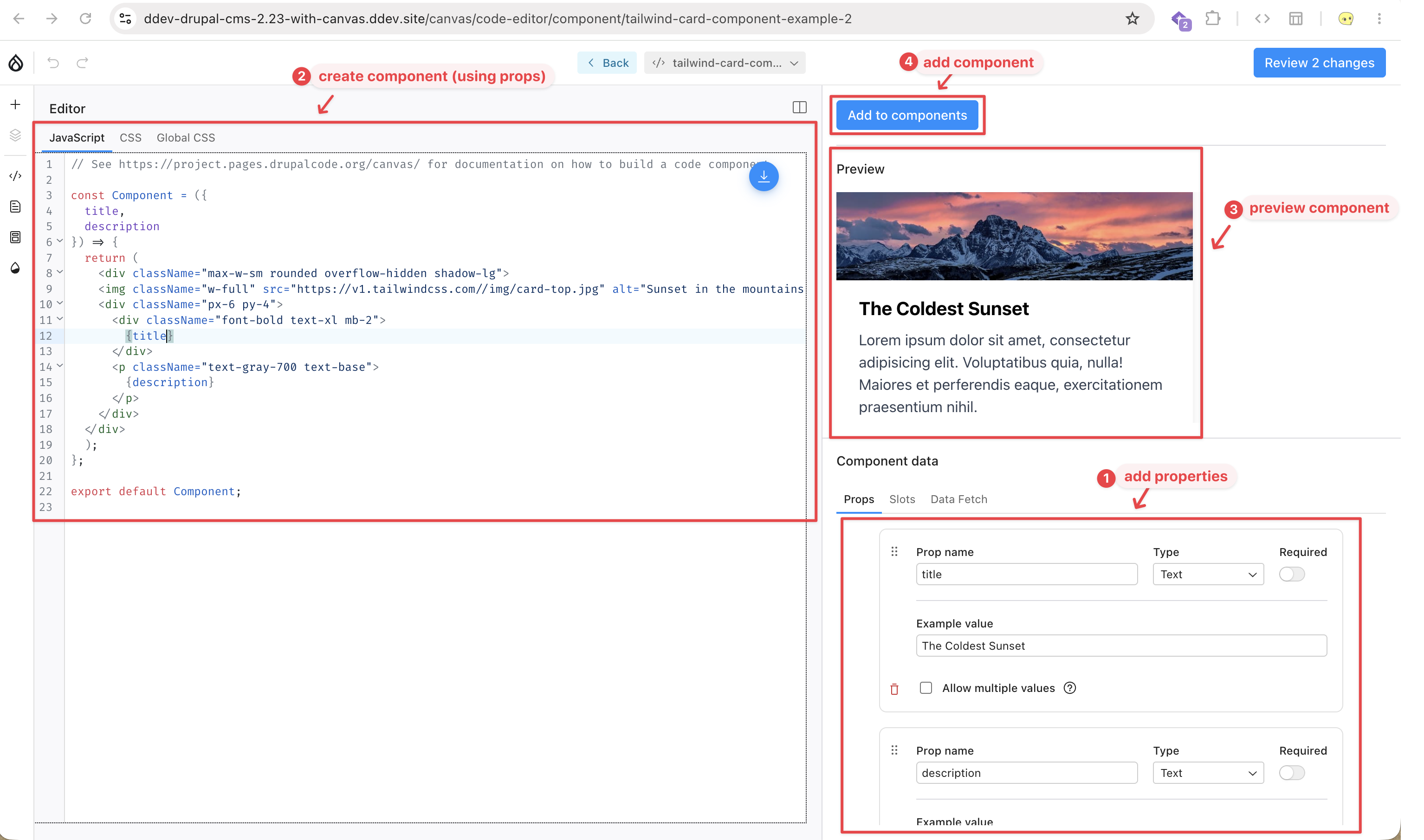
Pull component store in backend to local codebase:
First, like in example-1, declare the component in the backend:
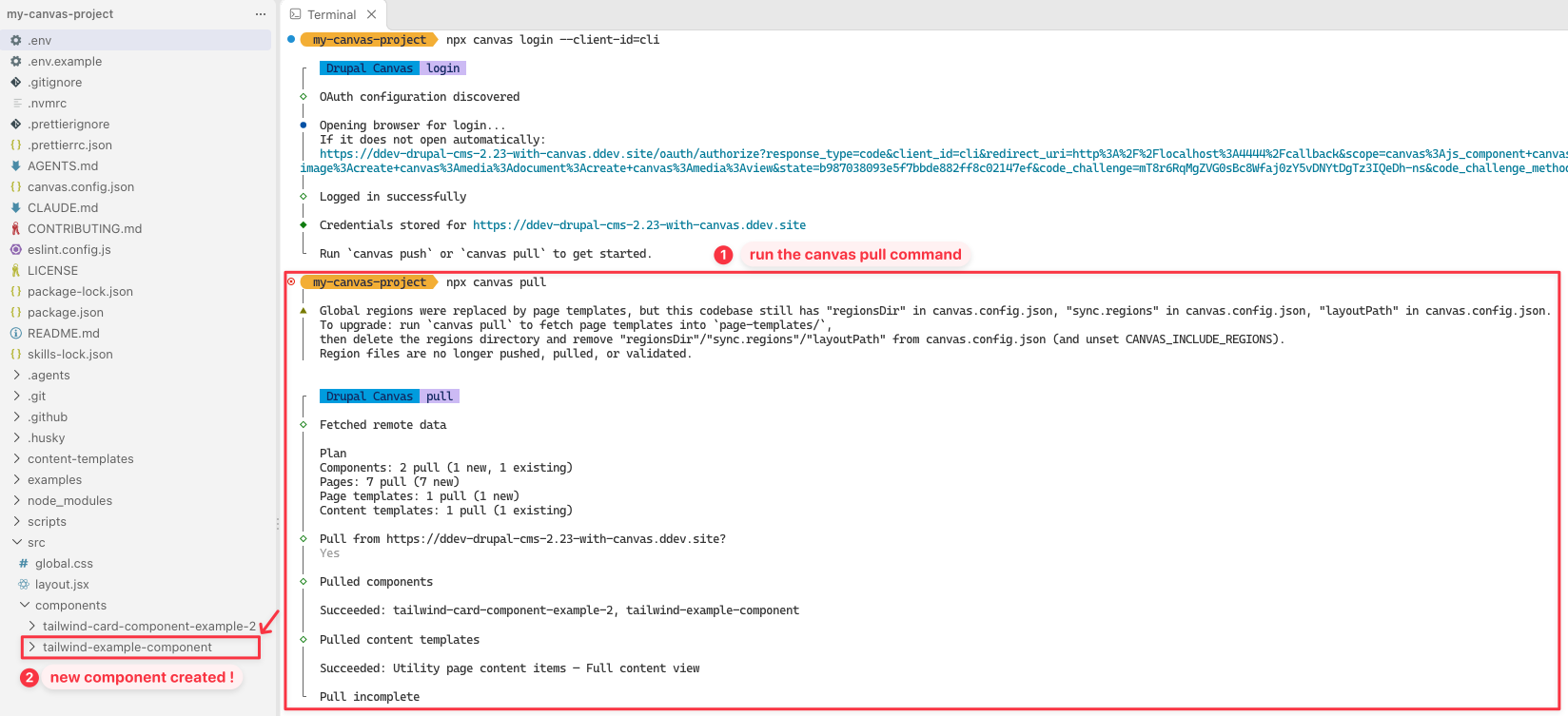
Second, use the npx canvas pull command to pull it to your local
Push component store in local codebase to backend:
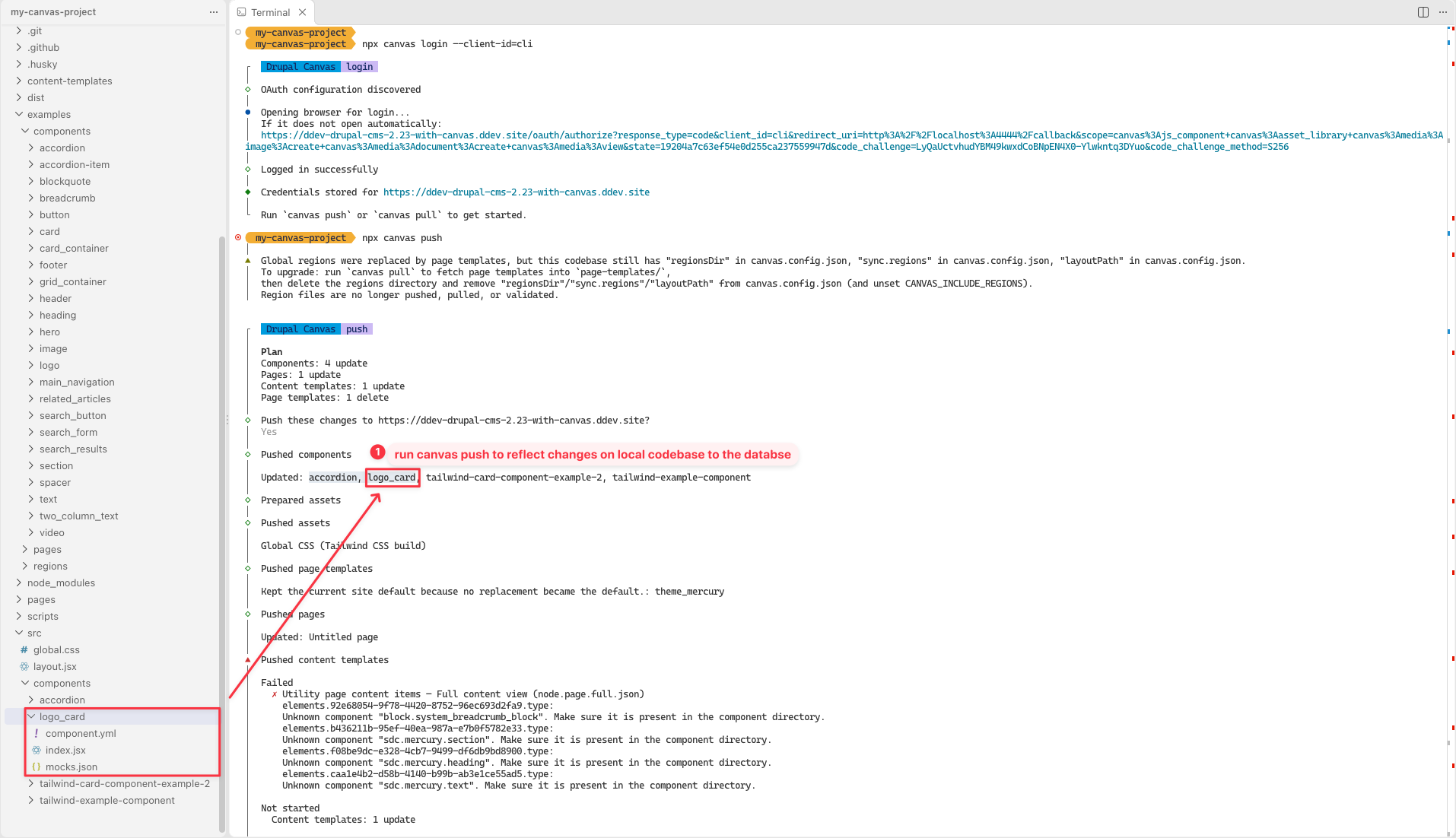
First, create the component in your codebase, and use npx canvas push command to push it
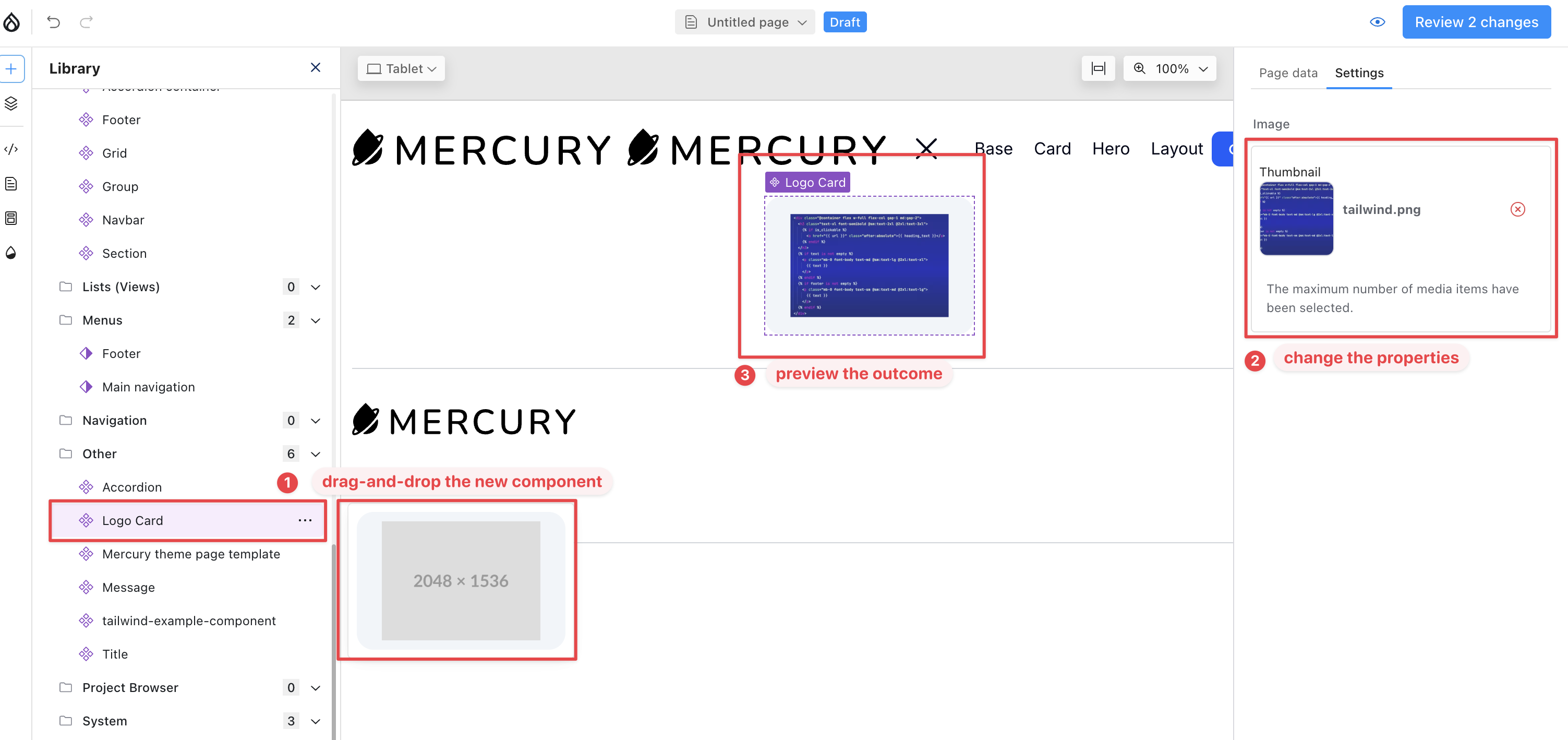
Second, see changes happening in Canvas:
Reference
Web Wash - Create Code Component in Drupal Canvas - 3 Feb 2026 (kinda outdated)
DriesNote - #Driesnote | DrupalCon Rotterdam 2026 | JavaScript Frontend (29:56 / 1:16:54) - Rotterdam 2026 30 Sept 2026
- JavaScript as a First-Class Citizen
- Canvas Headless Demo: YouTube - Canvas Headless | Drupal Content, Your Choice of Front End
- Canvas Code Component Demo: YouTube - Drupal Canvas |Code Components Demo
- JavaScript as a First-Class Citizen
Canvas Documentation:
Drupal Canvas | Code Component Documentation: Code Components contain your own JavaScript and CSS and they can be managed in the Canvas UI. They can be reused and incorporate dynamic elements such as page data, custom input data, and third-party API responses.
Drupal Canvas | Headless Documentation: Build decoupled frontend apps on top of Drupal Canvas with the Headless SDK. The Canvas Headless module lets the Drupal Canvas editor embed your app, so editors preview their work — draft content included — rendered by the app itself, with the app’s components registered in Canvas.