Method-1: Using Keyboard Shortcut
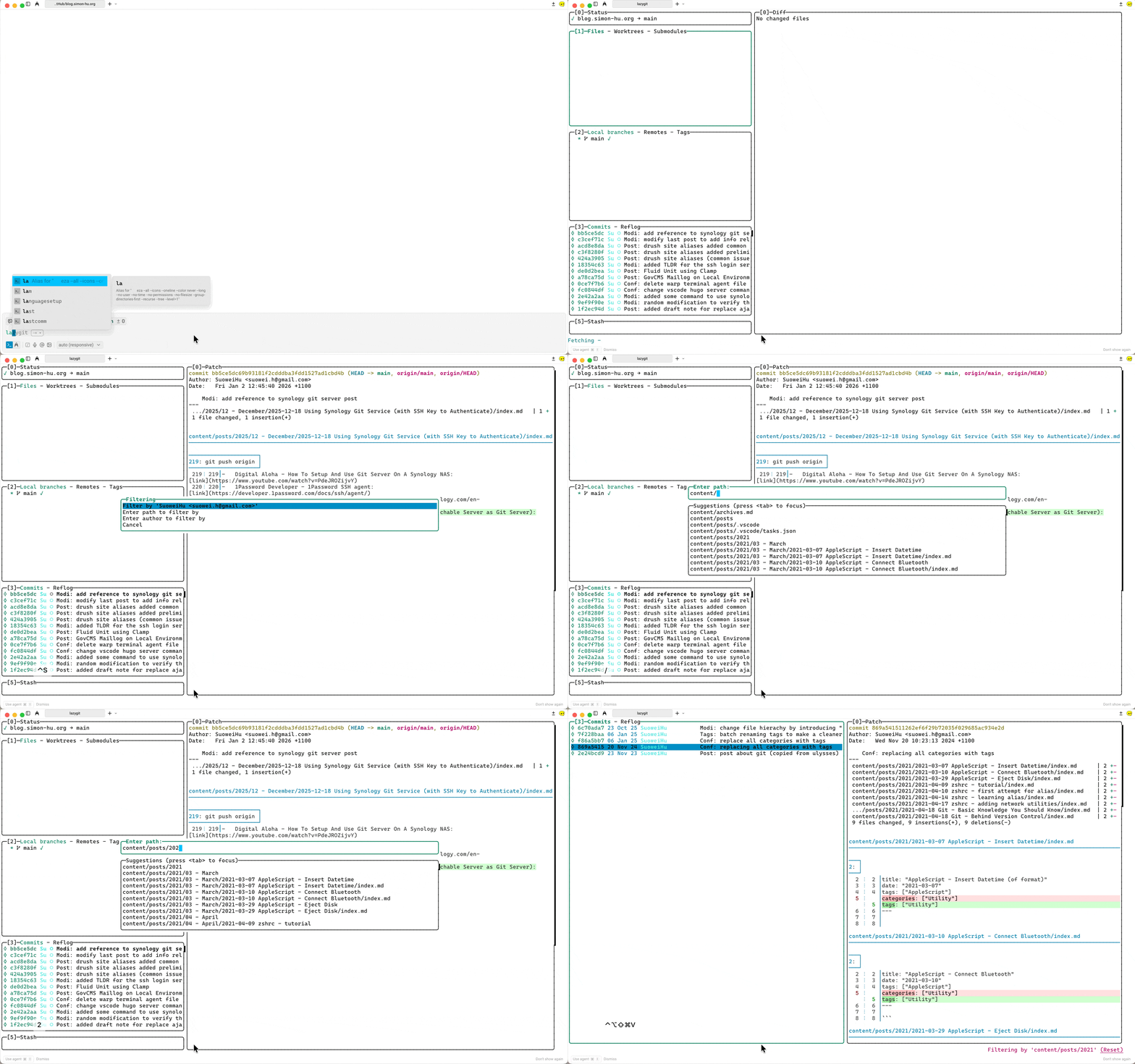
To filter commit history (3rd / 4th panel) by certain file or directory in LazyGit, first focus on commits/reflog panel, then use <ctrl + s> keyboard shortcut to reveal filter option; Then choose Enter path to filter by, enter the path to your file or directory, and press <Enter>.
Method-2: Using -f Flag to Launch
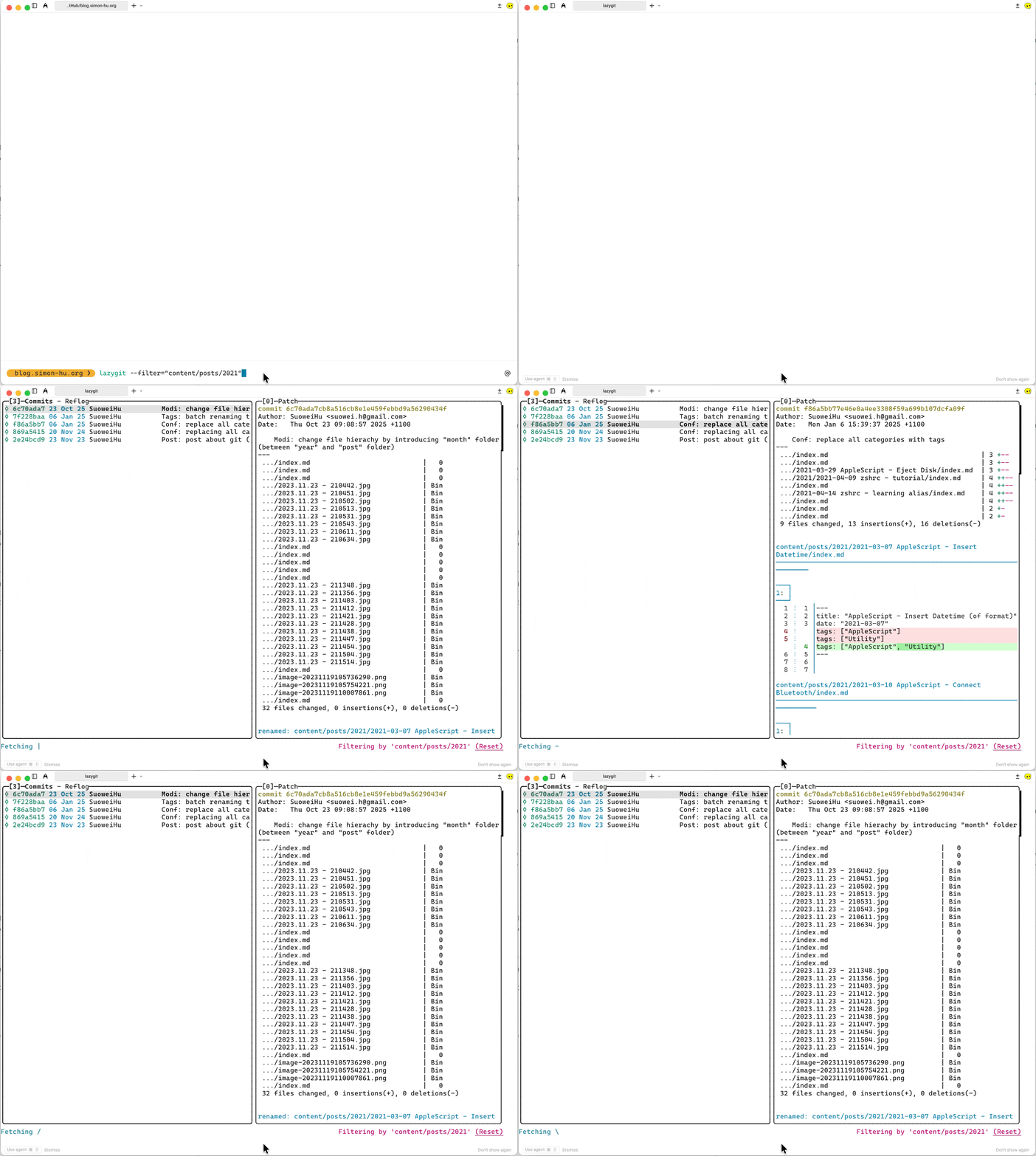
Alternatively you can also specify a path with the -f when launching lazygit: lazygit --filter="content/posts/2021"
Behind the Scene: git log -- <path> command
Lazygit filters commits by file path using Git’s git log -- <path> command under the hood. This restricts the commits view to only those affecting the specified file or directory. The git log -- <path> is commonly used to review changes to specific files or directories without scanning the full repository history.
Common Usage Examples:
Filter by Directory: compact summary with stats
git log --oneline --stat -- src/shows one-line messages and file change stats for thesrcdirectory.Filter by File: the command
git log -- src/index.htmllists hashes, authors, dates, and messages for those commits touchingsrc/index.html,Full diffs:
git log -p -- README.mddisplays patch diffs for each commit modifyingREADME.md.
Reference
- Lazygit Github Repo - Searching/Filtering
- Git Documentation - Git-log Show commit logs