Introduction
What is Git reflog
The Git
reflogis a reference log file that stores a chronological list of all changes made to theHEADpointer in your Git repository.HEADalways points to the most recent commit, and thereflogessentially tracks every previous commit ever made in the repo.Think of the
reflogas a logbook for your Git branches and other references. It records every change made to these references, enabling you to rewind time and undo any potentially unwanted actions. This can be incredibly helpful when you:
- Accidentally commit something you shouldn’t have.
- Delete a commit or branch by mistake.
- Need to recall what happened to a specific reference at a particular point in time.
This list is, of course, not exhaustive - I’m sure there are thousands of other mistakes you could possibly fix using
reflog.– Graphite - Every engineer should understand git reflog
(*Please note that it only lives on your local, and does not get pushed to the remove repository: when cloning a brand new repo to you local you get nothing but the clone log in git reflog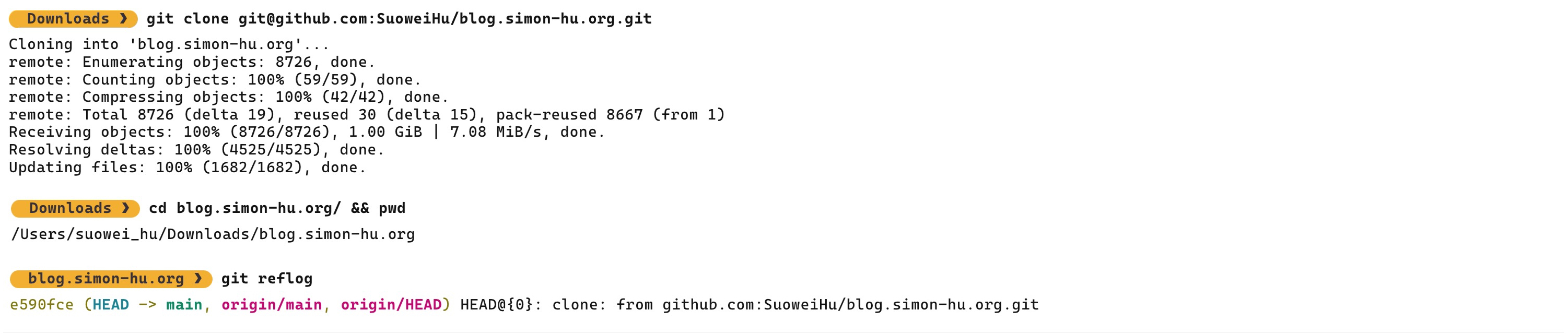
Basic Usage
The basic usage to show all reflog entries of “HEAD” pointer, branch, or even stash:
| |
Timed reflags allow you to show reflog entries based on certain time constraint, based on the timestamps attached to the reflog entries:
| |
Once you have found the certain reflog entries you want to jump back to, you can revert back to it using the git reset --hard #HASH command. For instance consider you have encountered an issue that break your code base during a rebase (commit 52896f49), and you want to revert to the state before the rebase (commit 7896dbe):
| |
(Exampled from the same Graphite blog post: link)
Using Reflog in Lazygit
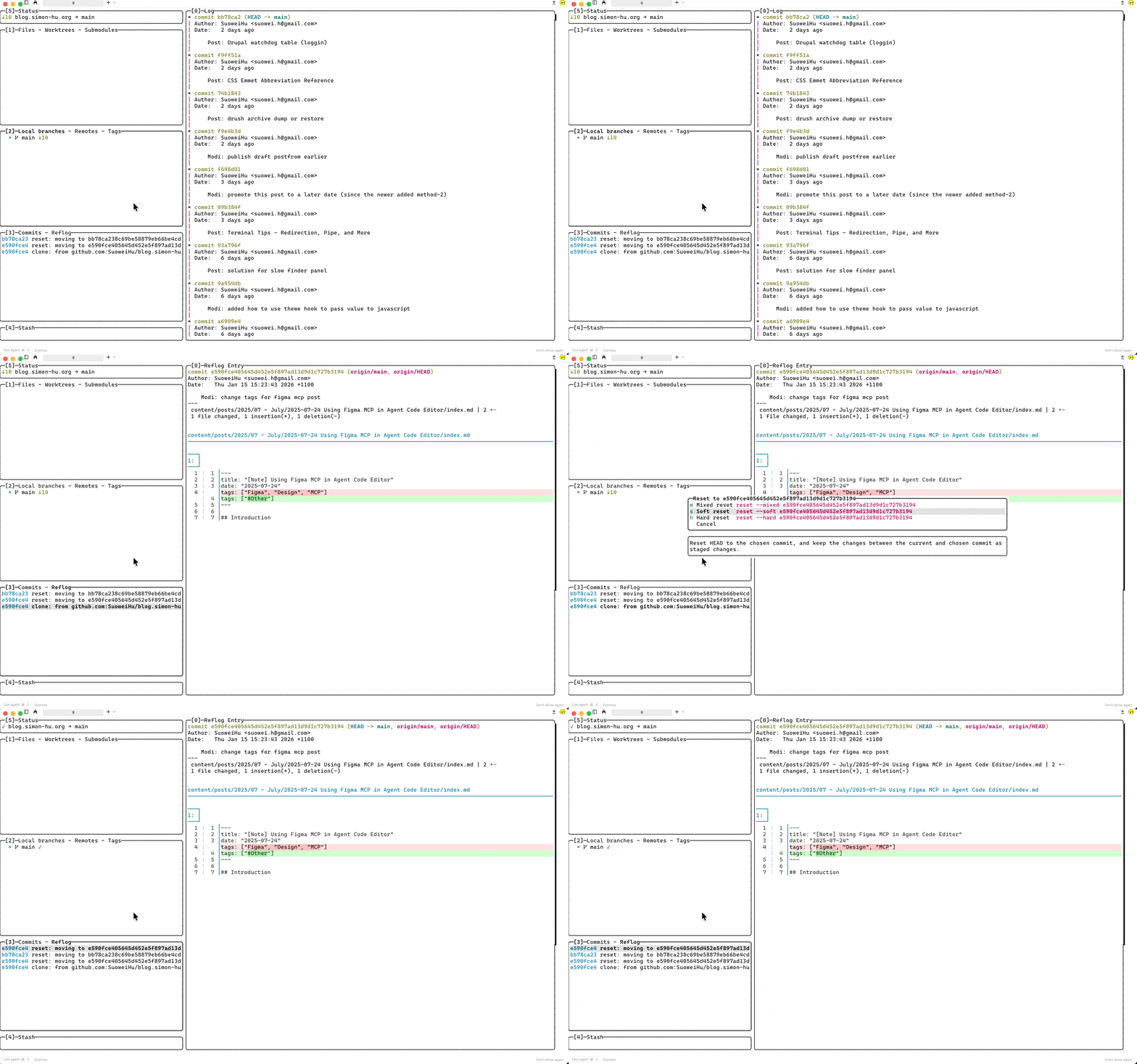
In lazygit there’s a “commit-reflog” panel, where you can traverse all the reflog entries, using it you can quickly jump/checkout to certain reflog entry using the g key and choose “hard reset” option:
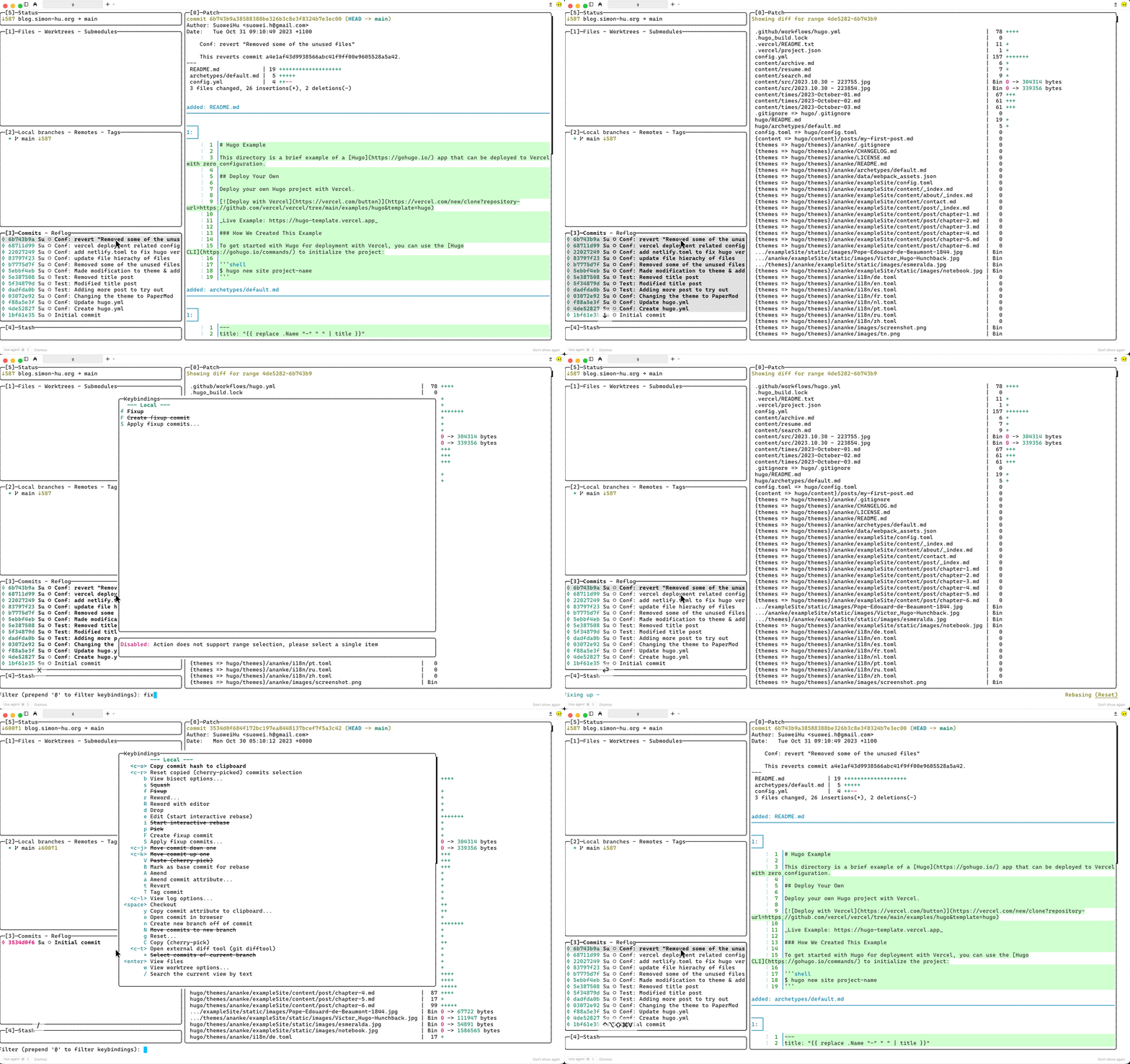
Moreover, you can also use the z key to undo and Z key to redo the last action, lazygit will utilise the reflog to determine what to do (what’s shown in the below example: fixup all commit into “Initial Commit” and undo that):
Reference
Graphite - Every engineer should understand git reflog
Atlassian - Git Reflog Documentation