TLDR;
Lazygit simplifies the fixup commit and squash process by the following keybinding:
Fcreate fixup commit - create a new!fixupcommit with your current changes (these fixup changes will be used later by the auto squash)Sautosquash - squashes all the!fixupcommits above the selected commit into their respective target commits
Fixup vs Squash
The difference between squash and fixup, is that squash let’s you edit the resulting commit log message; fixup, on the other hand, defaults to using the previous commit’s log message.
squash: Combines multiple commits and presents you with an editor to create a single, consolidated commit message from the messages of all the squashed commits.fixup: Combines multiple commits but automatically discards the commit message of thefixupcommits, keeping only the message of the base commit you are merging into. This is ideal for minor corrections or “fixup!” changes you don’t want in the final history.
(*However, so far as I trial in Lazygit, I don’t seem to be able to tell the difference; Using s squash shortcut does not prompt me to enter the commit message; Potentially this is because I am not yet combining it with feature such as rebase … ?)
Lazygit Fixup Commit & Auto-Squash
In lazygit you can create commit with message of prefix !fixup (using shortcut F) to denote a commit is a fixup commit of certain “root/source” commit, and later use the auto-squash to combine all the !fixup commits to their corresponding “root/source” commit.
For instance:
we have a root commit
542f4e0fof messagebutton feature(here I’m just using a demo repo, so the commit message may be a bit casual)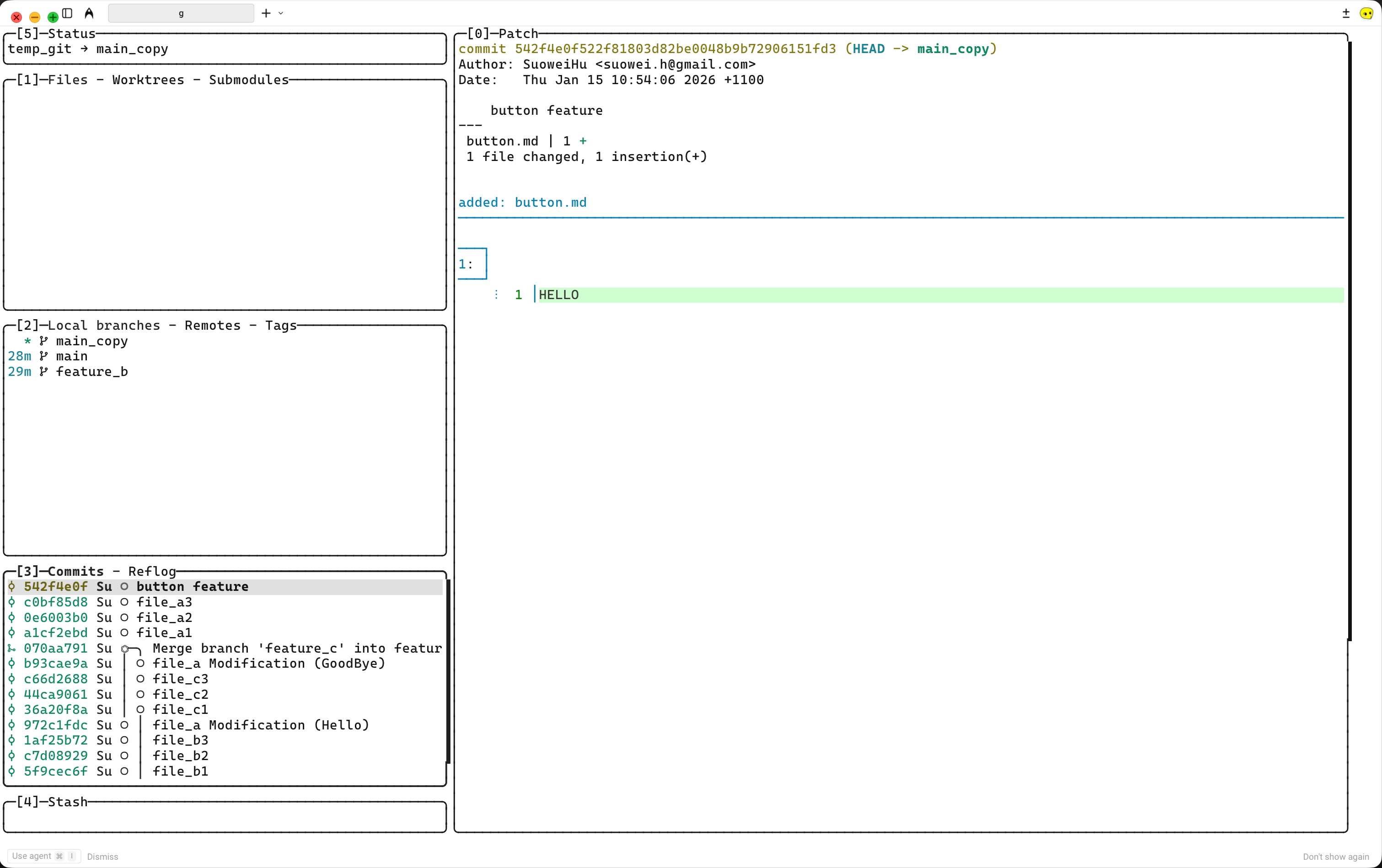
we’re adding two extra changes to the button (for simplicity just adding two string); And creating two fixup commits (which adds the prefix
!fixupto the last commit message)
finally we use the auto-squash feature in lazygit, to merge the two fixup commits we just created to the base commit
542f4e0f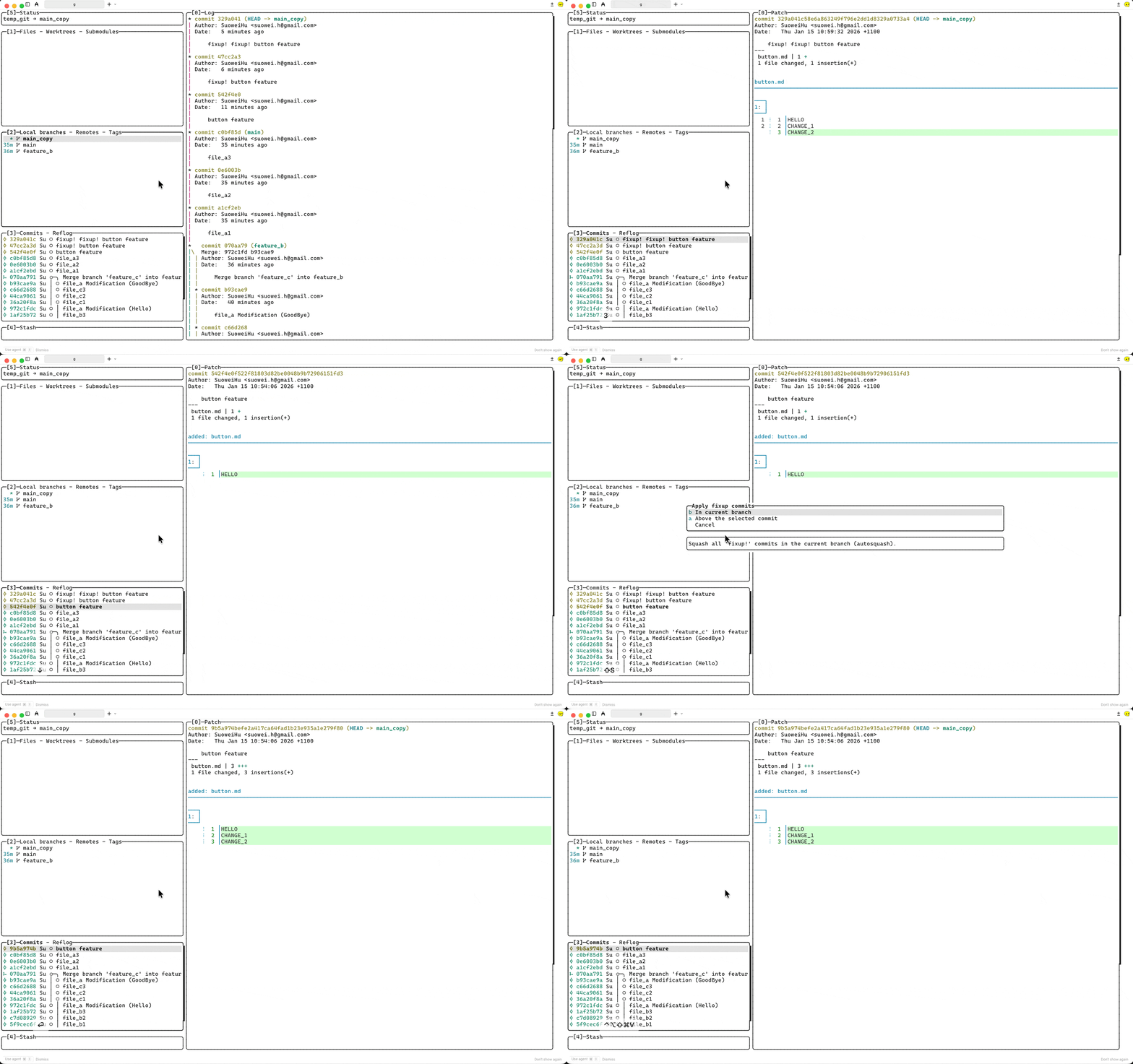
similarly, you can use the
!amendoption to change the542f4e0fbase commit’s message during the auto-squash (remember to select the base commit before you press theFshortcut)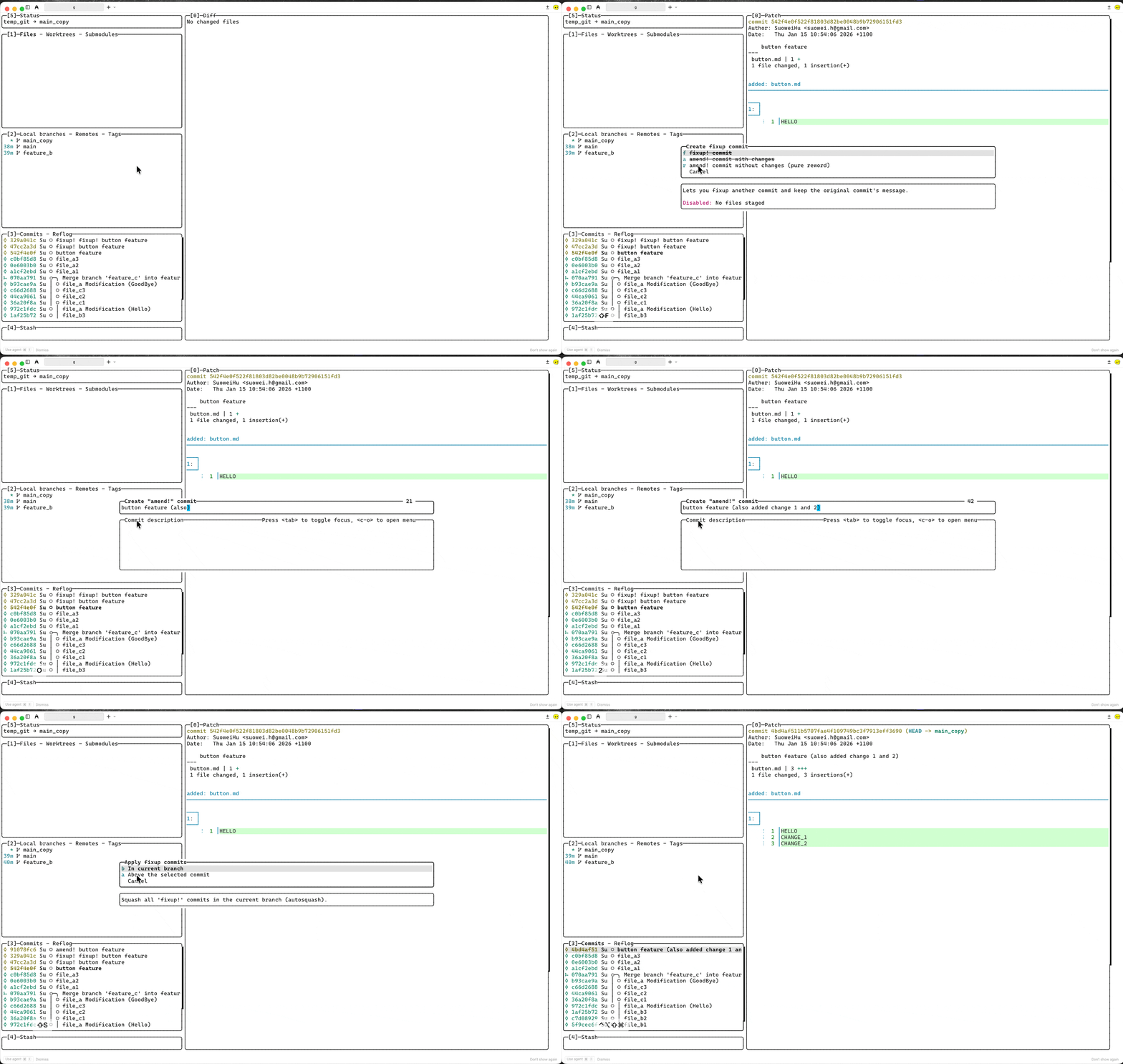
Undo / Redo
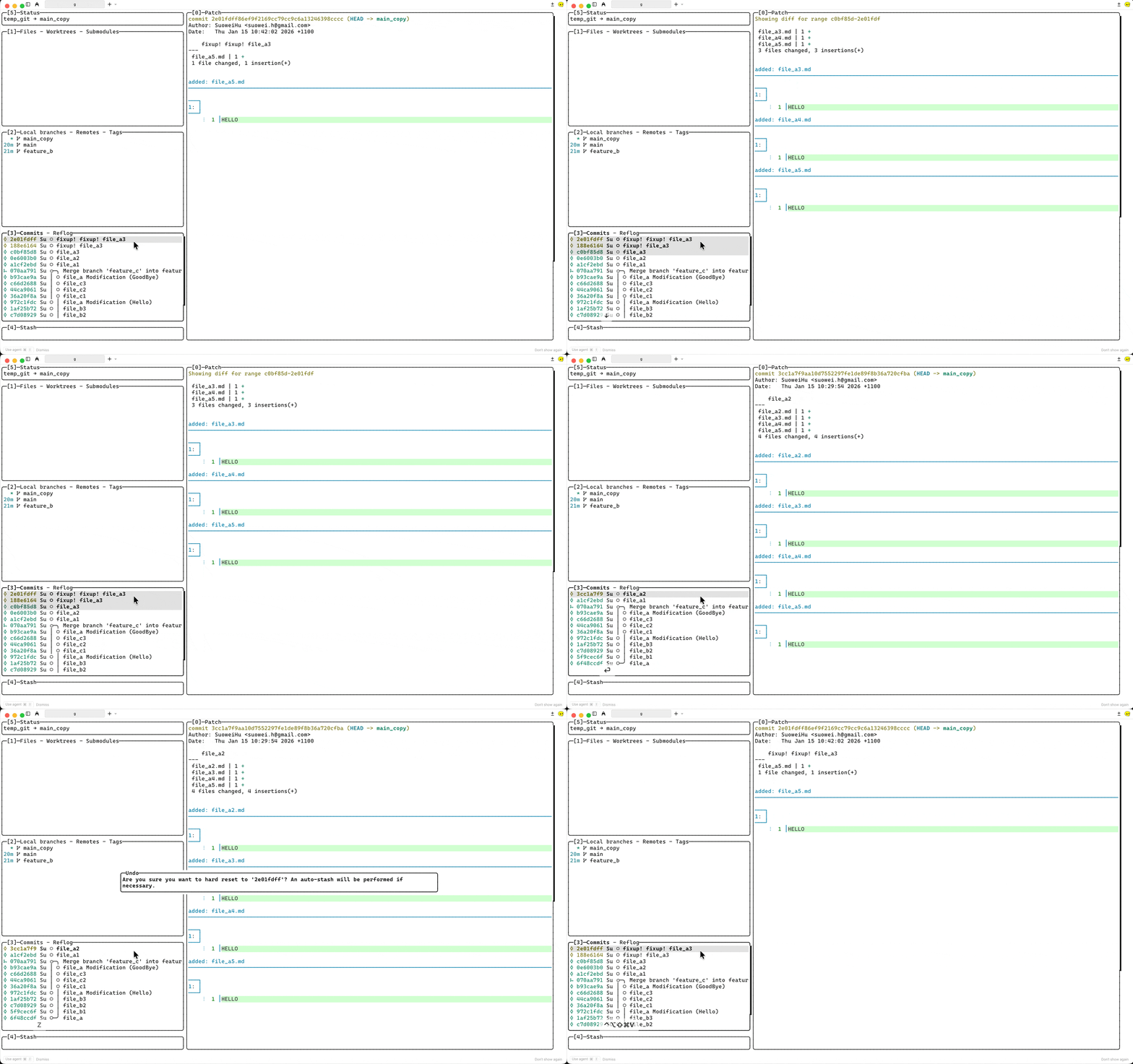
The following keybindings in Lazygit utilising git reflog + git reset --hard <previous-ref> are also very useful in case you break something during the process (see: lazygit undo/redo)
zundo - undo the last action<c-z>redo - redo the last action
Reference
Stack Overflow - What’s the difference between “squash” and “fixup” in Git/Git Extension?
The Pragmatic Git - How to Tidy up a Dirty Commit History (squash vs fixup)
Lazygit Github Repo - Undo/Redo in lazygit